How to Use Gel Pro Analyzer 3.1 for Western Blot Analysis
TL;DR
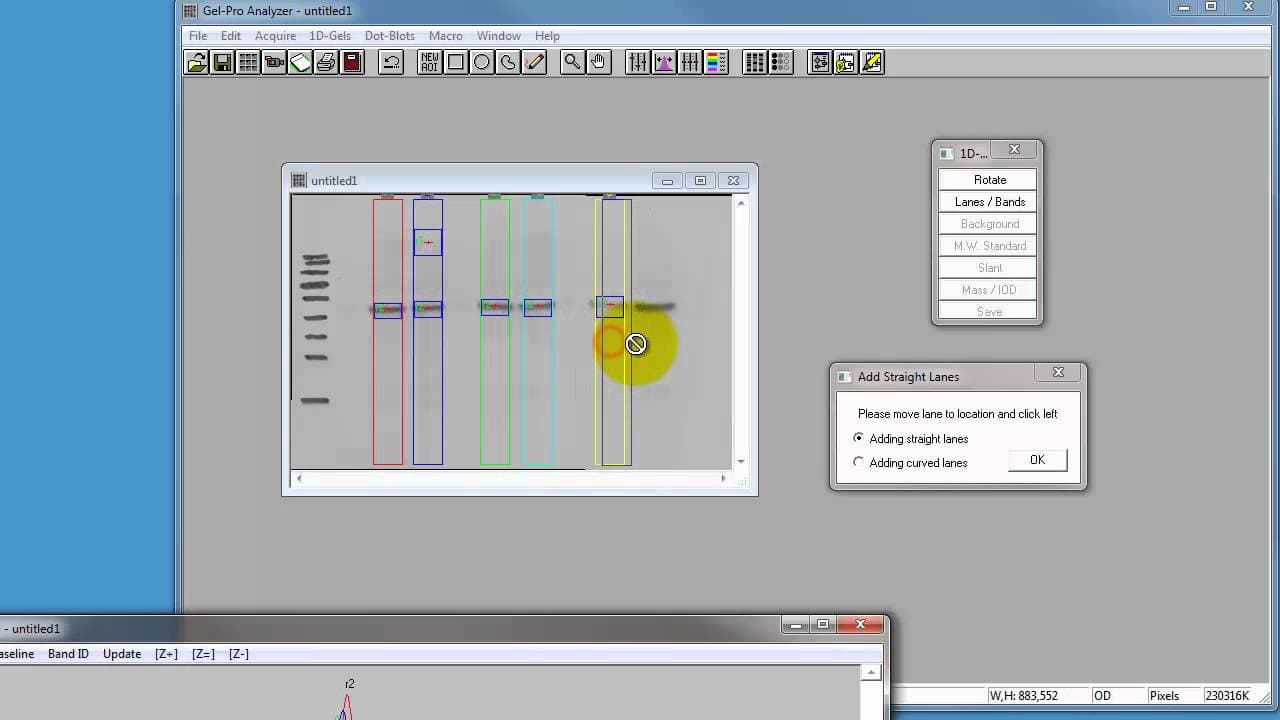
To use Gel Pro Analyzer 3.1 for Western blot analysis, start by cropping the image to focus on the area of interest, then convert it to a monochrome image. Add lanes and bands, adjust settings like lane width, and calculate band densities to analyze protein expression effectively.
Transcript
hi it's just James here this is a very quick run through um using gel Pro analyzer this is version 3.1 and we're using this software to quantify Western blots so we've done a STS page electropheresis we've transferred onto a membrane and we've stained with specific antibodies for a protein of interest and we developed these uh in the uh dark room a... Read More
Key Insights
- 🇪🇭 Gel Pro Analyzer version 3.1 is used for quantifying Western blots.
- ❓ Image cropping and preparation are essential for accurate analysis.
- ✈️ Adding lanes and adjusting settings like lane width is crucial for band identification.
- 😑 Calculating band densities aids in protein expression analysis.
- ❓ Understanding monochrome image conversion is necessary for accurate quantification.
- 🤕 The software offers options for analyzing band densities in various formats.
- 🏋️ Molecular weight calculations can be performed for specific applications.
Install to Summarize YouTube Videos and Get Transcripts
Explore YouTube Video Summarizer or Get YouTube Transcript Extractor
Questions & Answers
Q: What software version is used in the tutorial?
The tutorial demonstrates using Gel Pro Analyzer version 3.1 for Western blot quantification.
Q: How do you crop the image in Gel Pro Analyzer?
To crop the image, choose the rectangle tool, highlight the area of interest, and use the duplicate crop function to create a cropped image.
Q: How do you add lanes and bands in Gel Pro Analyzer?
Click on the add Lanes button, click where lanes should appear, and adjust lane width settings to capture desired bands for analysis.
Q: How do you calculate band densities in Gel Pro Analyzer?
By selecting the mass IOD option, you can view the integrated optical density values of each band, allowing for calculation of band densities for protein expression analysis.
Summary & Key Takeaways
-
Using Gel Pro Analyzer version 3.1 to quantify Western blots.
-
Cropping and preparing the image for analysis.
-
Adding lanes and bands, adjusting settings, and calculating band densities.
Read in Other Languages (beta)
Share This Summary 📚
Summarize YouTube Videos and Get Video Transcripts with 1-Click
Try YouTube Summary with ChatGPT & Claude or YouTube Transcript Generator
Explore More Summaries from Dory Video 📚






Summarize YouTube Videos and Get Video Transcripts with 1-Click
Try YouTube Summary with ChatGPT & Claude or YouTube Transcript Generator