How Do Docker Containers and Kubernetes Work? Full Hands-On Fundamentals Course
TL;DR
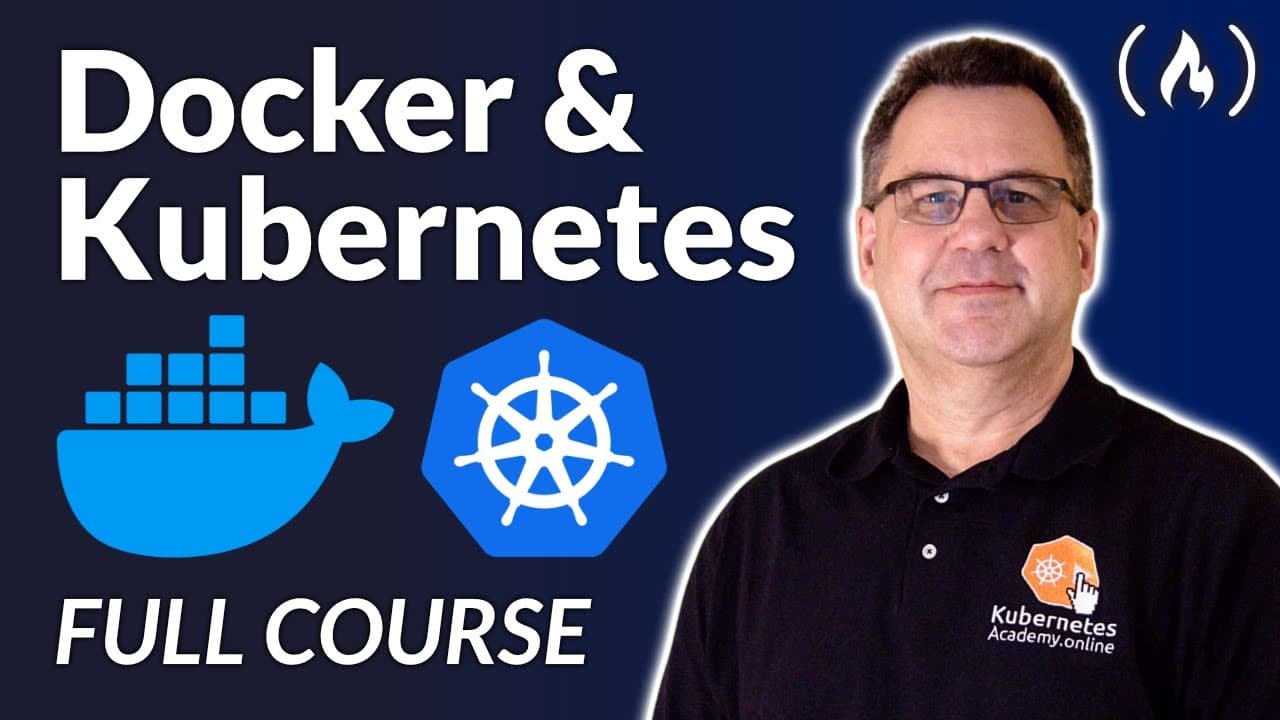
This beginner course explains Docker containers and Kubernetes fundamentals through hands-on activities performed locally on a PC or Mac. Guy Barrette covers Docker registries and Kubernetes objects such as pods, workloads, and services, with no previous Docker or Kubernetes knowledge or cloud-provider account required. Read on for setup requirements, core microservices concepts, migration guidance, and the benefits and drawbacks of cloud-native architecture.
Transcript
gee Barrette teaches us Docker containers and kubernetes fundamentals course for beginners ghee is a developer and trainer with more than 25 years of experience he is a Microsoft MVP frequent conference speaker and was the leader of the montreal.net user group for more than 23 years all this is to say he is the perfect person to teach you about Doc... Read More
Key Insights
- Microservices architecture arranges an application as a collection of loosely coupled, fine-grained services, each with its own responsibility, communicating through lightweight protocols like an API exposed over HTTP or gRPC.
- Monolithic systems are built and deployed as a single unit, so scaling requires spinning up a new VM and copying the whole system, whereas microservices deploy and scale independently piece by piece.
- The Strangler pattern, documented by Martin Fowler, transforms a monolith into microservices by placing a facade to route calls, migrating code gradually, then removing the facade once migration is complete.
- Microservices are not magic pixie dust; they add complexity, risk domino-effect failures, and require maturity plus new processes like DevOps, CI/CD, and testing introduced step by step with metrics.
- Microservices benefits include reduced full-system failure risk since each runs in its own address space, less vendor lock-in from open source tech, and easier understanding, deployment, and scaling.
- Calls between microservices go through APIs, adding latency and transient failures, so developers should implement retry strategies in code or use a service mesh to handle intermittent errors.
- Cloud native, per the CNCF definition, uses containers, service meshes, microservices, immutable infrastructure, and declarative APIs, where immutable infrastructure means replacing components with newer versions rather than updating them.
- The course setup requires a laptop running Windows 10, macOS, or Linux with Docker Desktop (Kubernetes enabled), VS Code with the Docker extension, a Docker Hub account, and lab files from a GitHub repo.
Install to Summarize YouTube Videos and Get Transcripts
Explore YouTube Video Summarizer or Get YouTube Transcript Extractor
Questions & Answers
Q: What does the Docker Containers and Kubernetes Fundamentals course teach beginners?
The course builds an entry-level foundation in containers, Docker, Docker registries, and Kubernetes. It introduces Kubernetes objects such as pods, workloads, and services and includes hands-on activities for practicing the material.
Q: Do you need prior Docker or Kubernetes experience for this course?
No previous Docker or Kubernetes knowledge is required. The course is intended for developers, DevOps specialists, IT professionals, and technical managers who want enough foundational knowledge to make sound decisions at work or in their projects.
Q: What do you need to set up your computer for the course?
You need a laptop, PC, or Mac running Windows 10, macOS, or Linux. The setup uses Visual Studio Code with the Docker extension, Docker Desktop with Kubernetes enabled on Windows or Mac, a Docker Hub account, and lab files downloaded or cloned from the course's GitHub repository.
Q: Can you complete the Docker and Kubernetes exercises without a cloud account?
Yes. Docker and Kubernetes run locally on your PC or Mac during the course, so an account with a cloud provider is not required. On Linux, you should follow the documentation for installing Docker and Kubernetes on your distribution.
Q: What is a microservices architecture?
A microservices architecture organizes an application as a collection of loosely coupled, fine-grained services with separate responsibilities. The services communicate through lightweight protocols, such as APIs exposed over HTTP or gRPC, and can use different programming languages and separate databases.
Q: How do microservices differ from a monolithic system?
A monolithic system is compiled, deployed, and scaled as a single unit, so scaling requires copying the entire system to another server or VM. Microservices divide the system into smaller components that are deployed and scaled independently, with functionality exposed through APIs instead of tightly coupled project references.
Q: How can the Strangler pattern convert a monolith into microservices?
The Strangler pattern places a facade in front of the legacy system to route calls while code is gradually moved into new microservices. As migration progresses, the legacy system shrinks, and the facade can be removed after the transformation is complete.
Q: What are the main benefits and drawbacks of microservices?
Microservices can reduce the risk of one failure bringing down the entire system, limit vendor lock-in, and make individual services easier to understand, deploy, and scale. However, they add complexity, latency, security concerns, transient API failures, and the possibility of domino-effect failures, so teams need testing, retry strategies, metrics, and mature processes.
Summary & Key Takeaways
-
Guy Barrette, a Montreal-based full-time trainer and Microsoft MVP certified on Kubernetes, Terraform, and major clouds, hosts this entry-level course. It provides a strong containers and Kubernetes foundation with many hands-on activities, requiring no prior Docker or Kubernetes knowledge and no cloud provider account.
-
The course explains microservices as loosely coupled, independently deployable services replacing tightly coupled monoliths. It covers converting monoliths using the Strangler pattern, anti-patterns warning that microservices add complexity, and benefits and drawbacks like reduced failure risk versus added latency and security concerns across many services.
-
Cloud native is defined as architecting complex systems using containers, service meshes, microservices, immutable infrastructure, and declarative APIs, emphasizing speed and agility. Learners run Docker Desktop with Kubernetes enabled locally alongside VS Code and the Docker extension, downloading lab files from GitHub to practice.
Read in Other Languages (beta)
Share This Summary 📚
Summarize YouTube Videos and Get Video Transcripts with 1-Click
Try YouTube Summary with ChatGPT & Claude or YouTube Transcript Generator
Explore More Summaries from freeCodeCamp.org 📚



![The Most Important Skills Going Forward with CTO + Homebrew Maintainer Mike McQuaid [Podcast #204] thumbnail](/_next/image?url=https%3A%2F%2Fi.ytimg.com%2Fvi%2F58Tn2xB8kIE%2Fhqdefault.jpg&w=750&q=75)

Summarize YouTube Videos and Get Video Transcripts with 1-Click
Try YouTube Summary with ChatGPT & Claude or YouTube Transcript Generator