How to Learn Software Testing with Playwright, E2E Tests, and AI Agents
TL;DR
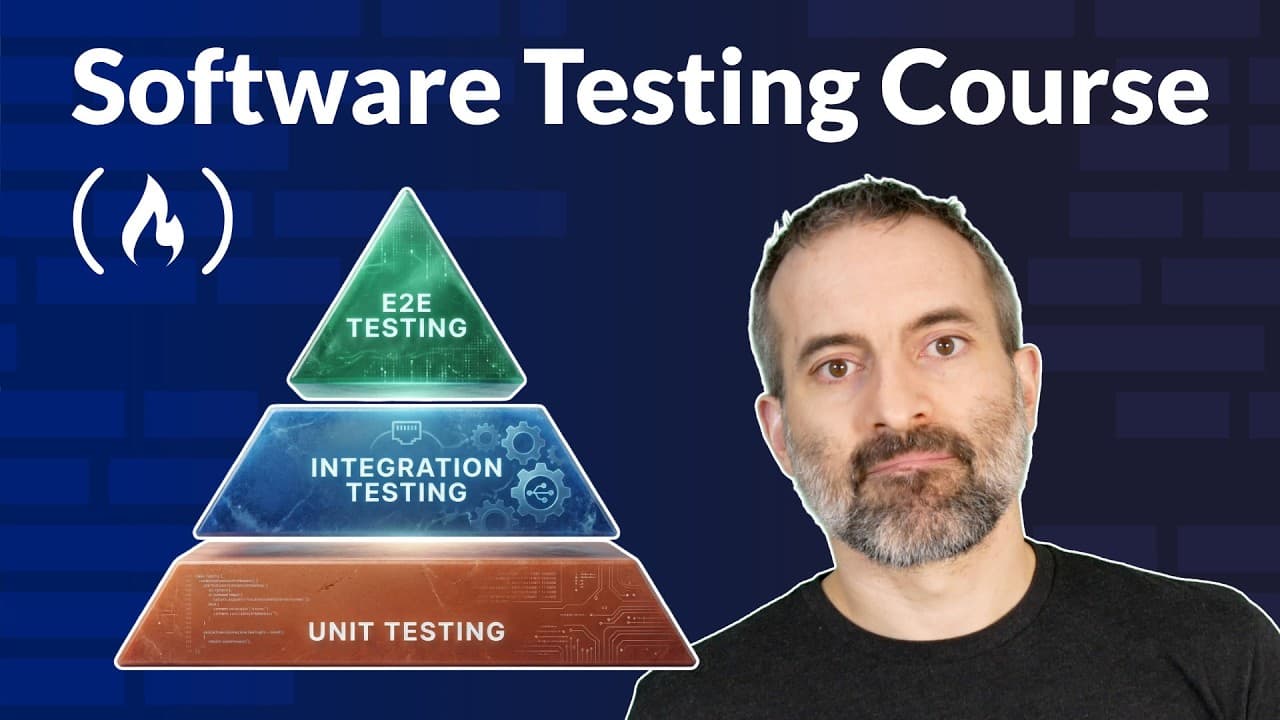
Master software testing by balancing many unit tests, some integration tests, and fewer end-to-end tests, then applying those fundamentals with Playwright and AI agents. The course uses the TechMart e-commerce application to demonstrate realistic user journeys and introduces Kane AI for writing tests in plain English. Read on for a practical framework covering test selection, automation, edge cases, and error handling.
Transcript
Hello and welcome to this software testing course. I'm Bo KS and I created this course. In this tutorial, you'll learn all about software testing from the fundamental concepts to writing your own automated tests and finally how modern AI powered tools are transforming the way teams approach testing. And here's what we'll cover. First, we'll explore... Read More
Key Insights
- Software testing prevents costly bugs and improves code reliability.
- The testing pyramid consists of unit, integration, and end-to-end tests.
- Playwright is a popular JavaScript testing framework for automated tests.
- AI-powered tools like Kane AI allow for natural language test creation.
- Testing edge cases and error handling is crucial for real-world scenarios.
- Mocking API responses helps simulate difficult-to-reproduce situations.
- Accessibility testing ensures applications are usable by all users.
- AI testing tools reduce maintenance burdens through auto-healing capabilities.
Install to Summarize YouTube Videos and Get Transcripts
Explore YouTube Video Summarizer or Get YouTube Transcript Extractor
Questions & Answers
Q: How can I learn software testing with Playwright, E2E tests, and AI agents?
Start with testing fundamentals and the testing pyramid, then practice automated end-to-end tests with Playwright on a working application. The course uses TechMart to cover browsing, search, authentication, carts, and checkout before introducing Kane AI for creating tests in plain English.
Q: What is the software testing pyramid?
The testing pyramid has three levels: unit tests at the bottom, integration tests in the middle, and end-to-end tests at the top. It recommends many unit tests, some integration tests, and fewer end-to-end tests because tests generally become slower, more expensive to maintain, and more brittle higher in the pyramid.
Q: What is the difference between unit, integration, and end-to-end tests?
Unit tests check an individual function, method, or class in isolation, while integration tests verify that components such as an API and database work together. End-to-end tests simulate complete user behavior by navigating pages, filling forms, clicking buttons, and confirming outcomes through the application's user interface.
Q: How is Playwright used for end-to-end testing?
Playwright programmatically interacts with a website through actions such as visiting a page, clicking elements, filling fields, and checking visible results. The example test completes a checkout journey and verifies that an “order confirmed” message appears.
Q: What application is used for the Playwright testing exercises?
The exercises use TechMart, a working e-commerce application with a backend API. Its features include product listings, price filtering, sorting, categories, search, login, registration, a cart system, and checkout.
Q: What should software developers test first?
Prioritize the happy path, edge cases, error handling, and business-critical features where bugs would be most costly. The course emphasizes focusing on what matters most instead of trying to test everything.
Q: What is test-driven development, or TDD?
TDD begins by writing a failing test, followed by the minimum code required to make it pass. The final step is refactoring while keeping the tests green, although the course advises using TDD when it helps rather than forcing it in every situation.
Q: How does Kane AI change software testing?
Kane AI from TestMu lets people write tests in plain English instead of code. The course presents it as an AI-powered approach that can make testing more accessible and efficient while complementing traditional automated testing.
Summary & Key Takeaways
-
Software testing is essential to prevent costly bugs and ensure software reliability. The testing pyramid, consisting of unit, integration, and end-to-end tests, guides the balance of testing efforts. Playwright provides a robust framework for automating tests, while AI tools like Kane AI enable natural language test creation, making testing more accessible and reducing maintenance burdens.
-
Real-world examples, such as the Knight Capital incident, highlight the importance of thorough testing. Testing edge cases, error handling, and mocking API responses are crucial techniques for effective testing. Accessibility testing ensures applications are usable by all users, and AI-powered tools offer benefits like auto-healing and reduced maintenance.
-
AI-powered testing tools transform software development by enabling non-developers to write tests and reducing the need for manual coding. These tools complement traditional testing methods, providing speed and accessibility while maintaining precision. Integrating tests into CI/CD pipelines ensures regular execution and maximizes their value.
Read in Other Languages (beta)
Share This Summary 📚
Summarize YouTube Videos and Get Video Transcripts with 1-Click
Try YouTube Summary with ChatGPT & Claude or YouTube Transcript Generator
Explore More Summaries from freeCodeCamp.org 📚



Summarize YouTube Videos and Get Video Transcripts with 1-Click
Try YouTube Summary with ChatGPT & Claude or YouTube Transcript Generator