How to Use APIs in n8n for Workflow Automation
TL;DR
APIs let n8n exchange data with external software through defined requests and responses. Use the HTTP Request node, select the appropriate method, copy the documented endpoint, supply required parameters and credentials, then test the request. Built-in n8n integrations often handle these API interactions for you, while direct requests provide access to other third-party services.
Transcript
apis may sound like Tech jargon but they're really the secret sauce behind everything that you do on the internet every day in this video I'm breaking down apis so simply that anyone can understand them and then we're going to hop into nadn and go through some examples by the end you'll see how apis can transform your workflows even if you're a com... Read More
Key Insights
- An API is a defined set of rules and protocols that allows separate software applications to communicate, exchange information, and request functionality from one another without requiring either application to reproduce the other system's underlying capabilities.
- The restaurant waiter analogy describes an API as an intermediary that carries a request from a customer to a kitchen, then brings the result back. The customer and kitchen remain separate entities but can exchange information through this agreed communication method.
- APIs are useful because they let applications reuse existing services instead of building every capability from scratch. A workflow could send values to a third-party conversion service and receive a calculated result rather than implementing the full conversion infrastructure itself.
- GET retrieves information, while POST sends information to create something or receive a result. PUT completely replaces existing data, PATCH changes only part of existing data, and DELETE removes data from the destination system.
- A REST API uses standard HTTP requests and organizes resources behind unique URL endpoints. Its requests are stateless, meaning each request is independent, and its consistent patterns make the approach simple, scalable, and widely supported across different platforms.
- API documentation identifies the available endpoints, required and optional parameters, and the correct structure for each request. Consulting the provider's documentation is therefore a necessary step before configuring a third-party API call in an n8n workflow.
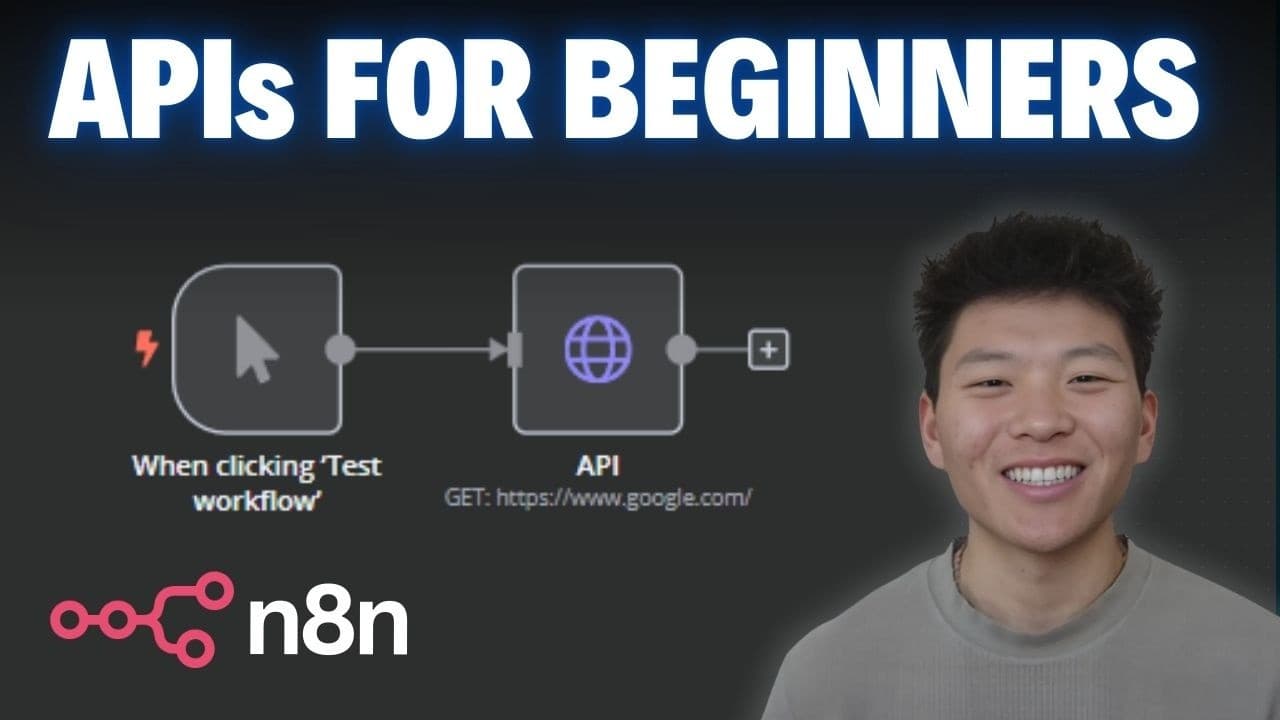
- The n8n HTTP Request node provides direct access to third-party API endpoints. A user selects a method, enters the documented URL, supplies parameters and access credentials, and tests the step to confirm that the external service returns the expected data.
- Built-in n8n integrations can remove the need to configure direct API calls for commonly used applications such as email, calendars, Twitter, and LinkedIn. These integrations still enable services to exchange data, but they present the connection through ready-made workflow nodes.
Install to Summarize YouTube Videos and Get Transcripts
Explore YouTube Video Summarizer or Get YouTube Transcript Extractor
Questions & Answers
Q: What is an API and how does it work?
An API, or application programming interface, is a set of rules and protocols that allows different software applications to communicate and exchange data. It acts like a restaurant waiter: one party submits a request, the intermediary carries that request to another party, and the result is returned. This lets separate systems interact without becoming a single application.
Q: Why are APIs useful for workflow automation?
APIs allow automated workflows to share data and functionality across separate software systems. They make it possible to use an existing service instead of building the same capability from scratch. For example, a workflow can retrieve weather information, submit data to a database, process a payment through a gateway, or authenticate a user through an established platform.
Q: What are the main API methods used in n8n?
The main methods described are GET, POST, PUT, PATCH, and DELETE. GET retrieves data, while POST sends data to create something or obtain a response. PUT completely replaces existing data, PATCH changes only a selected portion, and DELETE removes data. GET and POST are presented as the methods used for most API endpoint interactions.
Q: What is a REST API?
A REST API, meaning representational state transfer API, is a way for software systems to communicate over the web through standard HTTP requests such as GET, POST, PUT, and DELETE. It organizes data into resources accessible through unique URL endpoints. Each request is independent, and the consistent request patterns support simple, scalable integrations across platforms.
Q: How do you call a third-party API in n8n?
Use an HTTP Request node when an n8n workflow needs to call a third-party API directly. Choose the appropriate request method, enter the endpoint URL from the provider's documentation, and add all required parameters and credentials. After configuring the request, use the test step to verify that the external service accepts it and returns data.
Q: Why should you read API documentation before building a request?
API documentation tells you which endpoint matches the desired action, which parameters are required or optional, and how the request must be structured. In the OpenWeatherMap example, the documentation identifies the current-weather endpoint and requires latitude, longitude, and an app ID. It also lists optional settings, including the mode and measurement units.
Q: How does the OpenWeatherMap GET example work in n8n?
The example places the OpenWeatherMap current-weather endpoint in an n8n HTTP Request node and selects GET because the workflow needs to retrieve information. The request includes latitude, longitude, Imperial units, and an API key. After the step is tested, the service returns current weather data for the supplied Chicago coordinates, including temperature, humidity, clouds, and wind information.
Q: When should you use an n8n integration instead of an HTTP Request node?
Use a built-in n8n integration when the platform already provides a node for the application involved, such as email, calendars, Twitter, or LinkedIn. These integrations can handle the underlying communication without requiring manual endpoint configuration. Use the HTTP Request node when you need to access a third-party API or action that is not covered by an available integration.
Summary & Key Takeaways
-
An API is a set of rules and protocols that enables software applications to communicate and exchange data. Like a restaurant waiter carrying an order between a customer and a kitchen, an API transfers a request to another system and returns the resulting information or completed action to the requester.
-
APIs make automation practical because workflows can reuse services that already provide useful data or functionality. Common examples include retrieving weather data, sharing content on social platforms, processing payments through PayPal or Stripe, authenticating users through Google or Facebook, and moving information between email services and databases.
-
In n8n, direct API access is handled through the HTTP Request node. The OpenWeatherMap example uses a GET request with documented latitude, longitude, units, and API key parameters. Testing the step returns current weather data, which can then be passed to a model and summarized in a cleaner, readable format.
Read in Other Languages (beta)
Share This Summary 📚
Summarize YouTube Videos and Get Video Transcripts with 1-Click
Try YouTube Summary with ChatGPT & Claude or YouTube Transcript Generator
Explore More Summaries from Nate Herk | AI Automation 📚




Summarize YouTube Videos and Get Video Transcripts with 1-Click
Try YouTube Summary with ChatGPT & Claude or YouTube Transcript Generator