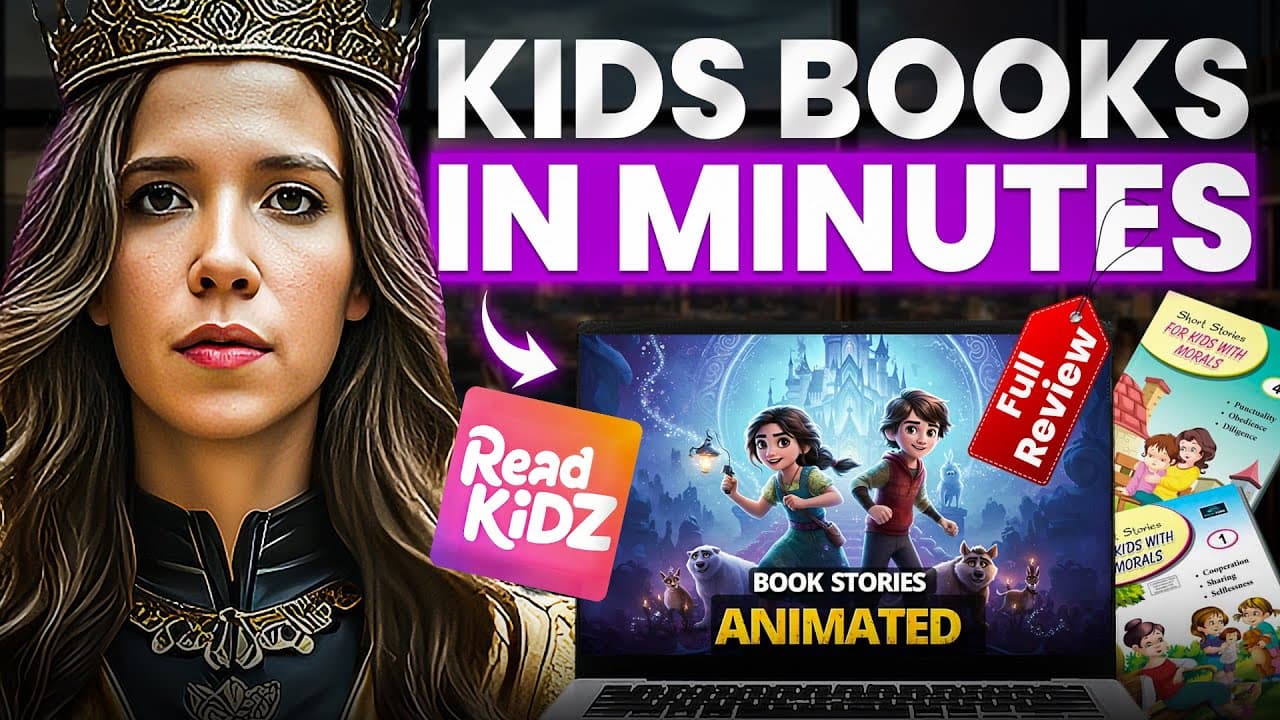
How Do You Create Children’s Books and Animated Videos with ReadKidz? (Full Review)
TL;DR
ReadKidz creates a children’s picture book and turns the same project into an animated video within one platform. The demonstrated eight-step book workflow covers story generation, reusable characters, more than 60 art styles, page design, and PDF export; users can then add movement, narration, music, timing, and transitions before exporting a 1080p video. Read on for the complete workflow, customization options, and publishing routes.
Transcript
2025 is here and AI has officially made children's content creation accessible to everyone. What used to take weeks of work, thousands of dollars in designer fees, and professional animation skills can now be done in minutes. And no, this isn't another chat GPT rapper. This is Read Kids. And it's about to change everything for parents, educators, a... Read More
Key Insights
- ReadKidz is an integrated children's content studio that handles story generation, illustrations, character consistency, layout design, voice dubbing, animation, and publishing. Its unified workflow is intended to replace the need for separate writing, design, and video-editing tools.
- The central workflow creates two formats from one project: a picture book is produced first, then converted into an animated video. This allows the same story and artwork to support reading, viewing, teaching, publishing, and monetization without rebuilding the content.
- Character consistency is maintained by creating and saving a character before generating page illustrations. The platform reuses the same defining appearance across the story and provides controls for expressions and poses, including emotions and actions such as running or jumping.
- The picture-book creation process consists of selecting a project type, generating or entering a story, designing characters, choosing an art style, creating illustrations, arranging the layout, adding publication details, previewing the result, and exporting the finished book as a PDF.
- The animation workflow starts with an existing picture book and adds movement style, narration, background music, timing, and transitions. Users can preview the result, correct pacing problems, select an output quality, and export a 1080p version for YouTube.
- The Chat PS feature modifies selected visual details without regenerating an entire image. A user can request targeted changes to colors, lighting, backgrounds, positioning, or small objects while preserving the rest of the illustration and its established character design.
- ReadKidz supports multilingual production through story creation in 12 languages and professional children's dubbing in more than 10 languages. These capabilities let creators adapt books and animated stories for different audiences without separately hiring voice actors for every supported language.
- The platform offers direct publishing to YouTube, Amazon KDP, and WhatsApp, while the review states that creators retain rights to their work. Suggested revenue options include advertisements, book royalties, print-on-demand products, and licensing content to schools or libraries.
Install to Summarize YouTube Videos and Get Transcripts
Explore YouTube Video Summarizer or Get YouTube Transcript Extractor
Questions & Answers
Q: How do you create a children’s book with ReadKidz?
Create a new project, select Picture Book, and write a story or generate one from a concept. Design and save the main character, choose from more than 60 art styles, generate each page, and refine the layout. Add the title, author name, and dedication, preview the finished book, and export it as a PDF.
Q: How do you turn a ReadKidz picture book into an animated video?
Open the completed picture book in the project library and select Create Animated Video. Choose gentle transitions, dynamic movements, or classic page turns, then add a narrator voice and background music. Preview the result, adjust timing or transitions, select the output quality, and export it, with 1080p recommended for YouTube.
Q: How does ReadKidz keep a character consistent across every page?
Describe and generate the main character before creating the page illustrations, then save the approved design to the character library. ReadKidz reuses that character throughout the story, preserving details such as the same face and outfit. Expression and pose controls allow actions such as running or jumping without replacing the established design.
Q: How quickly can ReadKidz create a children’s picture book?
The walkthrough creates a professional-quality children’s picture book in under 15 minutes. Its eight-step process covers project setup, story generation, character creation, art selection, illustration, layout, finishing details, and PDF export.
Q: What story, language, and art options does ReadKidz provide?
Users can write their own story or have AI generate one, and the platform supports 12 languages, including English, Spanish, and Chinese. ReadKidz also provides more than 100 templates and over 60 drawing styles, with watercolor, cartoon, realistic, and anime among the named options.
Q: What can the ReadKidz Chat PS feature change?
Chat PS makes targeted changes to an illustration without regenerating the entire image. It can revise colors, lighting, backgrounds, object positioning, and other small details while preserving the rest of the artwork and its established character design.
Q: What book and video elements can users customize in ReadKidz?
For books, users can adjust prompts, expressions, poses, text placement, fonts, stickers, backgrounds, page order, and individual illustrations. For animated videos, they can choose movement styles, narrator voices, background music, timing, and transitions. The open prompt system also allows selected portions of artwork to be redrawn.
Q: How can creators publish and monetize ReadKidz projects?
Picture books can be exported as PDFs for Amazon KDP, while animated stories can be exported as videos for YouTube. ReadKidz also offers direct publishing to YouTube, Amazon KDP, and WhatsApp. The review identifies advertising, book royalties, print-on-demand editions, and licensing to schools or libraries as possible revenue routes, and states that creators retain rights to their work.
Summary & Key Takeaways
-
ReadKidz is presented as an all-in-one studio for producing children's picture books and animated videos. It combines AI story generation, illustration, reusable characters, page design, multilingual dubbing, music, animation, and publishing tools, reducing the need to move between separate writing, design, voice, and video-editing applications.
-
The picture-book workflow begins by creating a project, writing or generating a story, defining and saving the main character, and selecting one of more than 60 drawing styles. Users then generate page illustrations, refine expressions and layouts, add publication details, preview the complete book, and export it as a PDF.
-
A completed picture book can become an animated video through selectable movement styles, narrator voices, background music, synchronized timing, and customizable transitions. The review also highlights detail-level image editing, reusable character libraries, background generation, direct publishing, and potential revenue from YouTube, Amazon book sales, print-on-demand editions, and institutional licensing.
Read in Other Languages (beta)
Share This Summary 📚
Summarize YouTube Videos and Get Video Transcripts with 1-Click
Try YouTube Summary with ChatGPT & Claude or YouTube Transcript Generator
Explore More Summaries from Julia McCoy 📚
Summarize YouTube Videos and Get Video Transcripts with 1-Click
Try YouTube Summary with ChatGPT & Claude or YouTube Transcript Generator