How to Install Photomaker Locally for Free
TL;DR
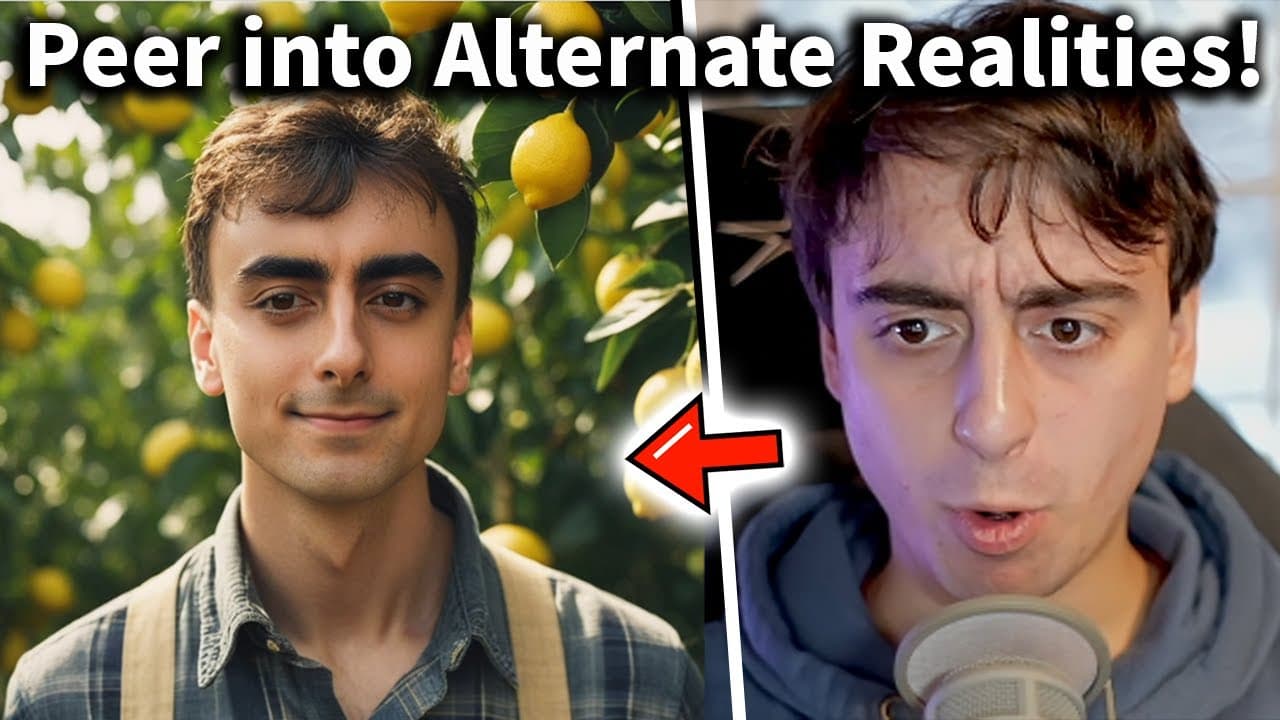
To install Photomaker locally for free, download the Pinocchio setup, follow the prompts to complete the installation, and access the program through your computer. This allows you to generate unlimited AI images using just one reference photo, making customization quick and easy. Photomaker is primarily designed for human faces but can also work with some non-human subjects.
Transcript
not too long ago I did a video on something called photomaker here is the video in question instantly put yourself an AI art free and open source now in this video we more or less just go over the technology and what its capabilities are as you can see you give it one reference image of a face could be my face could be your face anyone's face and i... Read More
Key Insights
- 🥰 Photomaker is an AI art program that instantly places a face into any scenario using a reference image.
- 👤 By installing Photomaker locally through Pinocchio, users can generate AI images on their own computers.
- 👪 Photomaker can be used for various purposes, such as creating professional headshots or generating funny images of friends and family.
- 🐎 Lowering the number of steps, increasing style strength, and guidance scale can optimize the speed and efficiency of Photomaker.
- 😀 While Photomaker primarily works with human faces, it can also generate AI images of non-human subjects, though with less accuracy.
- 🧡 Photomaker is part of a range of AI programs available through Pinocchio, including Instant ID and Face Fusion.
- 👻 Local installation eliminates the need for relying on online servers, allowing for unlimited AI image generation.
Install to Summarize YouTube Videos and Get Transcripts
Explore YouTube Video Summarizer or Get YouTube Transcript Extractor
Questions & Answers
Q: What is Photomaker and how does it work?
Photomaker is an AI art program that takes a reference image of a face and places it in any scenario instantly. It uses deep learning algorithms to generate the images.
Q: How is installing Photomaker locally different from using it online?
Installing Photomaker locally allows you to use the program on your own computer, without relying on online servers. This gives you the freedom to generate AI images offline and without any limitations.
Q: Can Photomaker be used on non-human subjects?
While Photomaker is primarily designed for human faces, it can also work with non-human subjects. However, the results may not be as accurate or realistic compared to human subjects.
Q: Are there any system requirements for running Photomaker locally?
To run Photomaker locally, your computer needs to support the AI at hand. You will need a minimum of 8 GB of video memory (VRAM) and an Nvidia or AMD GPU. You can check your VRAM capacity in the Task Manager on Windows.
Summary & Key Takeaways
-
Photomaker is an AI art program that instantly puts a face into any situation by using one reference image.
-
Previously, this process required training an entire model, but now it can be done instantly with Photomaker.
-
By installing Photomaker locally through Pinocchio, users can generate unlimited AI images on their own computers.
Read in Other Languages (beta)
Share This Summary 📚
Summarize YouTube Videos and Get Video Transcripts with 1-Click
Try YouTube Summary with ChatGPT & Claude or YouTube Transcript Generator
Explore More Summaries from MattVidPro AI 📚

Summarize YouTube Videos and Get Video Transcripts with 1-Click
Try YouTube Summary with ChatGPT & Claude or YouTube Transcript Generator