How Does GitHub Copilot Make Coding Easier?
TL;DR
GitHub Copilot simplifies coding by providing AI-generated suggestions that autocomplete lines of code based on comments or partial inputs. It supports various languages like Python and JavaScript and integrates with popular programming editors, enabling even casual programmers to code efficiently without extensive knowledge of syntax.
Transcript
hey guys what's going on it's don here from nova spare tech and welcome back to the channel and i got a super cool video to show you guys which is programming with the help of ai called copilot so let's check it out now github has this really cool program called copilot which is ai generated suggestions for your programming all you have to do is ju... Read More
Key Insights
- 👨💻 GitHub Copilot leverages AI to support coding by anticipating user needs based on contextual input.
- 👶 It lowers the barrier of entry for coding by providing intelligent suggestions, which is beneficial for both casual and new programmers.
- 👨💻 The integration of Copilot with established coding environments like VS Code enhances usability through familiar interfaces.
- 👨💻 Through the technical preview, users experience firsthand the tool's potential to streamline coding processes and decision-making.
- 👻 Copilot not only completes code snippets but also offers variations, allowing for more flexibility in programming.
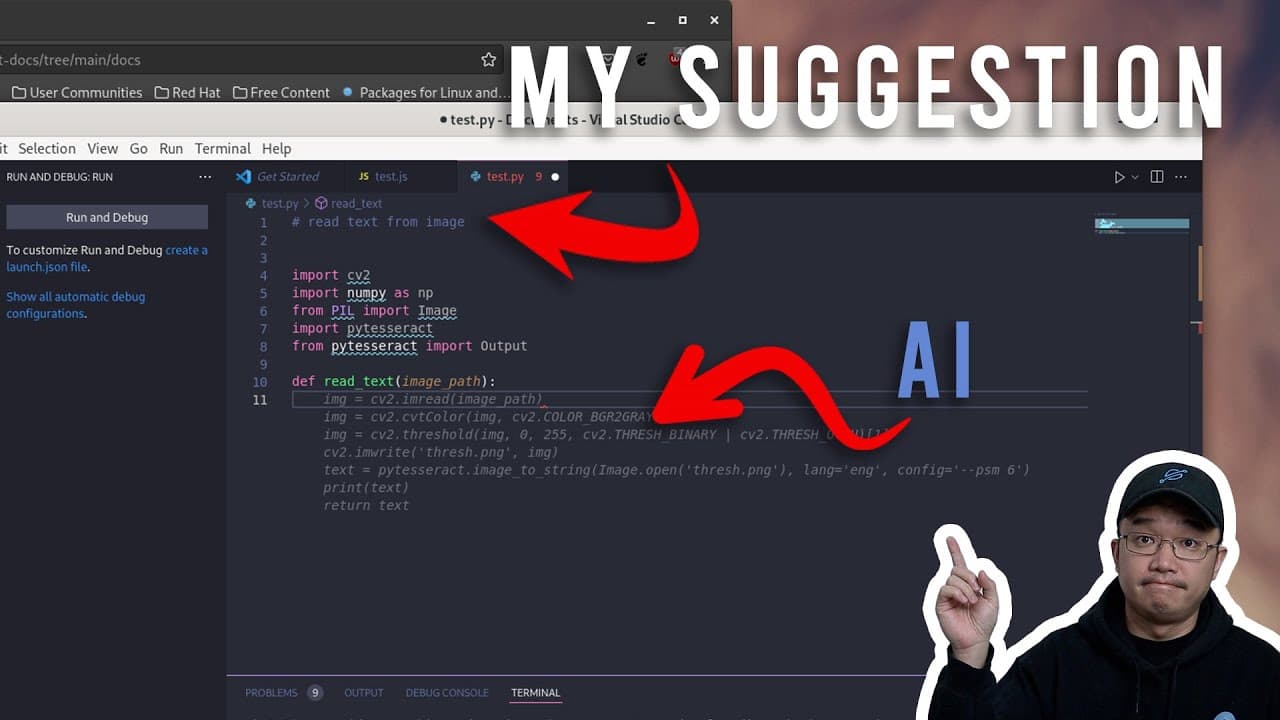
- 💬 The ability to write comments that translate directly into code demonstrates Copilot's understanding of programming logic.
- 👤 Users are encouraged to experiment with Copilot for larger projects, showcasing its capability in developing complete applications.
Install to Summarize YouTube Videos and Get Transcripts
Explore YouTube Video Summarizer or Get YouTube Transcript Extractor
Questions & Answers
Q: How does GitHub Copilot enhance the programming experience for casual coders?
GitHub Copilot significantly improves the coding experience for casual programmers by offering AI-generated suggestions. With features such as autocomplete for functions and code snippets based on comments, it removes the barrier of remembering specific syntax or commands. This allows users to focus on the logic of their programming rather than getting bogged down by remembering details, making coding more accessible to those who may not program daily.
Q: What are the available programming languages that GitHub Copilot can assist with?
Currently, GitHub Copilot supports various programming languages, including but not limited to JavaScript and Python. As the tool continues to develop, it is expected that the range of supported languages will expand. The focus is on making programming easier for users by providing relevant suggestions based on their programming context within these languages.
Q: What steps are involved in signing up for GitHub Copilot?
Signing up for GitHub Copilot involves submitting an application to join the technical preview. Users may find varying wait times for authorization; some might receive access in a few days, while others may take longer to get accepted. It’s important to check the official website and follow the sign-up instructions provided for best results.
Q: Can you explain how to install and use GitHub Copilot with VS Code?
To install GitHub Copilot with VS Code, users need to visit the extensions marketplace within VS Code, search for GitHub Copilot, and install it. After installation, users can access quick installation documentation to learn about integrating the tool and using various hotkeys. Once set up, typing in VS Code prompts Copilot to provide autocompletion suggestions based on the context of the code being written.
Q: What are the main features of Copilot as demonstrated in the video?
The key features of GitHub Copilot highlighted in the video include autocompletion of code based on user comments, the ability to generate full functions from descriptive text, and contextually aware suggestions that help users write code efficiently. The demo showcased how Copilot learns from user input to provide more relevant and accurate code suggestions.
Q: How does Copilot handle complex programming tasks?
Copilot excels at managing more complex programming tasks by allowing users to ask for specific functions and providing structured code as suggestions. For example, when prompted to write a program that extracts text from images, Copilot provides coding options based on user instructions, enabling users to tweak the suggestions and integrate them into their code seamlessly.
Summary & Key Takeaways
-
GitHub Copilot uses AI to provide coding suggestions, making it easier for casual programmers to efficiently write code without needing extensive knowledge of syntax.
-
The tool supports multiple languages such as Python and JavaScript, and allows users to generate complete functions just by typing comments or partial commands.
-
Users need to sign up for access, and Copilot integrates easily with popular coding environments like VS Code and JetBrains, providing hotkeys and documentation for usability.
Read in Other Languages (beta)
Share This Summary 📚
Summarize YouTube Videos and Get Video Transcripts with 1-Click
Try YouTube Summary with ChatGPT & Claude or YouTube Transcript Generator
Explore More Summaries from Novaspirit Tech 📚






Summarize YouTube Videos and Get Video Transcripts with 1-Click
Try YouTube Summary with ChatGPT & Claude or YouTube Transcript Generator