How to Color Grade Videos Quickly and Professionally?
TL;DR
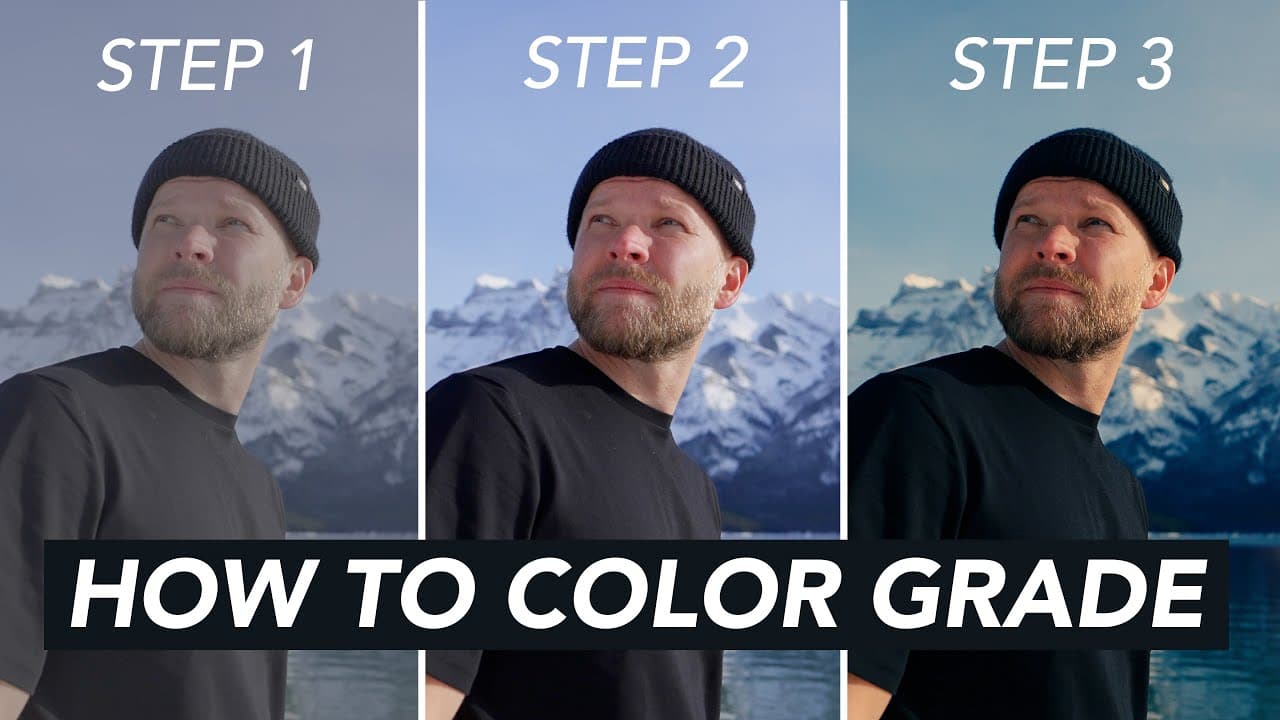
To color grade videos quickly and effectively, use LUTs to convert log footage, establish natural contrast and saturation, and apply a creative look. Following a simple three-step process—conversion, matching, and grading—can drastically reduce time spent while enhancing quality, making it possible to color grade in just minutes.
Transcript
what are you guys doing playing games oh kookaburra what's wrong are you okay should we teach you about color grading today do you know anything about color grading um no i think everybody misses you a lot there's gotta go high five [Applause] so ah [Applause] note to self don't be lazy and scared of the cold i thought you know it's cold outside i'... Read More
Key Insights
- 🧡 Shooting in log format expands dynamic range and provides more flexibility in post-production.
- 🫡 Utilizing LUTs and presets can significantly speed up the color grading process without compromising quality.
- 🔬 Scopes such as waveform and vector scopes are crucial for achieving accurate color correction and maintaining consistent visuals.
- 🎮 Adding creative elements like grain can enhance the overall aesthetic of the video.
- ⌛ Streamlining the color grading workflow with presets and presets saves time and improves efficiency.
- 🫡 Consistent color grading styles and looks can be achieved by using predefined LUTs tailored for specific camera profiles.
- ❤️🩹 Balancing exposure levels and color tones ensures a visually appealing and professional end result.
Install to Summarize YouTube Videos and Get Transcripts
Explore YouTube Video Summarizer or Get YouTube Transcript Extractor
Questions & Answers
Q: What are the key steps in an efficient color grading workflow?
An efficient color grading workflow involves three main steps - converting log footage, adding looks or grades, and color correcting or matching clips systematically and creatively. By following these steps, you can achieve high-quality results in less time.
Q: How can LUTs and presets enhance the color grading process?
LUTs and presets save time and effort by providing pre-defined color adjustments that can be easily applied to footage. They ensure consistency and efficiency in color grading, allowing for quick but professional results.
Q: Why is shooting in log format recommended for color grading?
Shooting in log format captures more dynamic range and detail in the footage, enabling greater flexibility during color grading. It helps in recovering overexposed or underexposed areas and ultimately enhances the overall quality of the video.
Q: How important are scopes in the color grading process?
Scopes are essential tools for accurate color correction as they provide objective measurements of exposure and color values in the footage. They help in identifying issues like overexposure, underexposure, or color shifts, ensuring precise adjustments for optimal video quality.
Summary & Key Takeaways
-
Efficient color grading is crucial for video quality, and the process can be streamlined for speed and professionalism.
-
Using LUTs and presets, along with following a simple three-step process, can drastically reduce the time spent on color grading.
-
Understanding the basics of color correction, utilizing tools like scopes, and adding creative touches like grain can enhance the video editing process significantly.
Read in Other Languages (beta)
Share This Summary 📚
Summarize YouTube Videos and Get Video Transcripts with 1-Click
Try YouTube Summary with ChatGPT & Claude or YouTube Transcript Generator
Explore More Summaries from Matti Haapoja 📚


Summarize YouTube Videos and Get Video Transcripts with 1-Click
Try YouTube Summary with ChatGPT & Claude or YouTube Transcript Generator