How to fine tune a small open source LLM
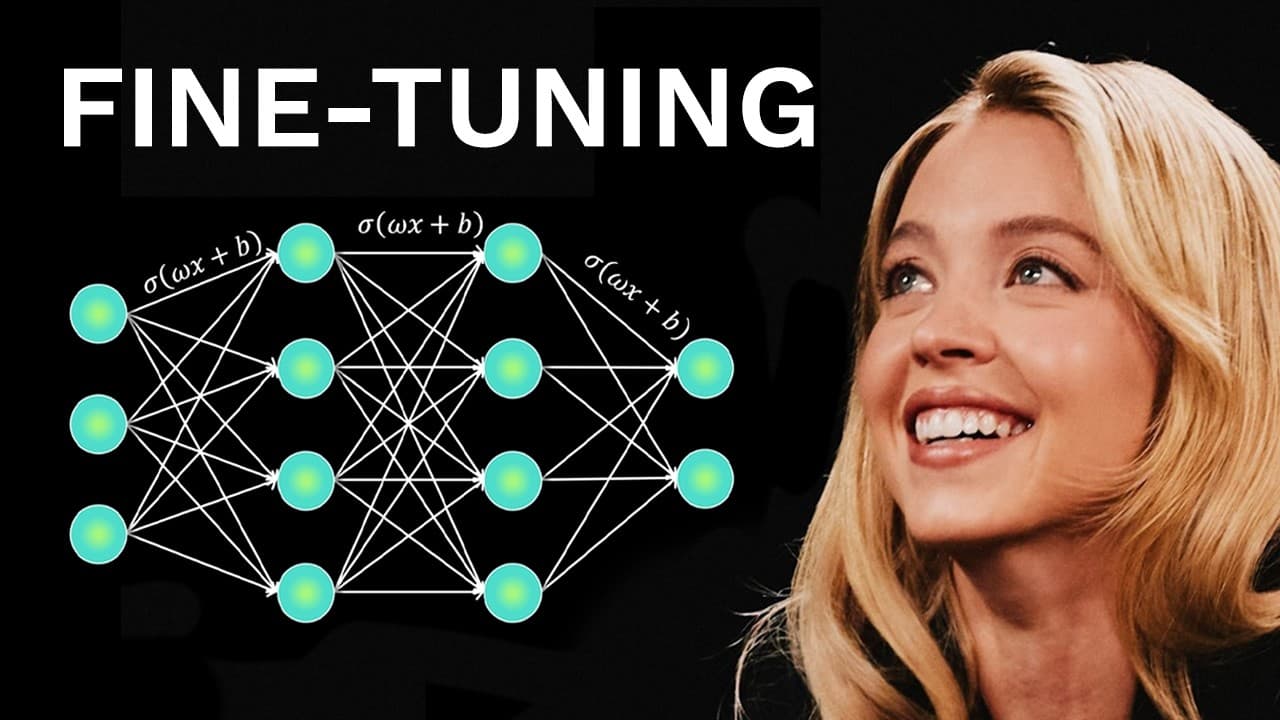
TL;DR
Fine tune a small open source model like GPT OSS 20B on Google Colab using Unsllo with GPUs. The process includes selecting a suitable open source base, adding adapters, choosing a data set, converting to the chat format, and running a short training run. This approach enables custom, uncensored models and can differentiate a future AI startup.
Transcript
Here is how to fine-tune your own AI model step by step. So, what even is fine-tuning? Fine-tuning is adjusting a base model's weights to improve the model's performance on certain specific tasks. Thanks to fine-tuning, very small AI models can outperform even the best models of today like GBD5. So, in this video, I'll show you how to fine-tune you... Read More
Key Insights
- Fine-tuning adjusts a base model's weights to improve performance on specific tasks
- Open source models like GPT OSS 20B are small enough to run locally and fine-tune
- Adapters reduce the number of trainable parameters, simplifying fine-tuning
- Data quality is a critical bottleneck; the right dataset enables effective fine-tuning
- Standardized chat templates help convert datasets into a usable format
- Colab provides free GPUs (Tesla T4) suitable for quick, low-cost runs
- Different runtime types offer trade-offs between cost and performance
- Uncensored fine-tuned models are framed as a business opportunity and differentiation strategy
Install to Summarize YouTube Videos and Get Transcripts
Explore YouTube Video Summarizer or Get YouTube Transcript Extractor
Questions & Answers
Q: How to start fine tuning a small open source LLM on Colab?
The process starts by selecting a suitable base model such as GPT OSS 20B, then setting up the Colab notebook with the required libraries like Unsllo and PyTorch. You connect to a Colab runtime, install dependencies, and download the model. This initial setup prepares the environment for subsequent data preparation and the actual fine tuning steps, all without needing extensive programming experience.
Q: What model should you choose for fine tuning and why?
Choose a model that is open source and small enough to run locally, like GPT OSS 20B, because it balances performance with practicality. Smaller models reduce hardware requirements, allow faster experimentation, and enable iterative improvements. The selection is important to ensure the fine tuning process is feasible on free or affordable GPUs while still producing meaningful enhancements for target tasks.
Q: What data preparation steps are essential for fine tuning?
Data preparation focuses on assembling a clean, task-relevant dataset and converting it into a standard chat format. Begin with a dataset that supports the intended behavior, convert conversations to a user-assistant style, and ensure the schema matches what the training script expects. Handling multiple files correctly is crucial to avoid errors during ingestion.
Q: How do adapters affect the fine tuning process?
Adapters allow fine tuning to modify only a small portion of the model's parameters, which reduces memory and compute requirements. This makes the process faster and cheaper while still enabling the model to adapt to new tasks. The approach preserves most of the original model’s capabilities and simplifies deployment.
Q: Why is data quality so important in this workflow?
High-quality data is the primary driver of performance in fine tuning. If the dataset is noisy or misaligned with the target tasks, the model will learn incorrect patterns and underperform. Investing time in curating relevant, well-formatted data yields better results than rushing to training with a large but poorly prepared dataset.
Q: What are the practical limitations of using Colab for fine tuning?
Colab provides free GPUs like the Tesla T4, which is suitable for quick experiments but may limit training speed and scale. For longer or more intensive training runs, you may need faster GPUs or paid plans. The choice of runtime type affects performance, cost, and overall feasibility of a full fine tuning run.
Q: What is the benefit of creating an uncensored fine tuned model?
An uncensored fine tuned model aims to reduce biases and enable broader answer capabilities, aligning the model more closely with user needs and specific use cases. This can be a differentiator for startups or individuals seeking more flexible AI assistants, though it also requires careful handling of safety and ethical considerations.
Q: What business opportunity does fine tuning present according to the video?
Fine tuning is portrayed as a startup opportunity because specialized, high-quality, fine-tuned models can offer monopoly-like advantages by serving niche tasks that broader models may not master. Building unique capabilities through fine tuning can create defensible market positions and reduce direct competition from generic, widely deployed AI systems.
Summary & Key Takeaways
-
Fine-tuning opens up the possibility to customize open source models for specific tasks, using Colab GPUs for a low-cost, accessible workflow.
-
The video guides selecting a model such as GPT OSS 20B, preparing data, and using Unsllo to fine-tune with adapters and standardized prompts.
-
The speaker emphasizes data quality, prompt formats, and practical considerations like runtime types and potential trade-offs of 4bit quantization.
Read in Other Languages (beta)
Share This Summary 📚
Summarize YouTube Videos and Get Video Transcripts with 1-Click
Try YouTube Summary with ChatGPT & Claude or YouTube Transcript Generator
Explore More Summaries from David Ondrej 📚

Summarize YouTube Videos and Get Video Transcripts with 1-Click
Try YouTube Summary with ChatGPT & Claude or YouTube Transcript Generator