How to Create Cinematic Videos With a Digital Twin
TL;DR
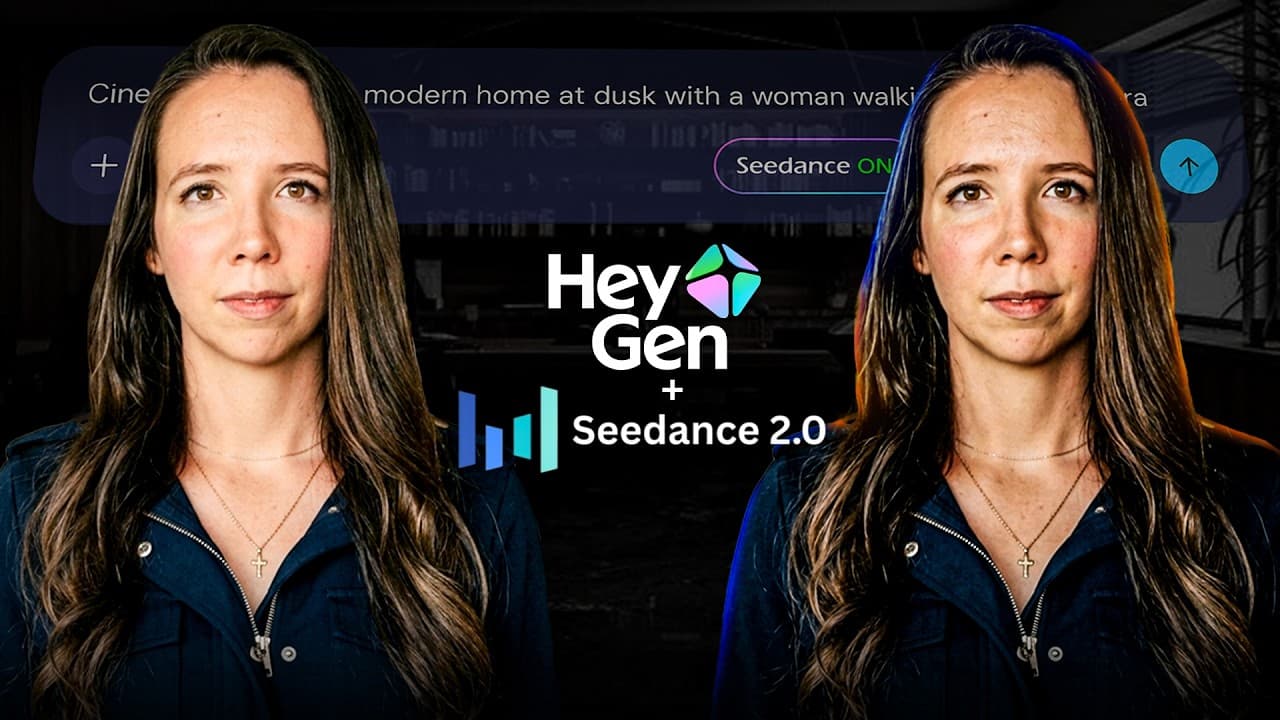
HeyGen’s Seedance 2.0 integration can generate cinematic scenes featuring a verified digital twin from natural-language prompts. Its three workflows cover short avatar scenes, complete videos up to 3 minutes, and custom B-roll, while offering controls for references, framing, motion, lighting, audio, and scene continuity.
Transcript
What if I told you that a single text prompt [music] can now produce a full cinematic video starring your digital twin moving through real environments with camera angles and lighting that rival professional productions. Not a talking head that stands [music] still. Not a clipped-together slideshow. A full cinematic production [music] from one prom... Read More
Key Insights
- HeyGen’s Seedance 2.0 integration places verified digital twins into cinematic scenes while maintaining the person’s likeness across shots. The transcript says HeyGen enables this through identity verification because Seedance does not permit human faces through its public API.
- Avatar Shots creates clips lasting 4–15 seconds and supports as many as three avatars in one scene. Prompts can specify the environment, mood, character actions, camera movement, lighting, and desired audio, functioning much like a concise director’s brief.
- Reference media can guide an Avatar Shots scene by supplying a product, background, environment, outfit, or broader visual style. Users may upload up to three reference images or videos, but those references cannot contain real human faces.
- Video Agent turns one topical prompt into a planned and assembled video lasting up to 3 minutes. It writes the script, organizes scenes, selects visuals and music, creates Seedance-powered B-roll, adds the digital twin, and produces motion graphics and editing.
- Video Agent provides a production plan before rendering the final result. Users can inspect the proposed structure, adjust individual scenes, replace avatars, and rewrite sections, giving them an opportunity to direct the automated workflow before committing to generation.
- The AI Video Generator produces cinematic B-roll from natural-language scene descriptions and can incorporate exact elements supplied through reference images. The transcript says these scenes render in under 2 minutes and each generated clip can last up to 12 seconds.
- First-frame and last-frame controls define the precise opening and closing states of a generated scene. Seedance creates the intervening motion with visual continuity, providing a way to guide transitions and reduce abrupt changes or inconsistencies within the clip.
- HeyGen’s safety approach requires uploaded consent for digital twins used in Avatar Shots. The transcript also describes identity verification, automated content scanning, human review of flagged material, usage restrictions, SOC 2 Type 2 certification, and compliance with GDPR and CCPA.
Install to Summarize YouTube Videos and Get Transcripts
Explore YouTube Video Summarizer or Get YouTube Transcript Extractor
Questions & Answers
Q: How do you create a cinematic digital twin video in HeyGen?
Open HeyGen, select the Avatar tab, and choose Avatar Shots. The digital twin appears in the prompt area automatically. Describe the setting, mood, avatar action, camera movement, lighting, and audio, then optionally add reference media. Set a duration between 4 and 15 seconds, choose portrait or landscape, decide whether to enable prompt enhancement, and generate the clip.
Q: What can you include in an Avatar Shots prompt?
An Avatar Shots prompt can describe the scene’s environment, emotional mood, character behavior, camera movement, lighting, and sound. The transcript suggests treating it like a director’s brief, with specific instructions such as a rainy neon-lit street, two avatars debating, a slow push toward a close-up, or an orchestral score. More vivid and precise instructions are presented as producing better results.
Q: How many avatars and references can Avatar Shots use?
Avatar Shots can place up to three avatars in a single scene, according to the transcript. Users can also upload up to three reference images or videos to guide the scene’s appearance. Those references may depict products, environments, backgrounds, or outfits, but they cannot contain real human faces because the verified avatar supplies the scene’s human identity.
Q: What does HeyGen Video Agent generate from one prompt?
Video Agent uses one prompt to create a production plan and eventually assemble a finished video lasting up to 3 minutes. It writes the script, structures the scenes, selects visuals, chooses background music, generates Seedance-powered cinematic B-roll, places the digital twin into moving scenes, and completes the editing and motion graphics. Users can revise the plan before the final rendering begins.
Q: How can creators combine HeyGen’s AI video workflows?
Creators can use a standard avatar workflow for longer direct-to-camera segments in more than 175 languages, then add Avatar Shots for cinematic action, emotional moments, product interactions, and multi-person scenes. The AI Video Generator can supply branded B-roll, while Video Agent can organize and assemble the broader production. Together, these workflows cover presentation, scene generation, and automated editing within one platform.
Q: What does the HeyGen AI Video Generator do?
The AI Video Generator creates cinematic scenes and B-roll from natural-language descriptions. A user can request footage such as a drone view over a lake, a rotating product under studio lighting, or activity inside a coffee shop. Reference images can introduce specific products, locations, or visual elements. The transcript says generation takes under 2 minutes and individual clips can last up to 12 seconds.
Q: How do first-frame and last-frame controls improve AI video?
First-frame and last-frame controls let the creator specify exactly how a scene should begin and end. Seedance then generates the visual progression between those two states. According to the transcript, this feature supports smoother continuity and avoids abrupt jumps or inconsistent scene changes. It is especially useful when a generated clip must connect two predetermined compositions, actions, or product positions.
Q: How does HeyGen protect consent for digital twins?
HeyGen requires uploaded consent before a digital twin can be used in Avatar Shots, and the transcript says a person’s likeness cannot be used without verification. Its described safety system also includes identity controls, machine-learning-based content scanning, human review of flagged material, and restrictions covering violent, hateful, deceptive, and sexually explicit content. The platform is also described as SOC 2 Type 2 certified and compliant with GDPR and CCPA.
Summary & Key Takeaways
-
HeyGen integrates Seedance 2.0 with verified digital twins, allowing a creator’s likeness to appear consistently within generated cinematic environments. Avatar Shots supports full-body movement, multiple avatars, reference media, generated audio, camera instructions, and clips lasting 4–15 seconds in portrait or landscape format.
-
Video Agent automates the broader production process from a single prompt. It writes and structures the script, selects visuals and music, generates cinematic B-roll, places the digital twin into scenes, and assembles videos up to 3 minutes long. Users can review and revise the proposed plan before rendering.
-
The AI Video Generator creates custom B-roll from natural-language descriptions and reference images. Its first-frame and last-frame controls define how a scene begins and ends, while Seedance generates the transition between them. Combined with Avatar Shots and longer avatar presentations, it forms an integrated production workflow.
Read in Other Languages (beta)
Share This Summary 📚
Summarize YouTube Videos and Get Video Transcripts with 1-Click
Try YouTube Summary with ChatGPT & Claude or YouTube Transcript Generator
Explore More Summaries from Julia McCoy 📚


Summarize YouTube Videos and Get Video Transcripts with 1-Click
Try YouTube Summary with ChatGPT & Claude or YouTube Transcript Generator