How to Produce AI Videos With Claude and Higgsfield
TL;DR
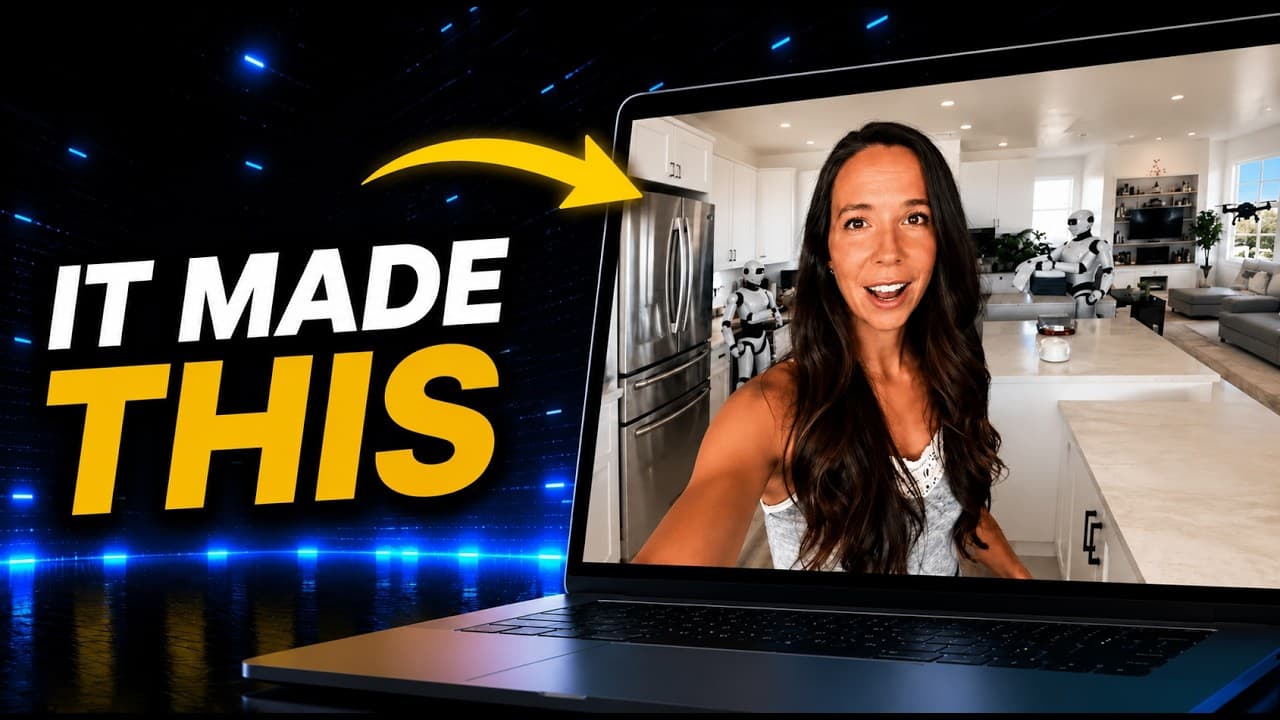
Connect Higgsfield to Claude, enable it in the session tools menu, and Claude can turn an idea into a scripted, cast, and rendered short through chat. The demonstrated project took about two hours with zero filming, while human approval remained central for choosing the concept, giving revision notes, checking every shot, and deciding whether the finished content should ship.
Transcript
Good morning from 2035. Laundry's Kevin's problem now. >> [music] >> He folds towels into cubes. Asked why, quick walk downtown. My agent already cleared my inbox, so I have nowhere to be. Flying taxis, [music] zero traffic. That robot's walking a corgi. Morning, corgi. The hours the robots freed up [music] go here. I called him a laundry basket. W... Read More
Key Insights
- The Claude and Higgsfield workflow is installed by adding a custom connector in Claude settings, approving the connection through Higgsfield, and separately enabling Higgsfield in the session's tools menu. Adding the connector alone does not switch it on for the active session.
- The original production bottleneck was execution rather than ideation because Claude could already propose topics and write complete scripts, but a team member still had to transfer each script into another tool and construct every short scene by scene.
- The 2035 concept works through contrast: an AI-generated vlogger treats flying taxis, robot chores, and autonomous agents as ordinary parts of a boring day. Claude proposed this format after the creator redirected the original idea from traveling into the past toward visiting the future.
- The production system selected models, checked the available credit balance, generated shot-by-shot stills, and used a saved AI character and cloned voice. This allowed the creator's digital likeness to star in the short without the real creator filming a single frame.
- The first generation required substantial correction because the character did not blend naturally into backgrounds, clothing changed between frames, some shots lacked a handheld appearance, and the character's mouth did not move. The creator responded with short, informal notes instead of detailed technical prompts.
- Claude converted vague revision notes into repeatable production rules by anchoring every shot to one approved reference image and specifying consistent hair, clothing, expression, and background movement. It also preserved a recurring character cameo that had previously disappeared from the painting scene.
- Human judgment remained part of the workflow because the creator chose the concept, supplied revision notes, reviewed every frame, assembled the six clips, and retained final approval with an editor. The automated system handled much of the writing, casting, generation, and reshooting work.
- The saved production playbook makes later episodes easier because it records the full pipeline, approval gates, corrected mistakes, and agreed rules inside the project. A future episode can therefore start from a one-line premise while reusing the established face, voice, humor, and safeguards.
Install to Summarize YouTube Videos and Get Transcripts
Explore YouTube Video Summarizer or Get YouTube Transcript Extractor
Questions & Answers
Q: How do you connect Higgsfield to Claude for AI video production?
Open Claude's settings, go to connectors, choose the option to add a custom connector, name it Higgsfield, and paste the provided URL. Claude then sends you to Higgsfield to log in and approve the connection. After returning to Claude, open the tools menu inside the active session and switch Higgsfield on, because adding and enabling the connector are separate steps.
Q: How can Claude create a short video without filming footage?
Claude can develop the topic, write the script and beat sheet, then send the production work through the enabled Higgsfield connector. In the demonstrated workflow, it selected models, accessed a saved AI character and cloned voice, generated stills for each shot, and rendered six video scenes with native audio. The creator downloaded and assembled those scenes without filming a single original frame.
Q: Why was the first AI-generated video pass unsuccessful?
The first pass had several continuity and realism problems. The generated character did not blend convincingly into the background, appeared older than intended, and wore different outfits across frames. Some shots failed to resemble handheld vlog footage, and the first video model did not animate the character's mouth. These issues required reference locking, standing visual rules, and a model change.
Q: How did Claude turn vague feedback into production rules?
Claude interpreted short notes such as making the character consistent, improving realism, fixing speech, and switching to C Dance 2 as reusable production requirements. It anchored every shot to one approved image and kept the same woman, hair, and oatmeal-colored top. It also constrained facial expressions, required continuing background movement, and recorded a rule preventing Kevin's cameo from disappearing again.
Q: What tasks did the human creator still perform in the AI workflow?
The creator retained the decisions that required personal judgment. She selected the underlying idea, redirected the concept from past travel to future travel, reviewed the generated material, and gave correction notes. She also downloaded and joined the six finished clips because she wanted to inspect every frame. Her editor still held the final approval decision before the content could be published.
Q: How long did the AI short take to produce?
The demonstrated short took about two hours from the working session to the assembled result, using one connector and no filmed footage. Most production activity occurred through the chat workflow, including writing, casting, generating shots, and handling reshoots. The creator described the initial two hours as tuition because the resulting rules and saved playbook should reduce repeated setup work for later shorts.
Q: How does a saved production playbook improve future AI videos?
The playbook preserves the complete workflow, every corrected mistake, the final production rules, and human approval gates inside the project. It also retains the established AI face, cloned voice, humor, and solutions to problems encountered during the first short. With that context saved, the creator expects to start a later episode by entering a one-line premise rather than rebuilding the process manually.
Q: What is the main benefit of combining Claude with Higgsfield?
The combination closes the gap between planning content and producing it. Claude had already been useful for generating promising topics and full scripts, but those scripts previously waited for a team member to rebuild them manually in another tool. With Higgsfield connected, the same conversational system could help handle casting, shot generation, audio, revisions, and reshoots while leaving final judgment with people.
Summary & Key Takeaways
-
Claude generated a humorous day-in-the-life concept set in 2035, wrote its beat sheet, and used Higgsfield to create a short starring the creator's saved AI character and cloned voice. The production generated stills and six video shots covering laundry, street, lunch, desk, couch, and painting scenes without filming any original footage.
-
The initial output had visible problems, including an unrealistic character, inconsistent clothing, shots that did not feel handheld, and missing mouth movement. Plain-language feedback led Claude to formalize production rules, use one approved reference image, preserve the character's appearance, switch video models, maintain background motion, and retain Kevin's required cameo.
-
The completed short took about two hours, one connector, and zero filming, although the creator personally assembled the six downloaded clips. Claude then saved the corrected workflow as a production playbook with approval gates, allowing a future episode to begin from a one-line prompt while retaining the established face, voice, humor, and production lessons.
Read in Other Languages (beta)
Share This Summary 📚
Summarize YouTube Videos and Get Video Transcripts with 1-Click
Try YouTube Summary with ChatGPT & Claude or YouTube Transcript Generator
Explore More Summaries from Julia McCoy 📚




Summarize YouTube Videos and Get Video Transcripts with 1-Click
Try YouTube Summary with ChatGPT & Claude or YouTube Transcript Generator