How to get the most out of Opus 5.5 for coding?
TL;DR
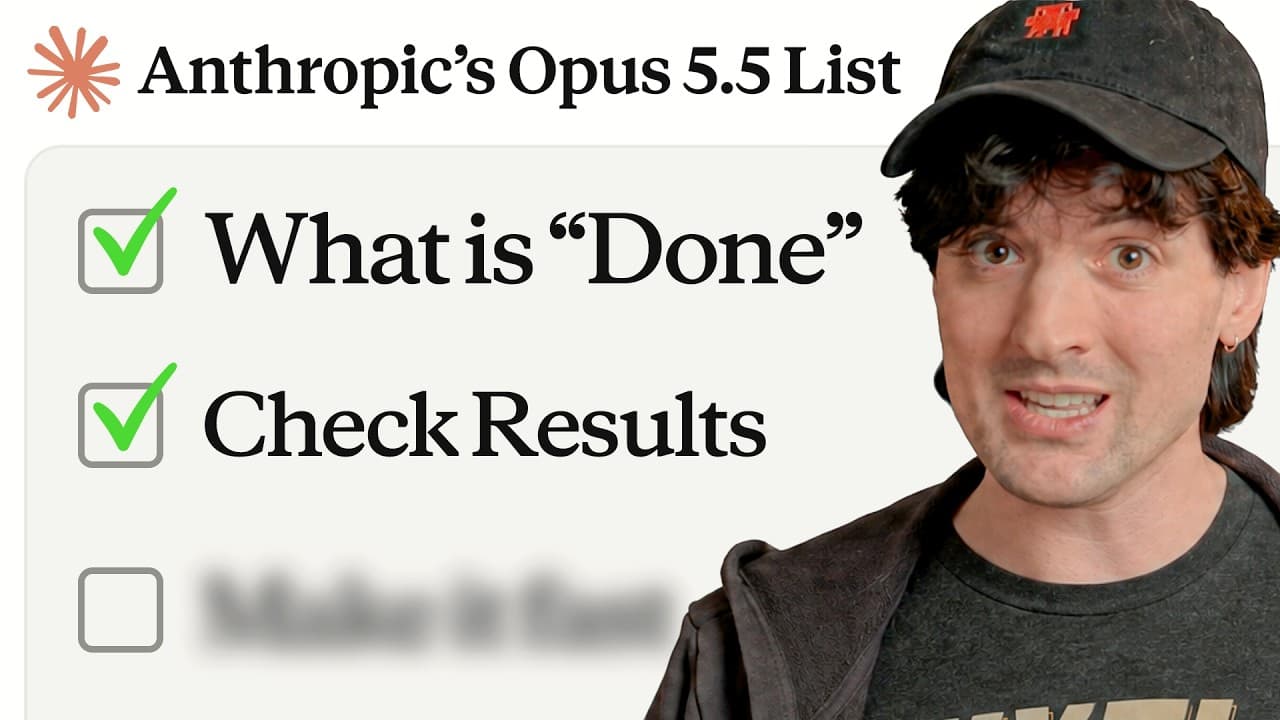
Opus 5.5 improves long work sessions and task focus when you define explicit end states for features. To maximize value, use recommended exercises, prompt the model with clear completion criteria, and consider enabling browsing with Browserbase for access to locked data. The guide also warns against overusing max reasoning and emphasizes telling the model when to finish.
Transcript
Opus 55 has been out for a bit now, and the more I use it, the more I think this model might actually be really, really good. I've been very impressed with the code it puts out, with how nice it is to interact with, with how it stays on task for long work, as long as you don't use Macs. I We'll talk about that in a bit, don't worry. Today, I want t... Read More
Key Insights
- Opus 5.5 works better for longer, uninterrupted runs and clearly states what it did, improving transparency of actions.
- The key to effective use is defining done states, such as feature completion with a screenshot and a pull request, to force completion before the model stops.
- Prompting the model to delete think steps can reduce unnecessary inner monologue and streamline responses.
- Starting with a wide handoff of the task lets the model take ownership and finish more complex work.
- Long runs should end with the model indicating what it needs from you next, improving handoff and reducing stalled work.
- Avoid forcing the model to think out loud; instead, instruct it to proceed and report results.
- Three explicit prompts are recommended in initial sessions to establish expectations and boundaries for the model’s behavior.
- Using remote or local agents requires careful prompting about permissions and explicit outs to prevent unwanted actions.
Install to Summarize YouTube Videos and Get Transcripts
Explore YouTube Video Summarizer or Get YouTube Transcript Extractor
Questions & Answers
Q: How can I maximize Opus 5.5 performance for long coding sessions?
To maximize performance in long coding sessions with Opus 5.5 you should start by handing over the whole task and define very clear done states, such as a feature complete with a screenshot and a PR. This approach keeps the model focused on delivering a tangible end product rather than partial progress. Also, consider prompting the model to avoid unnecessary internal thinking and to report finished work, enabling you to validate results quickly.
Q: What are the three recommended exercises to improve Opus 5.5 usage?
The three exercises focus on guiding behavior during initial sessions: first, have the model take ownership of the task and work toward a concrete end state with verifiable outputs; second, prompt the model to delete think steps so it does not waste cycles on internal deliberation; third, ensure the model reads and reports what it needs from you after a long run ends, creating a clear handoff.
Q: Why is defining a ‘done’ state important when using Opus 5.5?
Defining a done state is crucial because it gives the model a concrete target and end condition. It reduces ambiguity, prevents endless iterations, and ensures deliverables like a feature with a screenshot and a PR are produced before ending the task. This helps maintain momentum and aligns model output with real-world expectations.
Q: What role does Browserbase play in using Opus 5.5?
Browserbase provides browsing capabilities for agents, enabling access to data on the web that may be behind paywalls or sign-in walls. This helps reduce errors from incomplete data and allows the model to fetch context and verify information during complex tasks, improving reliability of results in cloud apps and cloud code workflows.
Q: What caution is given about max reasoning with Opus 55?
The guidance suggests that using max reasoning with Opus 5.5 can be counterproductive for some tasks, as it may lead to unnecessarily long threads or stalled progress. It is advised to avoid overusing max reasoning and instead prompt for clear outcomes and status reports to keep work moving efficiently.
Q: How should you prompt Opus 5.5 to report after a run ends?
After a run ends, prompt Opus 5.5 to clearly state what is needed from you next, such as assets to collect or steps to take, and to confirm completion of the current task. This creates an explicit handoff point and reduces the chance that the model will wait for further input without progress.
Q: What is the recommended approach to task prompts in Opus 5.5 sessions?
The recommended approach is to prompt the model with the entire task and clearly defined success criteria, including what constitutes completion, the required artifacts, and verification steps. This helps the model plan ahead, deliver a finished feature, and provide verifiable outputs rather than ambiguous progress.
Q: What should you consider when running Opus 5.5 on different environments?
Consider permissions, environment setup, and explicit control over actions the model may perform. Provide clear outs to prevent unwanted activities, such as remote control or automation overreach, and ensure you can validate results with screenshots, PRs, or logs. This helps maintain safety while maximizing productivity across environments.
Summary & Key Takeaways
-
Opus 5.5 performs better on longer tasks and responds with explicit actions it completed, which helps track progress and maintain focus during coding sessions.
-
Using the three recommended exercises helps you push Opus 5.5 to handle larger tasks and clearer done states, improving end-to-end feature delivery.
-
Browserbase is highlighted as a solution to give agents web access, enabling data retrieval behind paywalls or sign-in walls and reducing flaky results during automation.
Read in Other Languages (beta)
Share This Summary 📚
Summarize YouTube Videos and Get Video Transcripts with 1-Click
Try YouTube Summary with ChatGPT & Claude or YouTube Transcript Generator
Explore More Summaries from Theo - t3․gg 📚

Summarize YouTube Videos and Get Video Transcripts with 1-Click
Try YouTube Summary with ChatGPT & Claude or YouTube Transcript Generator