Products
Features
YouTube Video Summarizer
Summarize YouTube videos
Web & PDF Highlighter
Highlight web pages & PDFs
Chat with PDF
Ask any PDF questions with AI
Ask AI Clone
Chat with your highlights & memories
Audio Transcriber
Transcribe audio files to text
Glasp Reader
Read and highlight articles
Kindle Highlight Export
Export your Kindle highlights
Idea Hatch
Hatch ideas from your highlights
Integrations
Obsidian Plugin
Notion Integration
Pocket Integration
Instapaper Integration
Medium Integration
Readwise Integration
Snipd Integration
Hypothesis Integration
Apps & Extensions
Chrome Extension
Safari Extension
Edge Add-ons
Firefox Add-ons
iOS App
Android App
Discover
Discover
Ideas
Discover new ideas and insights
Articles
Curated articles and insights
Books
Book recommendations by great minds
Posts
Essays and notes from readers
Quotes
Inspiring quotes collection
Videos
Curated videos and summaries
Explore Glasp
Glasp Story
How we grew from 0 to 3 million users
Glasp Newsletter
Weekly insights and updates
Glasp Talk
Interview series with great minds
Glasp Blog
Latest news and articles
Glasp Use Cases
Learn how others use Glasp
Build & Support
Glasp API
Access Glasp's API for developers
MCP Connector
Connect Glasp to Claude & ChatGPT
Community
Glasp Reddit Community
Students
Student discount and benefits
FAQs
Frequently Asked Questions
AboutPricing
DashboardLog inSign up

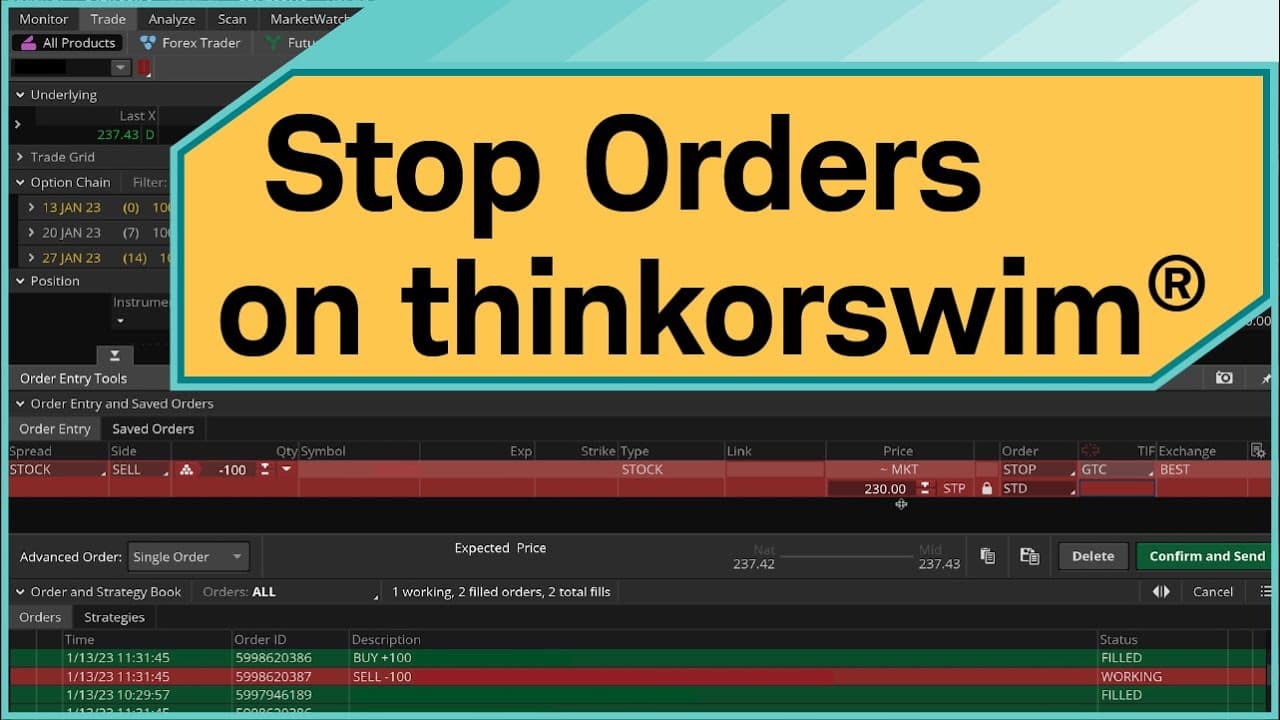
How to Attach Sell Stop Orders on Thinkorswim
November 4, 2023
by
Charles Schwab
YouTube video player
How to Attach Sell Stop Orders on Thinkorswim

TL;DR

To attach sell stop orders on Thinkorswim, initiate a buy order and select 'buy custom' with stop to set your trigger price. You can also attach a sell stop order to existing shares by creating a closing order with the desired stop price and adjusting it as necessary. Remember, the fill price after triggering is not guaranteed.

Transcript

hey Traders my name is Joe mazzola and in this video I'm going to show you how to play cell stop orders on the thinkorswim platform now specifically we're going to look at three examples how to open a position and attach a self-stop order how to attach a cell stop order to an existing position and finally how to adjust your price once you have a se... Read More

Key Insights

  • 🤗 Thinkorswim platform allows traders to attach sell stop orders to open positions and existing shares of stock.
  • ✋ A sell stop order can be triggered by the bid price reaching a specific level, but the fill price is not guaranteed.
  • ✋ Stop orders can be canceled and replaced to adjust the price or other parameters.

Install to Summarize YouTube Videos and Get Transcripts

Explore YouTube Video Summarizer or Get YouTube Transcript Extractor

Questions & Answers

Q: How do you attach a sell stop order to a position on Thinkorswim?

To attach a sell stop order to an existing position, right-click on the position, hover over "create closing order," and select "with stop." Set the price and time in force, then confirm and send the order.

Q: Can I change the price of a sell stop order after it has been placed?

Yes, you can cancel and replace an existing stop order to change the price. Right-click on the order, select "cancel replace order," enter the new price, and confirm and send the updated order.

Q: What is the difference between a stock market order and a sell stop order?

A stock market order triggers a market order to buy or sell shares at the best available price at that moment. A sell stop order triggers a sell order when the bid price reaches a specified level, but the fill price is not guaranteed.

Q: How can I monitor my working stop orders on Thinkorswim?

Go to the Monitor tab, navigate to the Activity and Positions page, and look for the Working Orders section. Here, you can see all your active stop orders and their status.

Summary & Key Takeaways

  • The video demonstrates how to buy 100 shares of stock and attach a sell stop order using the Thinkorswim platform. It explains the concept of a stock market order and different trigger options for the sell stop order.

  • The video also shows how to attach a sell stop order to existing shares of stock in an account. It explains the process of creating a closing order and setting the stop price.

  • Lastly, the video explains how to cancel and replace an existing stop order, using examples from both Apple and Microsoft stocks.


Read in Other Languages (beta)

English

Share This Summary 📚

Summarize YouTube Videos and Get Video Transcripts with 1-Click

Download browser extensions on:

Try YouTube Summary with ChatGPT & Claude or YouTube Transcript Generator

Explore More Summaries from Charles Schwab 📚

Not Just Another Statistic: With Guests Carol Quirke & Deborah Small thumbnail
Not Just Another Statistic: With Guests Carol Quirke & Deborah Small
Charles Schwab
Stock Splits Explained thumbnail
Stock Splits Explained
Charles Schwab
Finding Value Stocks Using the Stock Screener thumbnail
Finding Value Stocks Using the Stock Screener
Charles Schwab
Introducing Season 2 of Choiceology thumbnail
Introducing Season 2 of Choiceology
Charles Schwab
Judge the Judges: With Guests Daniel Kahneman, James Hutchinson & G.M. Pucilowski thumbnail
Judge the Judges: With Guests Daniel Kahneman, James Hutchinson & G.M. Pucilowski
Charles Schwab
In the Face of Risk: With Guests Jeff Elison & Ido Erev thumbnail
In the Face of Risk: With Guests Jeff Elison & Ido Erev
Charles Schwab

Summarize YouTube Videos and Get Video Transcripts with 1-Click

Download browser extensions on:

Try YouTube Summary with ChatGPT & Claude or YouTube Transcript Generator

Apps & Extensions

  • Chrome Extension
  • Safari Extension
  • Edge Add-ons
  • Firefox Add-ons
  • iOS App
  • Android App

Key Features

  • YouTube Video Summarizer
  • Web & PDF Summarizer
  • Web & PDF Highlighter
  • Chat with PDF
  • Ask AI Clone
  • Audio Transcriber
  • Glasp Reader
  • Kindle Highlight Export
  • Idea Hatch

Integrations

  • Obsidian Plugin
  • Notion Integration
  • Pocket Integration
  • Instapaper Integration
  • Medium Integration
  • Readwise Integration
  • Snipd Integration
  • Hypothesis Integration

More Features

  • APIs
  • MCP Connector
  • Blog & Post
  • Embed Links
  • Image Highlight
  • Personality Test
  • Quote Shots
  • Open Graph Checker

Company

  • About us
  • Our Story
  • Blog
  • Community
  • FAQs
  • Job Board
  • Newsletter
  • Pricing
Terms

•

Privacy

•

Guidelines

© 2026 Glasp Inc. All rights reserved.