How to Build a Watercooled Ryzen 7 Editing Desktop
TL;DR
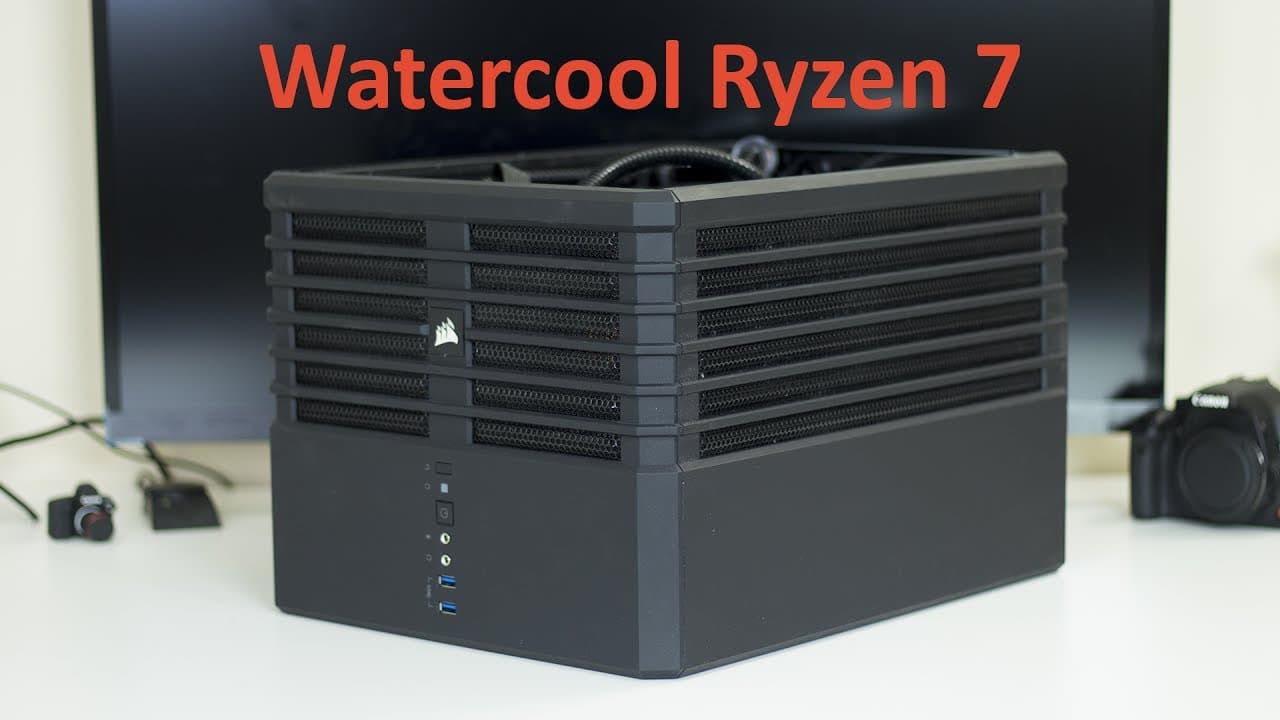
To build a watercooled Ryzen 7 editing desktop, use a lower wattage CPU like the Ryzen 7 1700 for effective thermal management, and incorporate dual pumps for reliability. Aim for a Corsair 240 case and ensure proper installation of cooling components. Overclocking can significantly enhance performance, achieving benchmark scores above 6000 in demanding tasks.
Transcript
Hey guys what's going on it's Down here from NovaspiritTech and welcome to my new studio and today I'm going to show you my editing rig So the last time I upgraded my computer was about 2012 five, years ago or so and that's the time I tend to upgrade or do a major overhaul on my pcs And normally I would, you know, take bits and parts of my old PC a... Read More
Key Insights
- 🔆 The overhaul represents a significant modernization of the author's rig, emphasizing a trend toward higher performance and efficiency in tech setups.
- ❣️ Water cooling is highlighted as a crucial feature for silent operation and thermal management, especially in performance-heavy environments like video editing.
- 🥳 Choosing components like the Ryzen 7 1700 reflects a growing preference for energy-efficient parts that still offer high performance.
- 🗯️ The author's approach to overclocking balances performance with awareness of thermal management, indicating a thoughtful methodology in building rigs.
- 🍿 The installation process underlines the importance of preparation and time management when undertaking complex PC builds.
- 🖕 Benchmarking results suggest that even mid-tier components can draw impressive performance gains when properly configured and overclocked.
- 💗 Incorporating dual pump systems illustrates the growing emphasis on reliability and redundancy in custom PC builds.
Install to Summarize YouTube Videos and Get Transcripts
Explore YouTube Video Summarizer or Get YouTube Transcript Extractor
Questions & Answers
Q: What motivated the author to overhaul their editing rig?
The author decided to perform a complete overhaul because it had been five years since their last upgrade, which typically involves a mix of upgrading individual parts. They wanted to modernize their system comprehensively for better performance, particularly to enhance their editing capabilities.
Q: Why did the author choose the Ryzen 7 1700 over other CPU options?
The Ryzen 7 1700 was chosen due to its lower wattage, making it energy-efficient, which is ideal since the author leaves their machine on frequently. Additionally, this CPU generates less heat, keeping the system quieter, which is necessary for an editing environment.
Q: How did the new water cooling setup enhance the performance of the rig?
The water cooling setup allowed for efficient temperature management for both the CPU and the GPU. Each component has its dedicated pump, ensuring stability and performance during high-demand tasks. This setup also facilitated overclocking, increasing performance in benchmarks significantly while maintaining cooler temperatures.
Q: What installation challenges did the author face during the build?
The author noted that while installation was straightforward, it was also tedious and time-consuming, especially when replacing thermal pads on the graphics card. They recommended setting aside ample time, about two hours, for the graphics card installation to ensure everything is done correctly without rushing.
Q: What performance benchmarks did the new build achieve?
Initially, the author recorded a 3D Mark score of about 5,500 with stock settings. After overclocking the CPU to 4 GHz and the GPU, the score increased to approximately 6,000, demonstrating a notable performance jump of around 500 points, especially while running tasks in 4K.
Q: What is the significance of having dual pumps in the cooling loop?
Having dual pumps serves as a fail-safe; if one pump fails, the other can take over, ensuring continuous cooling. This dual system adds reliability to the setup, which is particularly important for high-performance tasks where overheating could severely impact performance or damage components.
Summary & Key Takeaways
-
The author presents their upgraded editing rig, detailing an overhaul of all parts except the power supply and emphasizing their choice of water cooling components, thanks to a sponsorship.
-
The build features a Corsair 240 case, an Asus Prime B350M-A motherboard, and a Ryzen 7 1700 CPU, highlighting the benefits of a lower wattage processor for quieter operation.
-
The performance improvements are notable, with significant overclocking enhancements leading to impressive benchmark scores, showcasing the rig's ability to handle demanding tasks efficiently.
Read in Other Languages (beta)
Share This Summary 📚
Summarize YouTube Videos and Get Video Transcripts with 1-Click
Try YouTube Summary with ChatGPT & Claude or YouTube Transcript Generator
Explore More Summaries from Novaspirit Tech 📚






Summarize YouTube Videos and Get Video Transcripts with 1-Click
Try YouTube Summary with ChatGPT & Claude or YouTube Transcript Generator