Making iPHONE Footage MORE CINEMATIC

TL;DR
Learn how to enhance iPhone footage with frame rate adjustment, stabilizers, lens attachments, editing, and microphones.
Transcript
- Hey guys, welcome to Travel Feels. Today we're going to take a look at how to make your iPhone footage look more cinematic. ("Run Into the Sun" by Duce Williams) ♫ Chains of razors smash the gadgets like before ♫ Run into the sun ♫ After all these storms ♫ Run into the sun We've all heard the saying, the best camera is the one in your pocket, and... Read More
Key Insights
- ☠️ Using Filmic Pro enables adjusting the frame rate to 24 fps for a cinematic look.
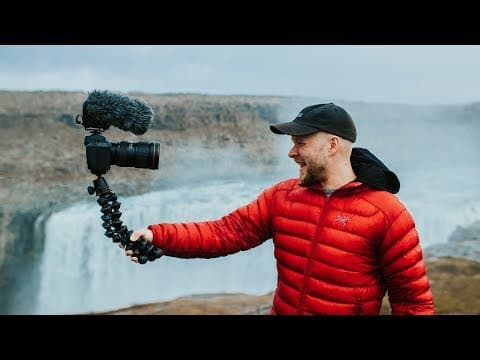
- ❓ Stabilizers like the Zhiyun Smooth 3 offer improved stability and smooth motion for cinematic iPhone footage.
- 👀 Experimenting with lens attachments like the Ztylus Revolver can enhance the look and creativity of iPhone footage.
- 🧘 Editing footage, adding music, and color grading can elevate the quality of iPhone videos.
- 🎙️ Incorporating a microphone like the Rode VideoMic Me can significantly improve audio quality for iPhone recordings.
- 😒 Squarespace is recommended for creating easy-to-use websites with excellent customer service.
- 👀 The importance of utilizing various tools and techniques to make iPhone footage look more cinematic.
Install to Summarize YouTube Videos and Get Transcripts
Explore YouTube Video Summarizer or Get YouTube Transcript Extractor
Questions & Answers
Q: What app is recommended for adjusting frame rate on iPhones?
Filmic Pro is recommended for adjusting frame rate on iPhones to achieve a cinematic 24 fps look. It also offers additional tools for enhanced video quality.
Q: How can stabilizers improve iPhone footage?
Stabilizers like the Zhiyun Smooth 3 offer improved stability, smooth motion, and various modes for creative shots, making iPhone footage more cinematic and professional-looking.
Q: Why should users consider using lens attachments for iPhone filmmaking?
Lens attachments, such as the Ztylus Revolver, provide versatility and allow for different shot types, enhancing the overall look of iPhone footage and enabling unique creative possibilities.
Q: Why is editing important for iPhone footage?
Editing, color grading, and adding music to iPhone footage can significantly enhance its visual appeal and convey a more professional look, transforming simple recordings into cinematic works.
Summary & Key Takeaways
-
iPhones have impressive camera capabilities, but improvements can make footage cinematic.
-
Use Filmic Pro to capture in 24 fps for a film-like look.
-
Enhance stability with a stabilizer, experiment with lens attachments, edit footage, and consider using an external microphone for better audio.
Read in Other Languages (beta)
Share This Summary 📚
Summarize YouTube Videos and Get Video Transcripts with 1-Click
Try YouTube Summary with ChatGPT & Claude or YouTube Transcript Generator
Explore More Summaries from Matti Haapoja 📚

Summarize YouTube Videos and Get Video Transcripts with 1-Click
Try YouTube Summary with ChatGPT & Claude or YouTube Transcript Generator