How to turn ChatGPT into a personal productivity assistant
TL;DR
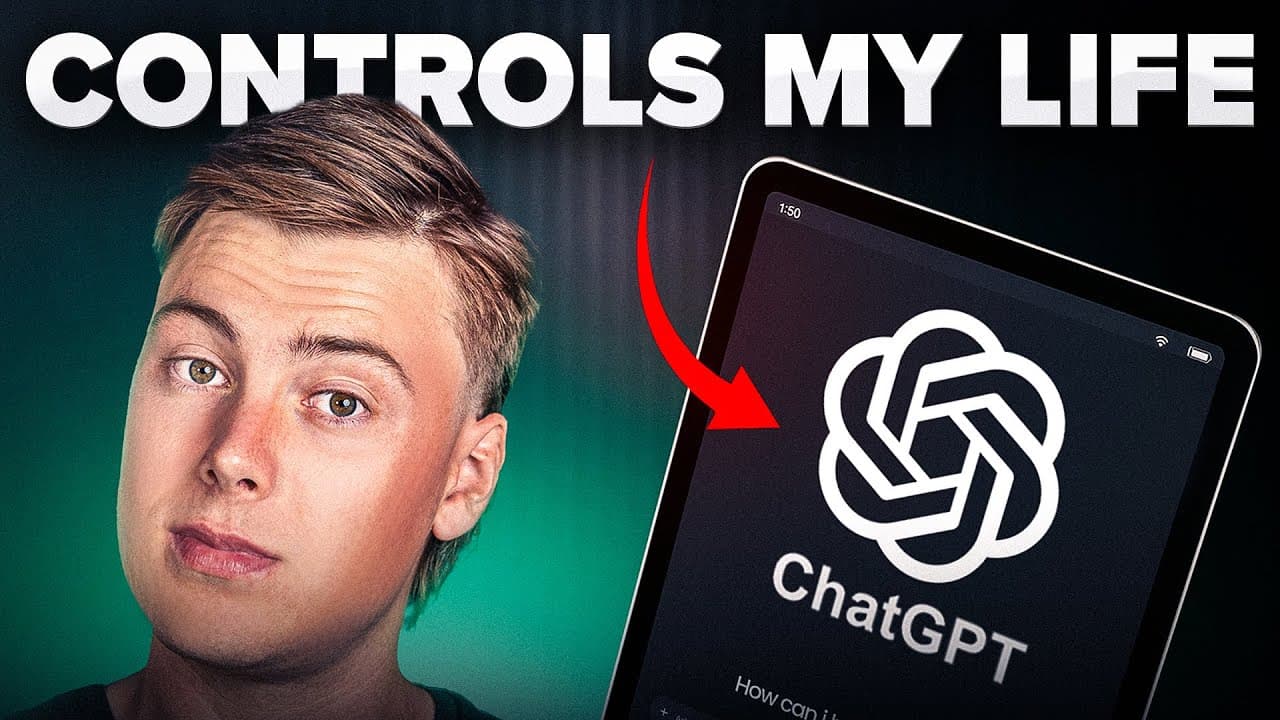
ChatGPT can act as a dedicated personal assistant by creating an AI brain with specialized chats for daily routine, task management, fitness, wealth tracking, and more. The system uses ongoing prompts and voice commands on an iPad to manage tasks, schedule, and disciplines, potentially saving money and boosting productivity.
Transcript
Over the past few months, I've been going deep down the AI rabbit hole, and I've built myself a full AI system on Chat GPT to control my entire life. So, in today's video, I want to reveal this system and teach you exactly how you can implement it into your daily life to become a more productive human. I believe that if you implement the steps from... Read More
Key Insights
- AI brain structure is built with dedicated chats to cover different life domains. The system learns task patterns over weeks and improves accuracy as it logs completed tasks. Voice command capability on a secondary device accelerates daily interaction and reduces manual entry. Regular prompts and setup questions tailor the AI to user habits.
- The setup emphasizes asking the AI questions to learn routines, such as wake/sleep times and top priorities, to speed up personalized optimization. Providing rich information yields more accurate automation and planning. The more questions asked by the AI, the better it serves the user.
- Daily routine and task management are the core use case, including prioritization, logging, and automatic reorganization of tasks into urgent, important, and completed categories. The AI summarizes tasks in a board and updates as tasks are finished.
- A fitness, health, and nutrition assistant is created separately to tailor guidance to individual goals, monitor progress, and keep the user accountable based on prompts that request goal-specific data.
- Diet and exercise prompts are designed to adapt to user goals and lifestyle, enabling continuous adjustment of plans and recommendations through ongoing dialogue with the AI.
- The video underscores the cost benefit of a virtual assistant, arguing that paid plans can be significantly cheaper than hiring human help while offering similar capabilities for planning and execution.
- The approach relies on a combination of prompts, a persistent AI brain, and multi-device use to ensure the assistant remains available throughout the workday. This persistence is presented as a key productivity lever.
- The description provides a free resource and tutorial to replicate the prompts, making the setup accessible to viewers without requiring proprietary tools beyond ChatGPT.
- More videos from this channel:
- More from this channel: AI Edge
Install to Summarize YouTube Videos and Get Transcripts
Explore YouTube Video Summarizer or Get YouTube Transcript Extractor
Questions & Answers
Q: How can I turn ChatGPT into a personal assistant for daily tasks
To turn ChatGPT into a personal assistant for daily tasks, start by creating an AI brain with dedicated chats for daily routines and task management. Use prompts that assign the AI the role of a productivity and task operations manager. Have it ask you essential questions about your routine, priorities, and deadlines to tailor its behavior, and continuously log and update tasks and priorities through voice or text commands. This setup helps prioritize tasks, track completion, and generate updated schedules automatically.
Q: What prompts should I use to set up a personal assistant in ChatGPT
Key prompts include assigning the AI the role of daily routine and task operations manager and instructing it to maximize productivity and keep you on track. Provide setup questions such as wake and sleep times, non-negotiable daily habits, top weekly priorities, deadlines, meetings, and trips. Instruct the AI to ask additional questions to learn your habits and to use voice memos for quick input. These prompts guide the AI to learn your patterns and respond with actionable task lists.
Q: How does voice input enhance using ChatGPT as an assistant
Voice input enhances efficiency by allowing you to issue commands without typing, which is especially useful when your hands are occupied. Placing a dedicated device like an iPad on the desk and using it to prompt the AI for reminders, task updates, or priorities enables continuous interaction and faster task management. The approach reduces friction compared to typing in Google Tasks and helps maintain an up to date personal assistant throughout the workday.
Q: Can ChatGPT replace a personal assistant financially
The video argues that using ChatGPT as a personal assistant can be financially advantageous by reducing the need for a human assistant and leveraging the paid plans when necessary. It cites a price range of 25 dollars for the premium version up to 250 dollars for the pro version, suggesting substantial time savings and efficiency gains could justify the cost relative to traditional staffing.
Q: What role do AI prompts play in learning user habits
Prompts play a central role by instructing the AI to learn the user’s habits through initial questions about routines and priorities and by saving chat history to track progress. By receiving ongoing questions and updates, the AI can tailor task prioritization and scheduling, becoming more accurate over time as it learns how quickly tasks are completed and which tasks tend to be postponed.
Q: How is the AI organized to manage different life areas
The AI is organized into a main AI brain with multiple chats or folders, each dedicated to a life area such as daily routine, wealth management, and health. This structure allows for specialized prompts and clear tracking of progress within each domain, enabling the AI to provide focused advice, reminders, and reports across different aspects of the user’s life.
Q: What is the benefit of using an iPad as a dedicated assistant device
Using an iPad as a dedicated assistant device provides constant access to the AI and enables hands-free voice commands that integrate into the user’s workflow. This setup acts as a personal assistant that stays on all day, supports real-time reminders, and helps organize tasks, calendars, and progress without switching devices or interrupting other work.
Q: What is the suggested workflow for updating task priorities
The suggested workflow is to input a list of tasks with stated priorities, have the AI arrange them by urgency and importance, and then log the tasks in order. As tasks get completed, you update the AI, which reflects changes in the prioritization and updates the summary board. This creates a dynamic, continually accurate view of what to tackle next.
Summary & Key Takeaways
-
The video demonstrates setting up an AI brain in ChatGPT using folders or chats to organize life management into dedicated areas like daily routine, task manager, and finance. It emphasizes voice commands and constant accessibility on a tablet to act as a personal assistant, reducing manual task entry.
-
The creator explains prompts and questions to train the AI assistant, including wake/sleep times, non-negotiable habits, and top weekly priorities, to improve learning and accuracy over time. The approach is positioned as cost-effective relative to human assistants.
-
The video compares free and pro versions of ChatGPT, arguing that the pro tier can justify the cost through time savings and enhanced features for graphics and tables, with a stated price range of 25 to 250 dollars depending on the plan.
Read in Other Languages (beta)
Share This Summary 📚
Summarize YouTube Videos and Get Video Transcripts with 1-Click
Try YouTube Summary with ChatGPT & Claude or YouTube Transcript Generator
Explore More Summaries from AI Edge 📚






Summarize YouTube Videos and Get Video Transcripts with 1-Click
Try YouTube Summary with ChatGPT & Claude or YouTube Transcript Generator