Why RDMA Makes Clustered Mac Studios 100x Faster
TL;DR
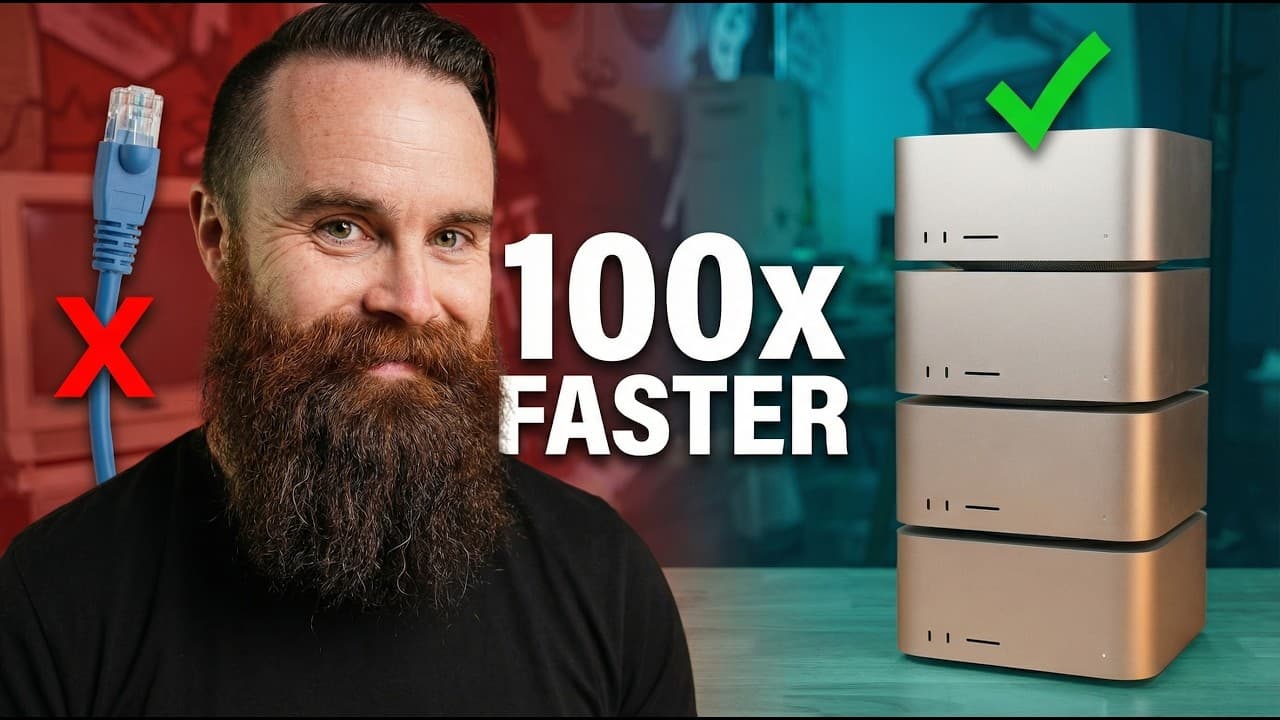
Apple's Tahoe 26.2 software update enabled RDMA over Thunderbolt 5, cutting Mac Studio cluster latency from 300 microseconds to 3 microseconds, a 100x drop. This finally makes tensor parallelism viable, roughly tripling local AI speed from 5 to 15 tokens per second on the same hardware that ran 91% slower earlier this year.
Transcript
So, I built another AI supercomput. And this one's crazy. 1 2 3 four Mac Studios, 512 gigs of RAM each, 2 terb of unified memory. This might be the most powerful local AI setup ever built. Hold up. I've done this before. Earlier this year, I clustered together five Mac Studios, [music] and it was kind of terrible. I expected it to run AI models lik... Read More
Key Insights
- RDMA (remote direct memory access) is the key change, enabled by Apple in Tahoe 26.2 on Thunderbolt ports. It creates a direct GPU-memory-to-GPU-memory connection, skipping the TCP/IP stack and CPU processing that added networking overhead.
- Latency, not GPU or memory, was what crippled the earlier cluster. RDMA takes latency from 300 microseconds down to 3 microseconds, a 100x reduction that the video compares to a bullet train versus traditional networking.
- The four-Mac-Studio cluster totals 2TB of unified memory, 320 GPU cores, and 32TB of storage, with each machine holding 512GB of RAM, 80 GPU cores, and 8TB of storage. Unified memory means the GPU can directly use that RAM as VRAM.
- The earlier five-Mac-Studio cluster ran AI models 91% slower than a single machine because adding computers only added networking latency, not usable speed. Everyone said clustering was stupid, and for that setup they were right.
- Pipeline parallelism splits a model's layers across machines sequentially, so Mac 1 runs layers 1-20 then waits for Mac 2. It gives capacity to run huge models but no speed, described as a relay race where sprinters wait on each other.
- Tensor parallelism divides the math within each layer instead of assigning whole layers, letting all Macs work on every layer together. It is theoretically 3.5x faster but demands far more communication, so it only works once latency is solved.
- High latency made tensor parallelism slower than pipeline parallelism before RDMA. With two communications per layer and 160 communications per token at 300 microseconds each, waiting reached nearly 50 milliseconds per token.
- Building equivalent specs with Nvidia would cost far more. Matching the cluster would need 26 H100s at 80GB VRAM each, over $780,000, versus the $50,000 Mac Studio cluster, and even more once the full system is built out.
Install to Summarize YouTube Videos and Get Transcripts
Explore YouTube Video Summarizer or Get YouTube Transcript Extractor
Questions & Answers
Q: What software update made Mac Studio clustering faster?
Apple quietly enabled RDMA, or remote direct memory access, on their Thunderbolt ports in Tahoe 26.2. RDMA creates a direct connection from GPU memory to GPU memory, removing the traditional TCP/IP networking stack and the CPU processing that every message previously had to pass through. This was the single change that transformed clustering from a 91%-slower failure into a setup fast enough to make local AI clustering actually make sense, and it arrived as just a software update rather than new hardware.
Q: How much did RDMA reduce latency on the Mac Studio cluster?
RDMA took latency from around 300 microseconds down to just 3 microseconds, which the video describes as a 100x decrease. Before the update, Thunderbolt 5 connections used ordinary TCP/IP networking, so every message was processed by the CPU before reaching GPU memory, adding overhead. With RDMA, that stack is skipped for a direct GPU-to-GPU connection. This latency drop, compared to a bullet train, is what unlocked usable clustering performance and made the more communication-heavy tensor parallelism viable.
Q: What are the specs of the four Mac Studio cluster?
Each of the four Mac Studios has 512GB of unified RAM, 80 GPU cores, and 8TB of storage. Because unified memory lets the GPU use that RAM, it effectively acts as 512GB of VRAM per machine. Combined, the cluster reaches 2TB of unified memory, 320 GPU cores, and 32TB of storage. Compared with the older M2 Max cluster, this gives 6.4 times more RAM and double the GPU bandwidth, and it uses Thunderbolt 5 instead of Thunderbolt 4, doubling connection bandwidth.
Q: Why was the earlier five Mac Studio cluster so slow?
The first cluster of five Mac Studios ran AI models 91% slower than expected, and the cause was networking, specifically latency, not the GPUs or memory. Adding more computers only added communication delay between machines. The high 300-microsecond latency between Macs forced the use of pipeline parallelism and made the faster tensor parallelism impossible. Running bigger models did not help because everything came down to a crawl waiting on messages passing between machines over the connection.
Q: What is the difference between pipeline and tensor parallelism?
Pipeline parallelism splits a model's layers across machines, so Mac 1 handles layers 1 through 20, then stops and sends results to Mac 2 for layers 21 through 40, and so on sequentially. It gives capacity to run huge models but no speed, since machines wait on each other. Tensor parallelism instead divides the math within each layer so all Macs work on every layer together, then combine results. It is theoretically 3.5x faster but requires far more communication between machines.
Q: Why couldn't tensor parallelism be used before the RDMA update?
Tensor parallelism requires every Mac to work on the same layer simultaneously, which means constant back-and-forth communication, described as a group project with many messages. There are two communications per layer, so for a roughly 80-layer model that is 160 communications per token. At the old latency of about 300 microseconds each, that added up to nearly 50 milliseconds of waiting per token. This made tensor parallelism actually slower than pipeline parallelism until RDMA cut latency to 3 microseconds.
Q: How much faster did the cluster run after Apple's fix?
On the same model and same cluster, the old method delivered about 5 tokens per second, which the creator calls not great. After applying Apple's RDMA fix, the cluster reached 15 tokens per second, three times faster. This speedup comes from lower latency enabling tensor parallelism, where all Macs process the math of every layer together rather than waiting in sequence. The improvement came purely from the software update, with no change to the hardware or the model being run.
Q: How does the cluster's cost compare to an Nvidia H100 setup?
The four Mac Studio cluster costs $50,000. To match the same specs locally with Nvidia, you would need 26 H100 GPUs, each with 80GB of VRAM, which would cost over $780,000, and even more once you build out the full supporting system. This makes the Mac Studio cluster a dramatically cheaper path to a high-memory local AI setup, which the creator argues may be the most powerful local AI setup ever built for the price.
Summary & Key Takeaways
-
The creator built a cluster of four Mac Studios, each with 512GB of RAM and 80 GPU cores, totaling 2TB of unified memory, 320 GPU cores, and 32TB of storage. Despite one fewer machine than the prior five-Mac attempt, each unit has eight times the memory, giving 6.4 times more RAM and double the GPU bandwidth.
-
Earlier in the year, a five-Mac-Studio cluster ran 91% slower because networking latency, not GPU or memory, was the bottleneck. Pipeline parallelism let large models run but forced machines to process layers sequentially and wait on each other, while the faster tensor parallelism was impossible because its heavy communication made 300-microsecond latency add nearly 50ms of waiting per token.
-
Apple's Tahoe 26.2 update quietly enabled RDMA on Thunderbolt ports, removing the TCP/IP stack for a direct GPU-to-GPU memory connection that cut latency from 300 to 3 microseconds, a 100x improvement. On the same cluster and model, speed jumped from about 5 to 15 tokens per second, three times faster, making tensor parallelism finally practical.
Read in Other Languages (beta)
Share This Summary 📚
Summarize YouTube Videos and Get Video Transcripts with 1-Click
Try YouTube Summary with ChatGPT & Claude or YouTube Transcript Generator
Explore More Summaries from NetworkChuck 📚


Summarize YouTube Videos and Get Video Transcripts with 1-Click
Try YouTube Summary with ChatGPT & Claude or YouTube Transcript Generator