2020 iPAD PRO Unboxing + First Impressions
TL;DR
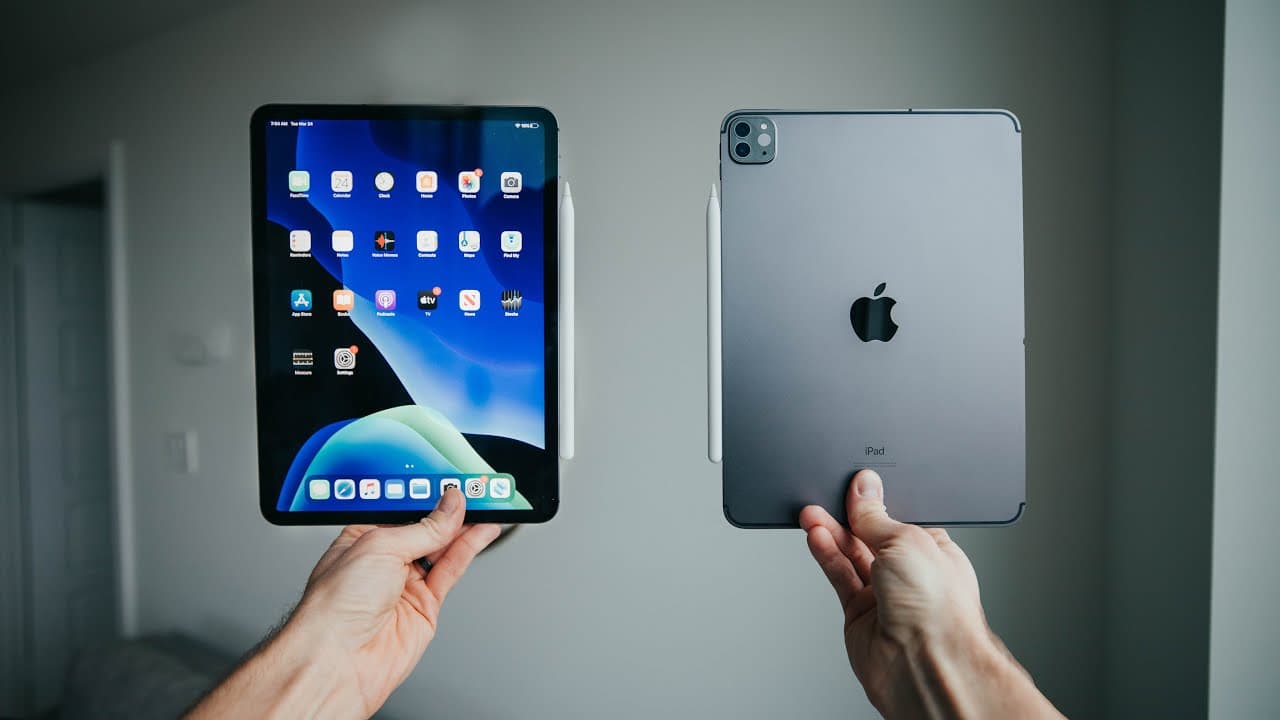
Unboxing and reviewing the latest iPad Pro model with enhanced features such as dual cameras, lidar technology, and trackpad support.
Transcript
not this again really winner did you have to come back thought we were done with this well uh that's kind of look nice please melt quickly please not quickly if you were thinking those hands were too beautiful to be mine of this true heir of my wife okay what are we on boxing today first you gotta pull this tab here why don't you stand up you gotta... Read More
Key Insights
- 💝 The latest iPad Pro model boasts dual cameras with an ultra-wide lens and lidar technology for AR applications.
- 🔨 Trackpad support and the Magic Keyboard enhance the usability of the iPad Pro as a productivity tool.
- 🎙️ The iPad Pro's studio-quality microphones and speakers offer improved audio capabilities for various tasks.
- ❓ Utilizing the iPad Pro as a dual monitor with Sidecar enhances productivity and multitasking for creative workflows.
- 🧡 The iPad Pro's versatility makes it suitable for a wide range of professional settings, from photography to healthcare.
- 🚄 The high-speed cooking tip for perfect cookies shared in the video adds a touch of entertainment and creativity to the content.
- 🎮 The video showcases a blend of technology reviews, lifestyle content, and personal anecdotes, making it engaging for a diverse audience.
Install to Summarize YouTube Videos and Get Transcripts
Explore YouTube Video Summarizer or Get YouTube Transcript Extractor
Questions & Answers
Q: What are the key upgrades in the latest iPad Pro model?
The latest iPad Pro features dual cameras with an ultra-wide lens, lidar technology for AR applications, trackpad support, Magic Keyboard, studio-quality microphones, and enhanced speakers.
Q: How does the lidar technology in the iPad Pro work?
The lidar technology in the iPad Pro allows for depth mapping in 3D space, enabling AR experiences, virtual room planning, and accurate object scanning with practical applications in various fields.
Q: How can the iPad Pro be utilized in different professional settings?
The iPad Pro serves as a versatile tool for photographers, graphic designers, architects, interior designers, health professionals, and more, with its advanced features like dual cameras, lidar technology, and trackpad support.
Q: What are the benefits of using the iPad Pro as a dual monitor with Sidecar?
Utilizing the iPad Pro as a dual monitor with Sidecar provides additional screen real estate for editing workflows, allowing for more efficient multitasking and creative setups.
Summary & Key Takeaways
-
Unboxing and setting up the new iPad Pro with notable upgrades like dual cameras including an ultra-wide lens.
-
Exploring the lidar technology for AR applications and 3D scanning capabilities with practical uses like virtual room planning.
-
Reviewing new features like trackpad support, Magic Keyboard, studio-quality microphones, and enhanced speakers for improved functionality.
Read in Other Languages (beta)
Share This Summary 📚
Summarize YouTube Videos and Get Video Transcripts with 1-Click
Try YouTube Summary with ChatGPT & Claude or YouTube Transcript Generator
Explore More Summaries from Matti Haapoja 📚




Summarize YouTube Videos and Get Video Transcripts with 1-Click
Try YouTube Summary with ChatGPT & Claude or YouTube Transcript Generator