How to Build a Strong Video Editing Demo Reel
TL;DR
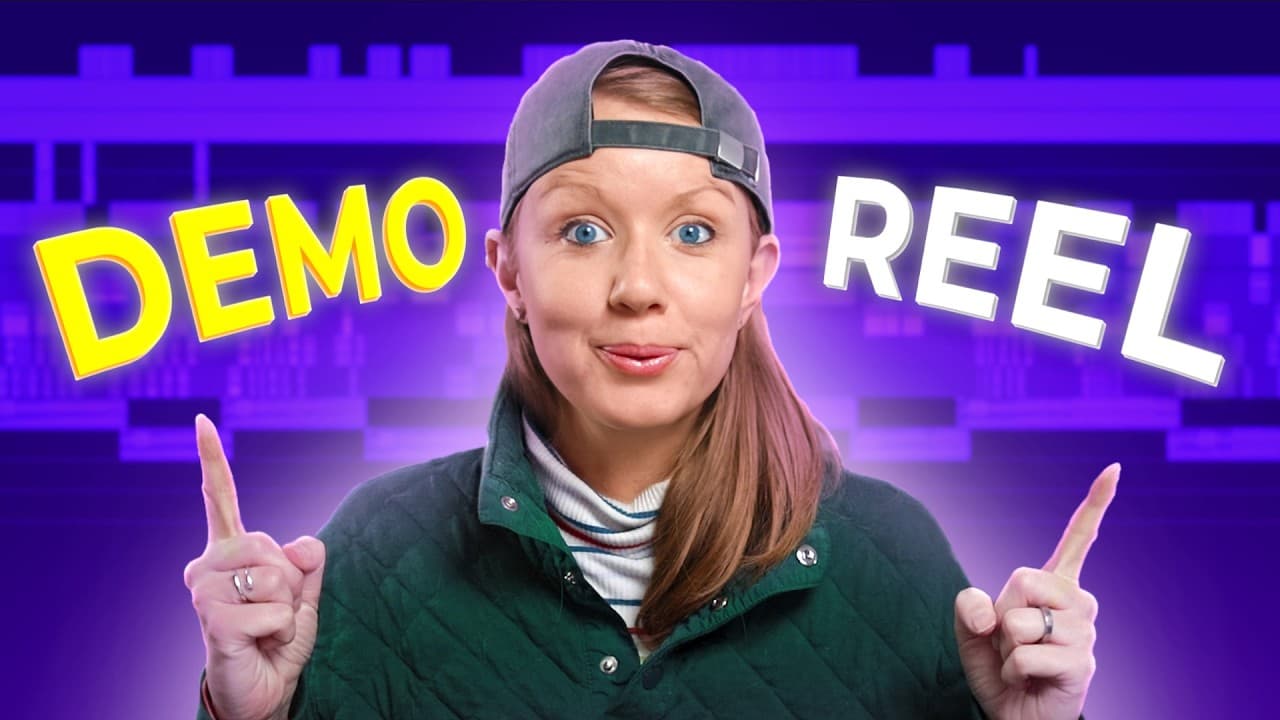
A strong editing demo reel gets to the work quickly and proves skills through pacing, sound design, motion graphics, rotoscoping, transitions, and title design. Treat the reel as its own carefully planned project, use varied examples and audio, label project types when useful, and place it in a portfolio that gives prospective clients a clear way to view more work and make contact.
Transcript
in this video I'm going to review your reels we're going to look at The Good the Bad and the Ugly and at the end I'm going to summarize all the tips you should consider when designing your own editing demo reel let's Jump On In so on Instagram I posted a story asking you to send me your reals or other reels to review first up is Lorenzo and seni La... Read More
Key Insights
- A strong demo reel reaches the editor’s work quickly because repetitive introductions delay the evidence that prospective clients want to see. Saying both that someone is a video editor and that the piece is a showreel communicates nearly the same information and can be shortened.
- Sound design is a practical way to connect scenes and make visual movement feel more engaging. Whooshes, impacts, ambience, door slams, reverberation, and other effects can reinforce transitions, while missing effects can make otherwise polished sections lose energy and continuity.
- Pacing is demonstrated through deliberate changes in sound, music, and cutting speed. Moving between quiet scenes, louder transitions, energetic montages, and slower passages shows that an editor can shape momentum instead of simply placing clips on musical beats.
- A reel should display editing ability rather than rely only on beautiful cinematography. When the editor did not shoot the footage, creative assembly, sound design, transitions, motion treatment, and sequencing help clarify the specific value added during post-production.
- Project labels can give viewers useful context about the footage and the editor’s role. Identifying a segment as a commercial, lyric video, restoration, gaming project, or motion graphics work makes the reel easier to understand, especially when the underlying contribution might otherwise be unclear.
- Technical range becomes convincing when viewers can see several relevant examples. One isolated clip per category provides limited evidence, while multiple shots from the same project or thoughtfully edited stock footage can better demonstrate variety, continuity, and creative decision-making.
- Heavy dependence on stock-sounding music and a single template can make a reel feel generic. Using multiple music tracks, varied structures, original transitions, and manipulated source material helps the reel function as a distinct project that reflects the editor’s own choices.
- A portfolio website strengthens a demo reel by placing it beside other work and clear contact information. The transcript presents WordPress and Hostinger as one no-code approach, with templates or AI-assisted creation, customizable colors, photographs, text, domains, email, and security options.
Install to Summarize YouTube Videos and Get Transcripts
Explore YouTube Video Summarizer or Get YouTube Transcript Extractor
Questions & Answers
Q: How do you make a strong video editing demo reel?
Make the reel a focused editing project that reaches your work quickly and demonstrates the abilities clients are likely to evaluate. Use strong pacing, sound design, rotoscoping, motion tracking, title design, transitions, and motion graphics where appropriate. Select varied examples, connect them creatively, label project types when context is needed, and remove repetitive introductory material that delays the work.
Q: What skills should a video editor show in a demo reel?
A video editor should visibly demonstrate pacing, rotoscoping, motion tracking, title design, and sound design, which the description identifies as skills companies commonly seek. The reviewed reels also show the value of masking, keyframed zooms, transparent layers, color grading, motion graphics, music selection, and transitions. The reel should make these contributions apparent rather than depending entirely on attractive footage.
Q: How long should a video editing demo reel be?
The review indicates that one minute may be all the time some viewers want to spare, but it does not impose a fixed required length. A reel can be slightly longer when additional breathing room or project information improves clarity. The more important principle is efficiency: remove redundant statements, begin showing work quickly, and ensure every included sequence contributes meaningful evidence of skill.
Q: Why is sound design important in a demo reel?
Sound design makes visual movement feel more alive and helps separate clips function as a coherent piece. Effects such as whooshes, impacts, ambience, a door slam, reverberation, and environmental sounds can emphasize transitions or establish atmosphere. Quiet passages, music changes, and brief sound bites can also control pacing, create contrast, and prevent the reel from becoming a uniform montage.
Q: How can a demo reel show pacing skills?
Pacing becomes visible when an editor deliberately varies energy instead of cutting every sequence in the same manner. The reviewed examples move from silence into music, return to quiet scenes, introduce new tones, accelerate through layered montages, and later slow down. Music changes, sound effects, smash cuts, close-ups, and carefully placed transitions can all shape this progression and demonstrate control.
Q: Should a demo reel include labels for each project?
Project labels are useful when viewers need context about the footage or the editor’s contribution. A reel can identify work as a commercial, lyric video, restoration, gaming piece, or motion graphics project, and it can state the editor’s role underneath. Labels should support the visuals, not replace evidence. Each category still needs enough shots to demonstrate what the editor actually accomplished.
Q: Can stock footage and templates be used in a demo reel?
Stock footage can be useful when an editor lacks extensive client work, provided it is edited creatively to demonstrate genuine decisions and technical skills. Templates can also be part of the available toolkit, but relying heavily on one template and generic stock music can make the reel feel repetitive. Multiple structures, music tracks, transitions, and examples better reveal the editor’s individual contribution.
Q: How should a demo reel be presented in a portfolio?
A demo reel works well when embedded on a portfolio website that also contains additional projects and a clear method of contact. The sponsored portion presents Hostinger with WordPress integration as one option that requires no coding and supports templates or AI-assisted setup. It also describes customization of colors, photographs, and text, plus choices involving a domain and target-audience data-center location.
Summary & Key Takeaways
-
Effective demo reels quickly introduce an editor, then let carefully selected work demonstrate technical range and creative judgment. Strong examples combine transitions, masks, motion control, color grading, transparent layers, sound effects, music, and deliberate pacing. Repeated introductory language should be removed so viewers reach the editor’s actual work without unnecessary delay or confusion.
-
Sound is central to a reel’s momentum and coherence. Effects can emphasize movement, connect unrelated shots, strengthen transitions, and add atmosphere, while quiet passages and sound bites can create contrast between energetic sections. Editors should maintain this attention throughout the reel instead of allowing later sequences to become simple music-driven cuts between attractive images.
-
A reel should be designed as an independent creative project rather than assembled from one template or a collection of isolated clips. It should clarify the editor’s contribution, show several examples within relevant categories, and distinguish editing skill from cinematography. Hosting it beside additional work and contact information makes the portfolio more useful.
Read in Other Languages (beta)
Share This Summary 📚
Summarize YouTube Videos and Get Video Transcripts with 1-Click
Try YouTube Summary with ChatGPT & Claude or YouTube Transcript Generator
Explore More Summaries from Premiere Gal 📚
Summarize YouTube Videos and Get Video Transcripts with 1-Click
Try YouTube Summary with ChatGPT & Claude or YouTube Transcript Generator