How to Set Up VS Code and XAMPP for PHP
TL;DR
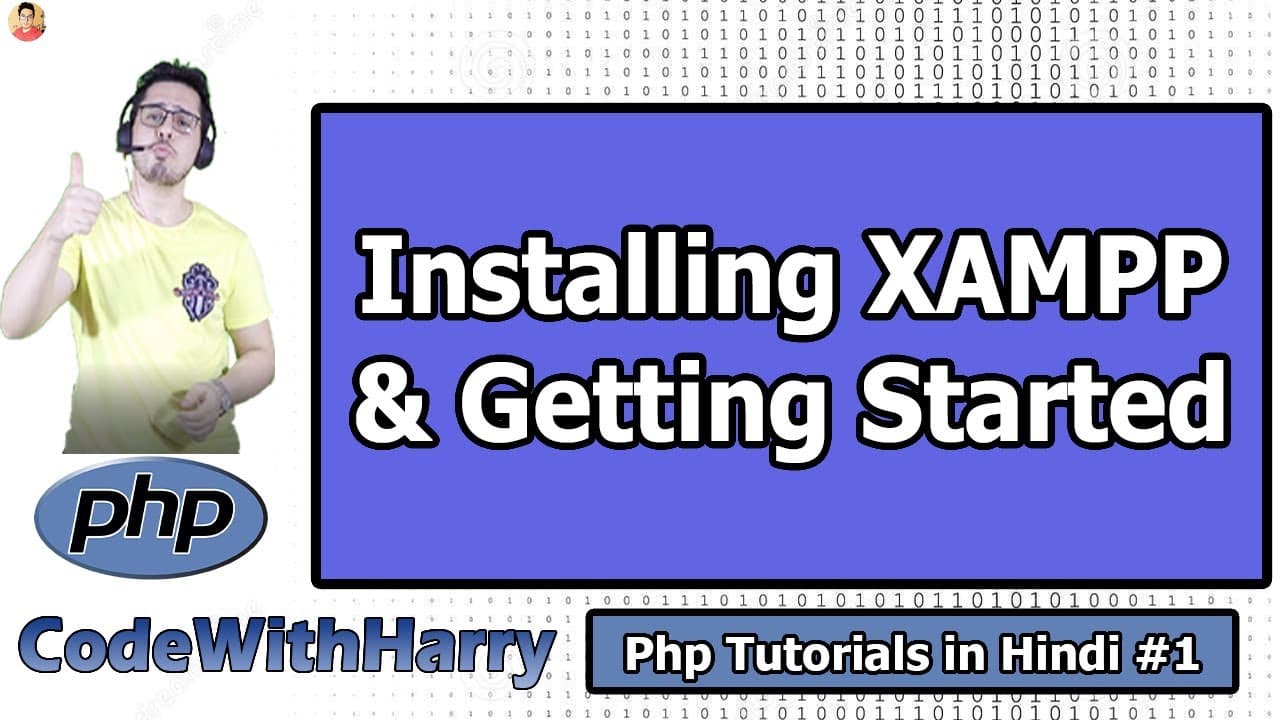
Install Visual Studio Code from Microsoft’s official website, enable its PATH and context-menu options, then install XAMPP for your operating system. VS Code provides editing conveniences such as syntax highlighting, while XAMPP bundles PHP, the Apache web server, and MySQL so beginners can execute PHP files locally and view PHP websites in a browser.
Transcript
What's up guys, we will start PHP from today's course. I will teach you PHP from the beginning to the end. And I will teach you how you can build your websites in production with the help of PHP. Guys, PHP is a very beautiful programming language, a very good programming language. We will see PHP closely and understand all the aspects of PHP. I wan... Read More
Key Insights
- PHP is a backend programming language that the course uses to teach programming fundamentals and website development. The instructor plans to cover PHP from the beginning through the process of building websites for production, while examining the language’s main aspects closely.
- PHP is still maintained through version releases, according to the instructor. The transcript cites PHP 5 and PHP 7 and argues that continued development means learners should not dismiss the language simply because some people describe it as old or outdated.
- Visual Studio Code is a source code editor developed by Microsoft Corporation. It does not add capabilities to a PHP program, but it makes code editing more convenient through shortcuts, faster typing, and visual features that help distinguish programming language elements.
- Syntax highlighting is the visual formatting of code elements with different colors or emphasis. The demonstration shows programming keywords and properties appearing in distinct styles, making the structure of source code easier to recognize while writing and reading PHP programs.
- Visual Studio Code should be downloaded from Microsoft’s official code.visualstudio.com website. The site presents a download appropriate for the visitor’s operating system, with versions discussed for Windows, Mac, and Linux distributions such as Ubuntu and Kubuntu.
- The Windows installer options can improve everyday access to Visual Studio Code. Adding the editor to PATH supports opening a folder from PowerShell with the code command, while context-menu options allow a directory to be opened by right-clicking and selecting Open with Code.
- Local PHP execution requires supporting software in addition to source code. The setup described includes PHP for executing the language, the Apache web server for serving local websites, and MySQL when database functionality is needed during website development.
- XAMPP bundles PHP, Apache, and MySQL into one installation for local development. The instructor compares this package to a prepared mixture containing several required ingredients, emphasizing that beginners do not need to install every component separately before viewing PHP websites locally.
Install to Summarize YouTube Videos and Get Transcripts
Explore YouTube Video Summarizer or Get YouTube Transcript Extractor
Questions & Answers
Q: How do I set up VS Code and XAMPP for PHP?
Download Visual Studio Code from Microsoft’s official code.visualstudio.com website and complete the installer for your operating system. On Windows, select the PATH and context-menu options, plus the desktop icon if desired. Then download XAMPP for Windows, Linux, or Mac and install it. XAMPP supplies PHP, Apache, and MySQL together, allowing local PHP files to execute and appear in a browser.
Q: Why is XAMPP useful for beginner PHP developers?
XAMPP reduces the amount of separate installation work required for local PHP development. A beginner might otherwise need to install PHP, an Apache web server, and MySQL individually without yet understanding how those components work. XAMPP places them together in one software package, making it easier to execute local PHP source files and render PHP websites in a browser on the same computer.
Q: What does Visual Studio Code do for PHP programming?
Visual Studio Code provides an environment for writing and organizing PHP source code. It offers shortcuts, faster typing, and syntax highlighting, which displays different programming elements with distinct colors or emphasis. The editor does not add functionality or special behavior to the PHP program itself. Its role is to make writing, reading, and accessing project files more convenient during development.
Q: What is syntax highlighting in Visual Studio Code?
Syntax highlighting is the use of different colors and visual styles to distinguish parts of programming code. In the demonstration, a keyword becomes visually thicker, while other elements such as properties and export text appear in different colors. These visual distinctions help a programmer recognize the structure and categories of code, although they do not change what the PHP program does when executed.
Q: Why should Visual Studio Code be added to PATH?
Adding Visual Studio Code to PATH allows the editor to be started from PowerShell with the code command. When that command is used from a particular folder, Visual Studio Code can open that folder directly. The Windows installer also offers context-menu options, which let users right-click a directory and choose Open with Code. Together, these settings make opening PHP project folders faster and more convenient.
Q: What software is needed to run PHP websites locally?
The setup described requires PHP to execute PHP source code and the Apache web server to serve the website locally. MySQL is also needed when the website uses a database. Rather than asking a beginner to install each item independently, the tutorial recommends XAMPP, which packages PHP, Apache, and MySQL together so local PHP websites can be executed and viewed through a browser.
Q: Is PHP outdated or no longer worth learning?
The instructor rejects the claim that PHP is useless or finished. The transcript acknowledges that PHP had downsides and bugs, but notes that work on the language continues and that versions are released over time. PHP 5 and PHP 7 are cited as examples. The instructor also argues that learning PHP fundamentals can make another programming or backend language easier to study later.
Q: Which XAMPP version should a beginner install?
The tutorial advises choosing the first available XAMPP download when several closely related options appear, because the instructor does not expect much difference between small version changes. The broader point is that minor updates may contain a bug fix, a feature, or another small change while leaving the fundamentals largely familiar. Users should select the package matching Windows, Linux, or Mac.
Summary & Key Takeaways
-
The course begins with PHP fundamentals and aims to progress toward building production websites. PHP is presented as an actively maintained backend programming language rather than an obsolete technology. The instructor argues that learning its programming basics can also make it easier to study another programming or backend language later.
-
Visual Studio Code is installed as the source code editor for the course. It supports conveniences such as syntax highlighting, faster typing, and shortcuts without changing how PHP programs work. During Windows setup, enabling PATH, context-menu options, and an optional desktop icon makes opening project folders in the editor more convenient.
-
XAMPP simplifies local PHP development by packaging PHP, the Apache web server, and MySQL together. This avoids requiring beginners to install and configure each component separately. After installing the package for Windows, Linux, or Mac, learners can store PHP source files locally, execute them, and render PHP websites through a browser.
Read in Other Languages (beta)
Share This Summary 📚
Summarize YouTube Videos and Get Video Transcripts with 1-Click
Try YouTube Summary with ChatGPT & Claude or YouTube Transcript Generator
Explore More Summaries from CodeWithHarry 📚

Summarize YouTube Videos and Get Video Transcripts with 1-Click
Try YouTube Summary with ChatGPT & Claude or YouTube Transcript Generator