How to Paste Data Correctly in GraphPad Prism
TL;DR
To paste data correctly in GraphPad Prism, use the 'paste transpose' option when moving data from grouped tables to standard column tables. This ensures data is formatted correctly for statistical analysis. You can also use the 'paste special' option to create links between original and transposed data for dynamic updates.
Transcript
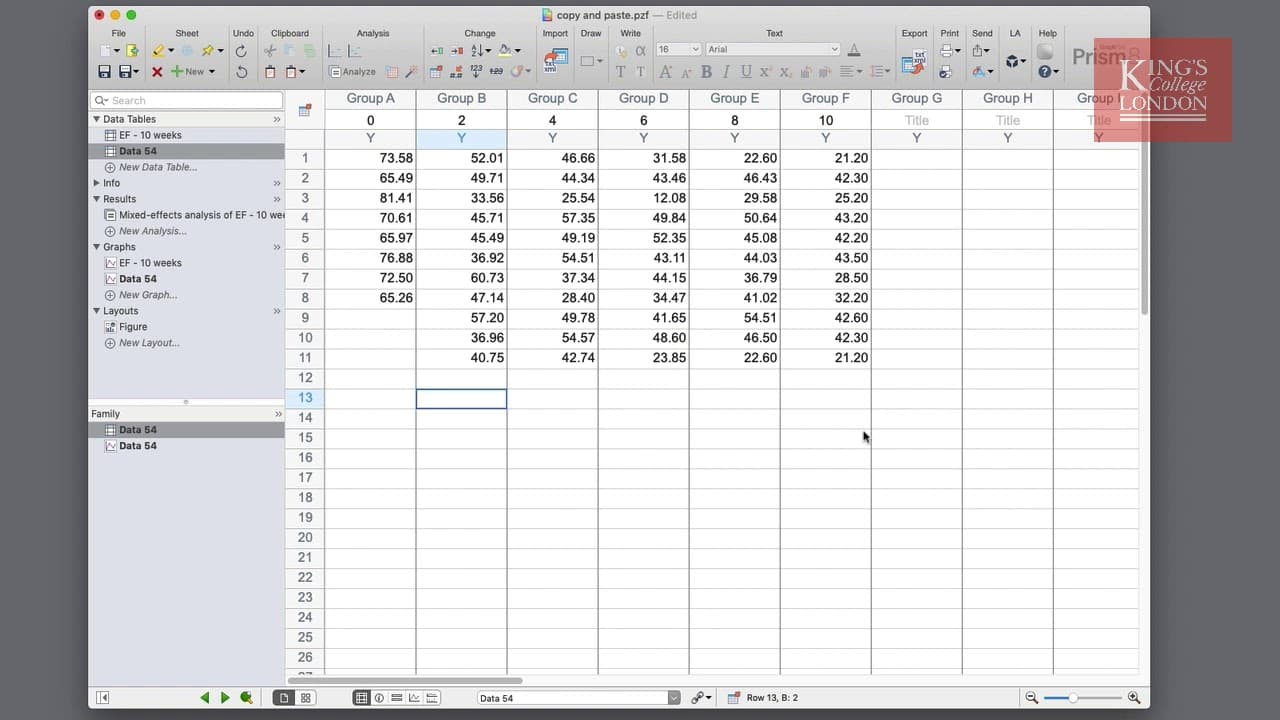
hello I'm James Clark from King's College London and in this short video I'm going to show you different ways of pasting data between tables in graphpad prism on the screen you can see some experimental data which represents a 10-week study looking at two genotypes of animals and it shows the ejection fraction the function of the heart over these t... Read More
Key Insights
- 💁 Copying and pasting data in the correct format is crucial for accurate statistical analysis.
- 💁 The "paste transpose" option in GraphPad Prism ensures the data is pasted in the desired column format.
- 🍻 Linking and embedding data allows for dynamic updates and maintains a clear link between raw and processed data.
- 🎮 Using the "paste special" option provides additional control over data placement and arrangement.
- ❓ GraphPad Prism offers efficient options for data pasting, enhancing data analysis workflow.
- 🍓 Maintaining a clear and concise link between raw data and processed data is essential for graphical presentation.
- 🚰 Grouped format tables and standard column tables serve different purposes and should be used accordingly.
Install to Summarize YouTube Videos and Get Transcripts
Explore YouTube Video Summarizer or Get YouTube Transcript Extractor
Questions & Answers
Q: Why is the correct formatting of data important in statistical analysis?
Correct data formatting ensures accurate representation and analysis of data. Incorrect formatting can lead to erroneous conclusions and ineffective statistical analysis.
Q: What is the difference between grouped format tables and standard column tables?
In grouped format tables, each row represents a different time point, with different groups represented horizontally. In standard column tables, each column represents a different time point, with different groups represented vertically.
Q: How can I transpose the data correctly in GraphPad Prism?
To transpose the data correctly, you can click on the column title of the group and choose "edit paste transpose" from the Edit menu. This will paste the data in the desired format.
Q: How can I link and embed data from the original data sheet in GraphPad Prism?
To link and embed data, go to Edit > Paste Special and choose "insert and maintain link" option. You can then choose the placement and arrangement options, such as transposing the data, to create a clear link between the original and transposed data.
Summary & Key Takeaways
-
The video tutorial focuses on copying and pasting data between grouped format tables and standard column tables in GraphPad Prism.
-
Pasting the data in the wrong format can lead to incorrect data representation, so the tutorial shows the correct method of pasting using the "paste transpose" option.
-
The tutorial also highlights the option to link and embed data from the original data sheet, allowing for further analysis and maintaining a clear link between raw and processed data.
Read in Other Languages (beta)
Share This Summary 📚
Summarize YouTube Videos and Get Video Transcripts with 1-Click
Try YouTube Summary with ChatGPT & Claude or YouTube Transcript Generator
Explore More Summaries from Dory Video 📚






Summarize YouTube Videos and Get Video Transcripts with 1-Click
Try YouTube Summary with ChatGPT & Claude or YouTube Transcript Generator