InVideo V3 Review: One-Click Full AI Videos
TL;DR
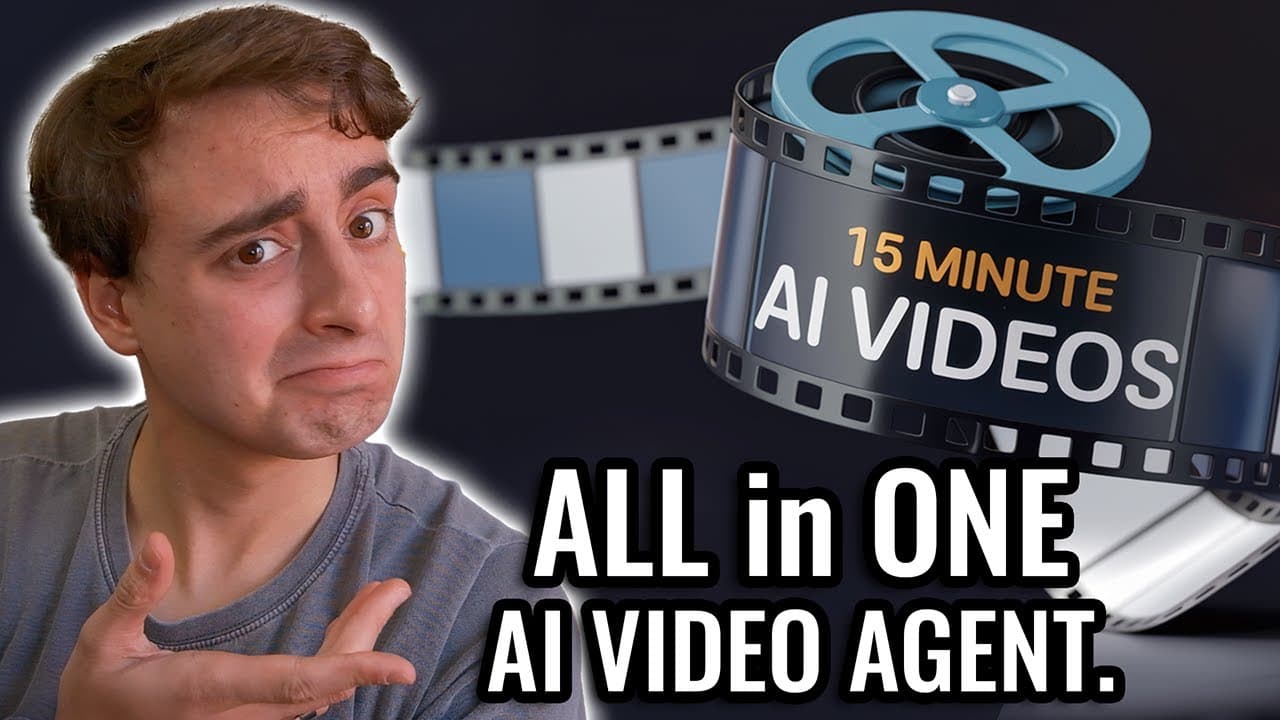
InVideo AI's V3 model turns a single text prompt into a complete video by automatically writing the script, generating a voiceover, creating AI or stock clips, and adding subtitles, music, and editing. It can produce full-length YouTube videos up to 10 minutes, not just short clips, with one test generating a 4-minute video in about 25 minutes.
Transcript
hello everybody and welcome back to another YouTube video today we are going to be talking about invid AI this is a platform that I have covered in the past but they've got a brand new update their V3 version 3 Model let me tell you this thing rewrites how you Define generative AI video because unlike any other AI video creation platform nid V3 han... Read More
Key Insights
- InVideo AI V3 handles all the heavy lifting from one basic text prompt, producing a full script, voiceover, AI-generated clips, subtitles, music, and editing in a single automated process.
- The platform can create full-length YouTube videos rather than only short TikTok-style clips, supporting lengths of up to 10 minutes.
- V3 works like an AI agent, using an agentic process to analyze a prompt and any reference data before turning it into an entire video.
- A new V3 section lets users choose between stock media (pre-recorded by humans from various sources) and generative media (pinging AI video generation APIs for prompt-tuned clips).
- In the realistic visual style, every pixel of the video is generated from scratch by AI, as noted at the bottom of the generation screen.
- A test video on the 'hidden lore' of gumball machines was set to 4 minutes and took roughly 25 minutes to generate front to back, fully AI generated.
- The AI voiceover sounded, in the reviewer's words, essentially indistinguishable from a real human voice, with good background music and apparent sound effects.
- V3 maintained a consistent character across the video, an old-man investigator with the same clothing, glasses, mustache, and hair, though not perfectly.
Install to Summarize YouTube Videos and Get Transcripts
Explore YouTube Video Summarizer or Get YouTube Transcript Extractor
Questions & Answers
Q: What is InVideo AI V3 and what does it do?
InVideo AI V3 is version 3 of the InVideo AI video creation platform. It handles all the heavy lifting from a single basic text prompt: it writes a full script, generates a voiceover, uses AI video generators to create clips, adds subtitles, adds music, and handles all the editing at once. Unlike platforms that make short clips, it can produce full-length YouTube videos, and the reviewer says nothing else does exactly what it does.
Q: How long a video can InVideo V3 create?
InVideo V3 can create full-length YouTube videos, not just short TikTok-style clips. In the interface you can choose the length, and the reviewer notes you could go up to 10 minutes. For the demonstration he selected a 4-minute YouTube video on the basic YouTube platform, showing the tool is designed to produce longer-form content from a single text prompt rather than only brief segments.
Q: How long does InVideo V3 take to generate a video?
In the reviewer's test, generating a 4-minute video took about 25 minutes from front to back, fully AI generated. He notes this is probably less time than it would take a person to make a comparable video manually. The process runs like an AI agent that first analyzes the script and input, prepares and analyzes content, then begins the actual video generation, which can take some time.
Q: What is the difference between stock media and generative media in V3?
V3 adds a new section, not present in InVideo V2, that lets you choose between stock media and generative media. Stock media comes from a variety of different sources and is pre-recorded in the past by humans. Generative media pings AI video generation APIs and creates a batch of prompt-tuned videos, which the reviewer says will likely be more in tune with your specific video than the stock media would be.
Q: How good is the AI voiceover quality in InVideo V3?
The reviewer was highly impressed with the voiceover, saying the voice sounds incredibly real and is pretty much indistinguishable from a real human voice. He also praised the background songs the tool chose as quite good and said he could have sworn he heard some sound effects as well. Overall he described the audio side of V3 as no joke and a sign of real work put into the model.
Q: How consistent are the AI-generated video clips?
Results varied. Some clips were shockingly good, such as a melting gumball inside water delivering secret messages, while others were mushy and bad with morphing and glitching, like a scene with kids in a park. The reviewer says this is not really InVideo's fault since AI video generation itself is still imperfect, and he expects the clips to become more consistent as the underlying technology improves over the next few years.
Q: Can InVideo V3 keep a character consistent across a video?
Yes, to a reasonable degree. The reviewer points out the test video featured a consistent character, an old man portrayed as an investigator of gumball machine technologies who narrates the story. Although the character changes somewhat frequently, the tool kept him relatively consistent with the same clothing, glasses, mustache, and hair. The reviewer acknowledges the AI video generator cannot do it perfectly but rated the consistency as not too bad.
Q: Is the content InVideo V3 generates factually accurate?
Not necessarily. In the gumball machine test, the AI took its own creative route and invented a conspiracy story that none of the reviewer confirms is true. However, it wove in real history and real facts, such as an early appearance date and named machine companies and models, to make the fiction seem more believable. The reviewer found this blend impressive but noted it is scary that fabricated content can be made to appear credible.
Summary & Key Takeaways
-
InVideo AI released its V3 model, which rewrites how generative AI video works by handling the entire creation process from a single general text prompt, generating a script, voiceover, AI or stock clips, subtitles, music, and editing all at once, and producing full-length YouTube videos rather than short clips.
-
To test it, the reviewer prompted a deep dive into the hidden lore of gumball machines, pasting Wikipedia history as reference data, choosing a 4-minute YouTube video in realistic visual style where every pixel is AI generated. The tool acted like an agent, analyzing content before generating.
-
The finished video took about 25 minutes and combined real history with invented conspiracy fiction. The voiceover sounded human, some AI clips looked impressive while others glitched or morphed, and a consistent investigator character appeared throughout, leading the reviewer to conclude nothing else compares to InVideo for one-prompt full-video creation.
Read in Other Languages (beta)
Share This Summary 📚
Summarize YouTube Videos and Get Video Transcripts with 1-Click
Try YouTube Summary with ChatGPT & Claude or YouTube Transcript Generator
Explore More Summaries from MattVidPro 📚

Summarize YouTube Videos and Get Video Transcripts with 1-Click
Try YouTube Summary with ChatGPT & Claude or YouTube Transcript Generator