How to Build a Website with LLM Integration Using Claude 3
TL;DR
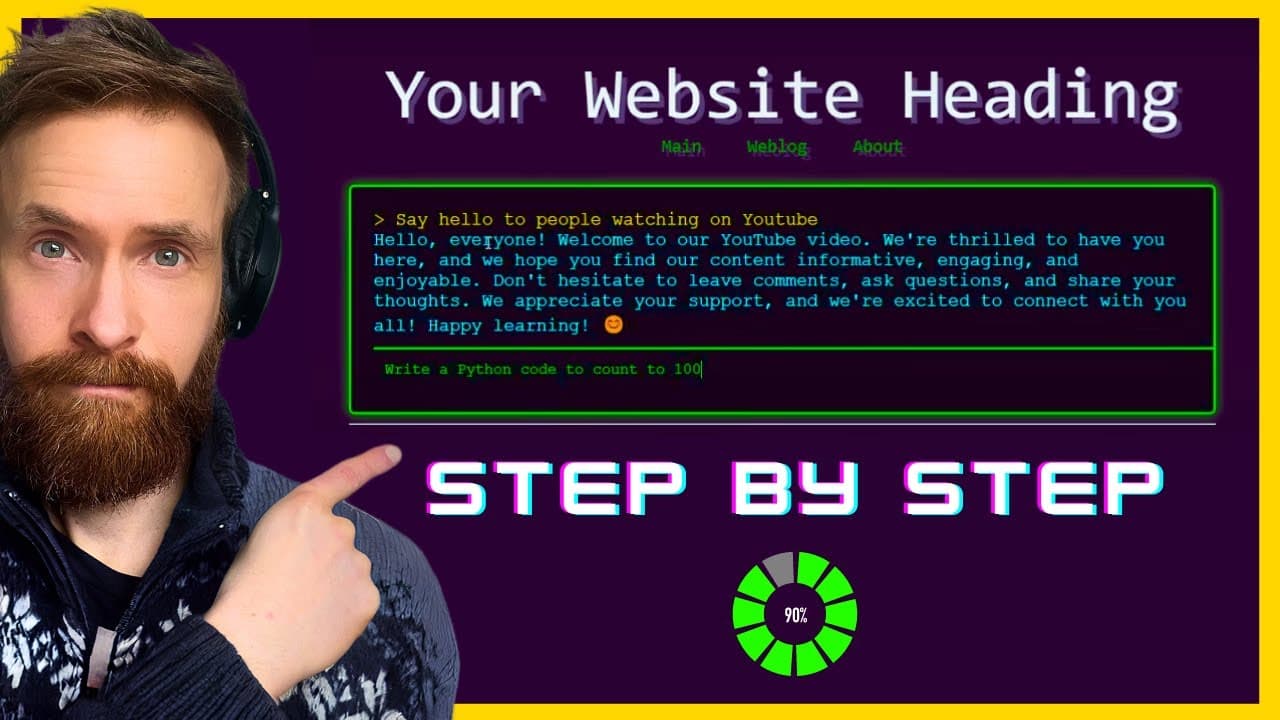
To build a website with LLM integration using Claude 3, start by creating an HTML template in Visual Studio Code. Use the Anthropic Playground to generate code snippets for styling and chat functionality, and implement retro design elements for a unique interface. Ensure you set up a Node.js server to run your application smoothly.
Transcript
today I wanted to share a workflow you can use when building something using llms so today we are going to build a website template you can see here that has an integrated llm shat textbox we will be using the claw threee Opus model today which I really enjoy so let's just get started the website you can see here is going to be our inspiration toda... Read More
Key Insights
- 👊 LLMS (large language models) can be integrated into website templates to create chat functionality.
- 👨💻 Visual Studio Code is a popular tool for coding website templates.
- 🕸️ Anthropic and Gro provide helpful resources for implementing LLMS into web projects.
- 🖐️ Styling plays a crucial role in the overall design and user experience of a website template.
- 🏃 Node.js servers are needed to run LLMS integrated web projects.
- 👾 Retro-style UI elements, such as a 90s-hacker-retro text box, can be implemented for a unique visual appeal.
- 💁 LLMS models, like Gro, are capable of providing quick responses and accurate information.
Install to Summarize YouTube Videos and Get Transcripts
Explore YouTube Video Summarizer or Get YouTube Transcript Extractor
Questions & Answers
Q: What is LLMS and how is it used in this project?
LLMS refers to large language models, and in this project, it is integrated into the website template to create a chat functionality where the user can communicate with the model.
Q: How is the HTML code for the website template created?
The author demonstrates how to create the HTML code using Visual Studio Code, starting with an empty folder and gradually adding code components step-by-step.
Q: How is LLMS integrated with the website template?
LLMS integration involves adding LLMS script to the HTML code, setting up a Node.js server, and using API documentation from Gro to connect the text box to the LLMS model.
Q: What styling changes are made to the website template?
The author shows how to style the menu, headers, body, and text box of the website template, with specific requests for 90s-hacker-retro style and dynamic input without a send button.
Summary & Key Takeaways
-
The content shows the process of building a website template using LLMS.
-
The author demonstrates how to create the HTML code, style the menu and headers, integrate LLMS for chat functionality, and add retro-style styling to the text box.
-
The tutorial provides a comprehensive workflow, utilizing Visual Studio Code, Anthropic, and Gro.
Read in Other Languages (beta)
Share This Summary 📚
Summarize YouTube Videos and Get Video Transcripts with 1-Click
Try YouTube Summary with ChatGPT & Claude or YouTube Transcript Generator
Explore More Summaries from All About AI 📚




Summarize YouTube Videos and Get Video Transcripts with 1-Click
Try YouTube Summary with ChatGPT & Claude or YouTube Transcript Generator