How to Build a Coding Assistant Using ChatGPT and Python?
TL;DR
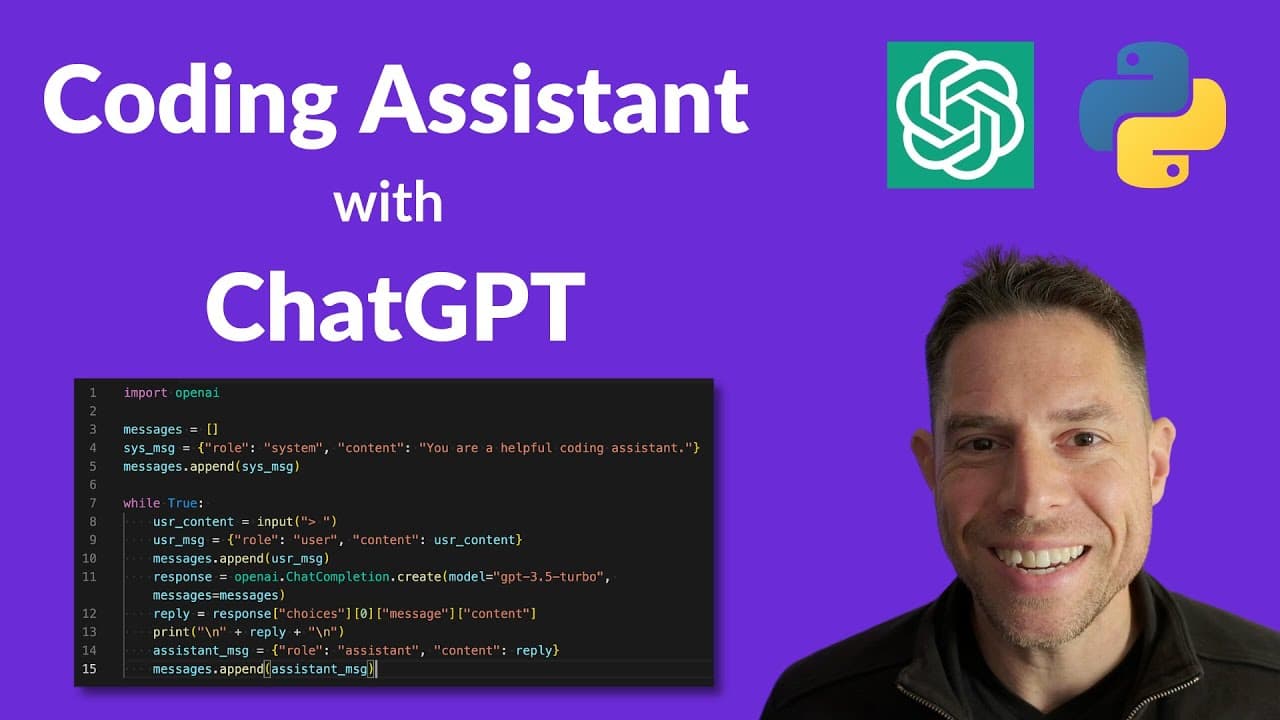
To build a coding assistant with ChatGPT and Python, set your API key as an environment variable and install the OpenAI library. Create a chat history to manage user and assistant messages, then implement a loop for continuous interaction using API calls to assist with coding directly in your development environment.
Transcript
hey everyone my name is Greg and in this video we're going to talk about how to build your own coding assistant for vs code using the chat GPT API and python let's look at what the final product will look like this is pretty close to hello world with the chat GPT API but once you've written it you can run it in a terminal right alongside your code ... Read More
Key Insights
- 👨💻 Building a coding assistant with the Chat GPT API enhances code-writing efficiency.
- 😫 Setting up the environment, importing libraries, and creating a chat history are crucial steps for developing the assistant.
- 🤙 Continuous interaction with the user and making API calls are essential for real-time assistance.
- 👨💻 Utilizing the Chat GPT API in VS Code offers powerful coding support.
- 👨💻 Subscribing for more tutorials can enhance knowledge of machine learning and coding practices.
- 👊 The assistant's chat history structure includes role and content attributes for messages.
- 👶 Upon receiving an API response, the assistant constructs a new message with the reply for user interaction.
Install to Summarize YouTube Videos and Get Transcripts
Explore YouTube Video Summarizer or Get YouTube Transcript Extractor
Questions & Answers
Q: What is the Chat GPT API used for in this tutorial?
The Chat GPT API is used to create a coding assistant that can provide real-time help and answers related to the code the user is writing in VS Code.
Q: How is the assistant's chat history structured?
The chat history consists of a list of messages, each message being a dictionary with attributes like role (user or assistant) and content (the message).
Q: What steps are involved in making an OpenAI API call?
To make an OpenAI API call, parameters like model and the chat history are passed to the chat completion endpoint to receive a response containing the assistant's reply.
Q: How can the coding assistant be utilized in a developer environment?
The coding assistant can be accessed by running the script in a terminal within VS Code, providing users with the Chat GPT API functionality for code assistance.
Summary & Key Takeaways
-
Utilize the Chat GPT API to create a coding assistant in VS Code.
-
Set up the environment, import libraries, and create a chat history for the assistant.
-
Continuously interact with the user, make API calls, and provide code assistance in real-time.
Read in Other Languages (beta)
Share This Summary 📚
Summarize YouTube Videos and Get Video Transcripts with 1-Click
Try YouTube Summary with ChatGPT & Claude or YouTube Transcript Generator
Explore More Summaries from AssemblyAI 📚






Summarize YouTube Videos and Get Video Transcripts with 1-Click
Try YouTube Summary with ChatGPT & Claude or YouTube Transcript Generator