How to build AI agents to automate business

TL;DR
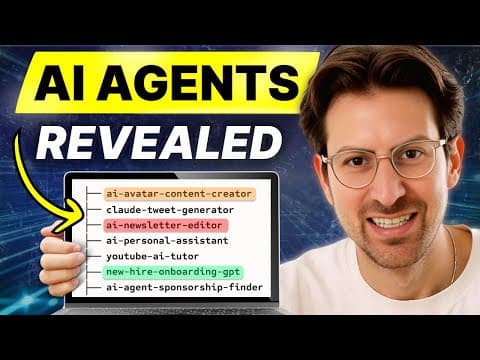
Lindy AI lets you create AI agents without coding and deploy them to automate common business tasks. Start with a simple use case like meeting notes, then expand to tasks such as scraping YouTube comments and making outbound calls. Agent swarms enable parallel work to scale faster.
Transcript
what if AI agents could replace some of your team well they can i brought on Flo who's the CEO of Lindy.AI probably the number one AI agent platform and he shows us how to do agent swarms the big new thing with uh AI agents where you have multiple agents going after these problems now we go through a bunch of different job responsibilities and ... Read More
Key Insights
- Lindy is a no-code platform for building AI agents that automate business processes and can be started with simple use cases like meeting notes.
- The meeting recorder example shows how an agent can capture a meeting, pull notes into a Google doc, and keep notes organized for future context.
- You can interact with Lindy agents via conversation, enabling natural language prompts to drive steps rather than rigid workflows.
- The platform supports multiple integrations and scrapers, including YouTube comment scraping, which demonstrates handling unstructured data quickly.
- Agent swarms address long running tasks by duplicating agents to perform many actions in parallel, improving throughput and reliability.
- Lindy can replace substantial portions of an executive assistant stack, including note taking, scheduling, and even phone calls, showing potential to reduce manual workload.
- The technology emphasizes that agents can recover from errors and maintain coherence over time, improving consistency in automated tasks.
- Live demonstrations illustrate building agents from scratch and iterating rapidly without heavy coding or setup conditions.
Install to Summarize YouTube Videos and Get Transcripts
Explore YouTube Video Summarizer or Get YouTube Transcript Extractor
Questions & Answers
Q: How can Lindy AI be started from scratch to build an agent?
To start from scratch you create a Lindy agent with a simple trigger such as a chat input, choose a use case like YouTube comments by URL, and let the system fetch data automatically. The process emphasizes that you do not need to predefine every step; the agent can begin collecting data and then be guided by prompts to perform tasks like summarizing or organizing results.
Q: What is an agent swarm and why is it useful?
An agent swarm is the ability to send a list of tasks to an AI agent so that it executes them reliably and in parallel. This approach helps scale complex workflows such as personalized outreach or large data processing where a single agent might struggle with long horizons. Swarms improve speed and maintain coherence across many tasks.
Q: What are practical examples demonstrated in the video for Lindy?
The video demonstrates meeting notes capture and integration into Google Docs, YouTube comment scraping, outbound phone calling, meeting prep, and recruitment workflow building. These examples show how Lindy can automate data gathering, content generation, scheduling, and outreach with conversational prompts.
Q: How does Lindy handle meeting preparation and notes?
Lindy can record meetings when they begin, summarize the content, and append notes to existing documents for the same contact. This creates a persistent knowledge base that can be queried later, supporting context sharing with new team members or executives without starting from scratch each time.
Q: Can Lindy replace any role, and what are the limits?
The videos indicate that Lindy can replace significant portions of an executive assistant stack, including notes, scheduling, and basic communication tasks. However, the emphasis is on replacing repetitive or structured tasks while keeping a human in the loop for more complex decisions, ensuring reliability and governance.
Q: How does the platform handle errors during automation?
The platform emphasizes that agents can recover from mistakes and avoid getting stuck in incorrect states. This resilience is highlighted as a benefit of using agents over traditional fixed workflows, allowing for smoother operation and less manual intervention in case of partial failures.
Q: What role do real-time prompts play in Lindy’s workflow?
Real-time prompts replace rigid step-by-step configurations with natural language interactions. Users can describe the desired outcome for a step, such as summarizing a meeting in bullet points, which makes it easier to adjust tasks on the fly and reduces setup time for new automations.
Q: How might Lindy integrate with CRM and sales activities?
The demonstrations include use cases like CRM management and sales prospecting, where Lindy can fetch contact data, summarize interactions, and schedule follow-ups. This integration helps create a continuous, automated workflow across outreach, follow-up, and record keeping, reducing manual data entry and increasing throughput.
Summary & Key Takeaways
-
Lindy is a no-code platform for building AI agents that can automate business processes and integrate with existing tools.
-
The video demonstrates practical use cases including meeting recording, note taking, and YouTube comment scraping to show real applicability.
-
Agent swarms allow multiple agents to perform a list of tasks in parallel, improving reliability and speed over long tasks.
Read in Other Languages (beta)
Share This Summary 📚
Summarize YouTube Videos and Get Video Transcripts with 1-Click
Try YouTube Summary with ChatGPT & Claude or YouTube Transcript Generator
Explore More Summaries from Greg Isenberg 📚





Summarize YouTube Videos and Get Video Transcripts with 1-Click
Try YouTube Summary with ChatGPT & Claude or YouTube Transcript Generator