How to Build AI Websites With Google Stitch
TL;DR
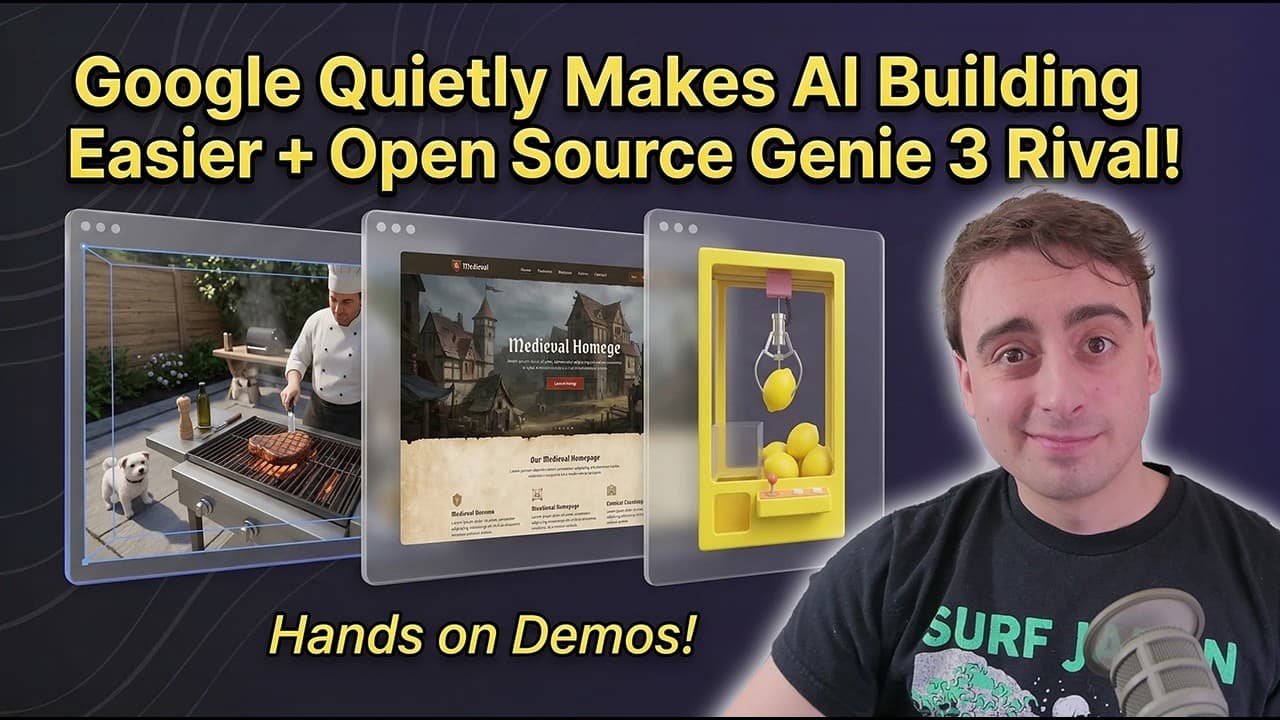
Google Stitch turns prompts, screenshots, sketches, or visual references into editable design systems and interactive coded websites that can be downloaded with their code. InSpatio World offers a more experimental glimpse of interactive AI environments, while OpenArt Worlds creates navigable spaces through 360-degree image generation and depth estimation rather than a fully simulated world model.
Transcript
How's it going everyone? Welcome back to the Matt VidPro AI YouTube channel. Today's video is all about cutting edge AI research and tools that you can use today. We're going to get hands-on with a few of them, but let's kick things off with Inspacio. They have released Inspacio World. This is a world model that is completely open source. You can d... Read More
Key Insights
- InSpatio World is an open-source interactive world model released with downloadable code and weights under the Apache 2.0 license. Users can fork, modify, upgrade, or fine-tune it, making the project accessible for experimentation beyond its free browser demonstration.
- Temporal control is a defining feature of InSpatio World because users can pause, slow, and rewind its generated simulation. Demonstrations show partial scene persistence, including a drink continuing to pour after the viewpoint turns away and returns, although visual hallucinations remain apparent.
- Long-term stability is presented as a more immediate challenge than physical realism for current world models. Generated scenes can remain coherent for a period, but background people, limbs, object interactions, movement boundaries, and environmental details may change or behave incorrectly.
- Local use is most practical with InSpatio World's 1.3-billion-parameter option, which the transcript estimates may require around 10 to 12 GB of VRAM. The full 14-billion-parameter model is described as requiring server-rack GPUs rather than typical consumer hardware.
- OpenArt Worlds is not a fully simulated world model because it combines 360-degree image generation with depth estimation. This method quickly produces an environment that feels three-dimensional and allows free viewpoint exploration, but it is characterized as less advanced than InSpatio's model-based approach.
- Google Stitch is an AI design application for creating websites and apps from prompts, screenshots, sketches, or other visual inspiration. Its updated workflow combines a prompt interface, a blank design canvas, an embedded agent, and a chronological prompt log that helps users revisit earlier work.
- Design systems are a central advantage of Google Stitch because the tool can maintain a coherent visual style across pages with different formats. It can use presets or create a unique, editable specification containing colors, fonts, icons, components, buttons, input fields, and usage rules.
- Stitch outputs are interactive coded websites rather than static preview images. A single prompt can produce two separate design options, and a chosen result can be downloaded as a zip file containing both the code and a design markdown specification.
Install to Summarize YouTube Videos and Get Transcripts
Explore YouTube Video Summarizer or Get YouTube Transcript Extractor
Questions & Answers
Q: How do you create a website with Google Stitch?
Start by selecting whether you want an app or web design, then enter a prompt describing the desired product and visual direction. You can also attach screenshots, sketches, or visual inspiration. Stitch opens a canvas, develops a design system, and generates interactive coded options. After choosing a result, you can download a zip file containing the design markdown specification and website code.
Q: What makes Google Stitch useful for AI website design?
Google Stitch combines visual generation with a structured, editable design system. It can maintain a coherent style across multiple pages and define primary, secondary, tertiary, and neutral colors alongside fonts, icons, buttons, fields, and other components. The generated screens are interactive coded websites, and users can download the associated design specification and code instead of receiving only static images.
Q: Can Google Stitch use sketches or existing designs?
Google Stitch accepts screenshots, sketches, and other visual inspiration alongside written prompts. The transcript suggests that even a rough drawing made with a pen on a napkin can guide the generated design. Users can also upload custom design specifications, which provides a route for translating the style of an existing website or project into the Stitch workflow.
Q: What is InSpatio World and how does it work?
InSpatio World is an open-source world model that generates interactive environments users can explore through a browser demonstration. It provides temporal controls for pausing, slowing, and rewinding the simulation. The project is built from WAN 2.1 and also uses a depth estimation model. Its scenes show some persistent behavior, but hallucinations, delays, and navigation limits remain visible.
Q: How much VRAM does InSpatio World need?
The transcript estimates that the smaller 1.3-billion-parameter InSpatio World model may run locally with around 10 to 12 GB of VRAM. That option is substantially smaller than the complete 14-billion-parameter model. The full version, which is associated with the higher-quality examples, is described as requiring GPUs found in server racks rather than ordinary consumer-level hardware.
Q: What are the main limitations of InSpatio World?
InSpatio World has significant latency, uneven streaming, movement boundaries, and visible hallucinations. The demonstration was not responsive enough to feel playable like a conventional video game, and generated people or objects sometimes appeared anatomically or physically incorrect. Time also froze automatically during parts of the demo. These issues show that interactive world simulation is still at an early stage of development.
Q: How is OpenArt Worlds different from InSpatio World?
OpenArt Worlds creates a navigable environment from one prompt or image by combining 360-degree image generation with depth estimation. InSpatio instead represents the environment through an AI world model with temporal simulation controls. OpenArt's approach is described as less advanced, but it can produce a three-dimensional feeling quickly and lets users explore viewpoints, add characters, and prepare image-to-video shots.
Q: What can interactive AI worlds be used for?
The transcript identifies robotics, realistic prediction, autonomous driving simulation, anime adaptation, and interactive reconstruction of old memories as possible applications for world models. OpenArt Worlds offers a more immediate creative workflow, letting users move through a generated setting, choose a camera angle, place characters with Nano Banana, and generate multi-shot videos through image-to-video tools.
Summary & Key Takeaways
-
InSpatio World is an open-source world model that lets users navigate generated environments while pausing, slowing, or rewinding simulated time. Its scenes can preserve some continuity, but hallucinations, movement boundaries, streaming delays, and unstable inference reveal how early the technology remains. Long-term stability and physical realism are major development priorities.
-
OpenArt Worlds creates a navigable 3D-feeling environment from a single prompt or image. Unlike InSpatio, it relies on 360-degree image generation and depth estimation rather than keeping the entire environment inside a world model. Users can explore angles, insert characters with Nano Banana, and turn selected compositions into multi-shot videos.
-
Google Stitch provides a prompt-driven canvas for designing apps and websites. It accepts screenshots, sketches, and visual inspiration, generates multiple interactive coded options, and creates editable design systems covering colors, typography, icons, components, and usage guidance. Finished work can be downloaded as a zip file containing the design specification and code.
Read in Other Languages (beta)
Share This Summary 📚
Summarize YouTube Videos and Get Video Transcripts with 1-Click
Try YouTube Summary with ChatGPT & Claude or YouTube Transcript Generator
Explore More Summaries from MattVidPro 📚


Summarize YouTube Videos and Get Video Transcripts with 1-Click
Try YouTube Summary with ChatGPT & Claude or YouTube Transcript Generator