How Good Is Google Veo 3 for AI Video Creation?
TL;DR
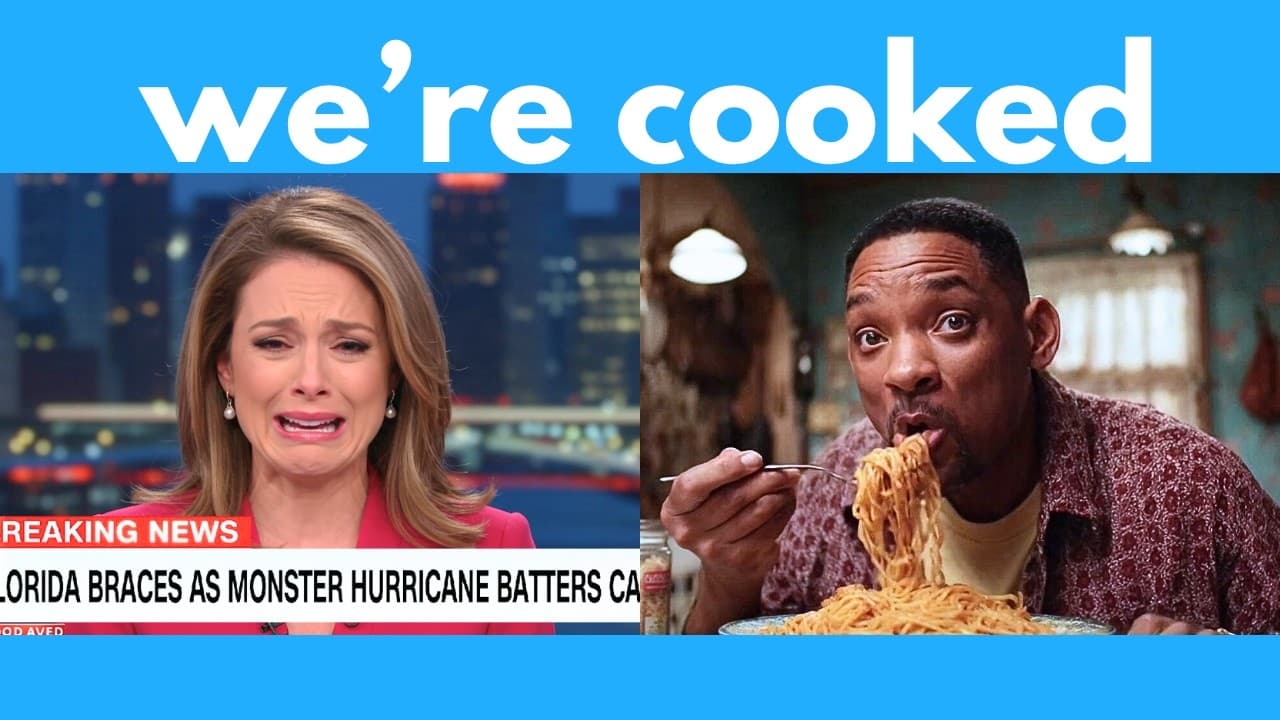
Google Veo 3 creates synchronized video and audio from detailed prompts, with strong dialogue, lip sync, scene control, singing, multiple languages, anime, and simulated gameplay. Its main weaknesses include misspelled on-screen text, inaccurate diagrams, visual warping during full-body movement, imperfect accents, and artifacts in complex action, so close-ups and precise prompts generally produce better results.
Transcript
As you may know, last week Google dropped their god tier AI video generator called VO3. This can generate audio with video, and it can do some pretty insane stuff like this. Welcome to my humble empire, the only way to eat the finest ramen. Honestly, the biggest red flag is when the guy believes in the prompt theory. Like, really? We came from prom... Read More
Key Insights
- Veo 3 is an AI video generator that creates synchronized visuals and audio from a single prompt. It can generate spoken dialogue, sound effects, music, singing, laughter, and other vocal performances without requiring users to add a separate audio track.
- Google Flow is the main platform demonstrated for using Veo 3. Users create a new project, enter a prompt, select the highest-quality generation option, and generate two videos in roughly three minutes, according to the test shown in the transcript.
- Effective Veo 3 prompts specify the scene in sequential detail. Settings, character appearances, actions, camera framing, dialogue, vocal emotion, and background audio can all be described, while quotation marks help identify the exact words characters should say.
- Veo 3 is particularly effective at generating upper-body conversations. Tests involving a Zoom call, podcast interview, whispering, and emotional dialogue produced realistic speech and strong lip synchronization, although requested accents were not reproduced successfully in the podcast example.
- Generated text is a recurring weakness in Veo 3 outputs. Names in a simulated Zoom interface, writing on gameplay billboards, signs, and other on-screen labels appeared misspelled or nonsensical even when the overall visual scene closely followed the prompt.
- Full-body movement is less reliable than close-up footage. The K-pop performance test showed warping and inconsistencies near performers' arms and legs, while revising the request to use close-up framing produced a cleaner result with fewer noticeable artifacts.
- Veo 3 can imitate several video formats and styles, including gameplay, anime, sitcom scenes, lectures, music performances, and video calls. These outputs may look convincing from a distance, but closer inspection can reveal malformed details, motion artifacts, or inaccurate visual information.
- Prompt adherence is strong but not exact in every category. Veo 3 followed dialogue, emotional direction, scene structure, and background-music requests well, yet it struggled with accents, mathematical diagrams, vehicle directions, readable text, and some expressions requiring greater intensity.
Install to Summarize YouTube Videos and Get Transcripts
Explore YouTube Video Summarizer or Get YouTube Transcript Extractor
Questions & Answers
Q: How do you generate a video with Google Veo 3?
Google Veo 3 can be accessed through Google Flow or Gemini. In Flow, create a new project, enter a text prompt, and select the highest-quality option because the default shown in the transcript uses Veo 2. Then start generation. Flow generated two candidate videos in roughly three minutes during the demonstrated test, while Gemini generated one video from each prompt.
Q: How should you write prompts for Google Veo 3?
A useful Veo 3 prompt describes the setting, characters, actions, camera framing, and audio in clear detail. Actions can be presented step by step so the model understands the intended sequence. Put exact dialogue inside quotation marks, and specify how each line should sound, such as softly, slowly, sadly, excitedly, or in an ASMR-style whisper.
Q: Can Google Veo 3 generate dialogue and synchronized audio?
Veo 3 can generate dialogue directly with the accompanying video, including synchronized mouth movements and character reactions. The tests produced spoken conversations, laughter, whispers, emotional delivery, singing, background music, and excited gameplay commentary. Lip synchronization appeared convincing in talking-head scenes, although particular vocal qualities, such as requested Indian and Australian accents, were not reproduced successfully.
Q: What types of videos can Google Veo 3 create?
The demonstrated tests covered video calls, podcast interviews, simulated gameplay, ASMR-style speech, emotional conversations, sitcom scenes, K-pop performances, anime, and a recorded mathematics lecture. Veo 3 followed many structural and audio instructions across these formats. However, the apparent realism varied, and complex movement, fine details, interface text, and educational diagrams were less dependable.
Q: What are the main limitations of Google Veo 3?
Veo 3 frequently produces gibberish or misspelled text inside generated scenes. It can also create inaccurate diagrams, visual warping around moving limbs, artifacts in busy action, and inconsistent object movement, such as cars traveling in incorrect directions. The tests also found that requested accents did not work reliably and that some emotional delivery lacked the requested intensity.
Q: Can Google Veo 3 generate gameplay videos?
Veo 3 can generate footage resembling several kinds of gameplay. Tests included a GTA-like city scene, a StarCraft-like strategy game with a webcam overlay and commentary, and fantasy first-person gameplay involving a crossbow, large creatures, and dragons. The results were recognizable and detailed, but closer inspection revealed malformed text, warping, visual artifacts, and movement errors.
Q: Can Google Veo 3 create singing and multilingual videos?
Veo 3 generated a K-pop-style stage performance with an upbeat Korean song, showing that it can combine singing, music, and another language. It also handled Japanese dialogue in an anime scene, including the requested conversational sequence and emotional piano music. These examples demonstrated multilingual audio generation, although full-body dance movement introduced warping around arms and legs.
Q: How can you improve full-body videos made with Veo 3?
Close-up framing can improve results when full-body movement produces warping or inconsistent anatomy. In the K-pop test, the initial wide performance showed visible problems around the performers' arms and legs. Revising the prompt to request a close-up with fast, dynamic dance movements produced a cleaner result. Precise framing therefore helps reduce the amount of complex body motion Veo 3 must render.
Summary & Key Takeaways
-
Google Veo 3 generates audio and video together through Google Flow and Gemini. Testing showed convincing conversations, synchronized speech, laughter, emotional delivery, background music, singing, and multilingual dialogue. Flow provides multiple generation options, while Gemini offers text-to-video generation and produces one video for each submitted prompt.
-
Detailed prompts improve control over Veo 3 outputs. Users can describe the setting, characters, clothing, actions, dialogue, vocal tone, and camera framing. Dialogue should appear inside quotation marks. Close-up framing can reduce visual defects, while selecting the highest-quality option in Flow is necessary to generate with Veo 3 instead of Veo 2.
-
Veo 3 performs well with talking-head scenes, anime, stylized sitcoms, simulated gameplay, and basic educational presentations. However, generated text is frequently incorrect, diagrams may be inaccurate, accents may not follow instructions, and full-body motion can warp. Complex action scenes also reveal artifacts, inconsistent movement, and errors in environmental details.
Read in Other Languages (beta)
Share This Summary 📚
Summarize YouTube Videos and Get Video Transcripts with 1-Click
Try YouTube Summary with ChatGPT & Claude or YouTube Transcript Generator
Explore More Summaries from AI Search 📚


Summarize YouTube Videos and Get Video Transcripts with 1-Click
Try YouTube Summary with ChatGPT & Claude or YouTube Transcript Generator