How to Build AI Agents and Automate Workflows with n8n
TL;DR
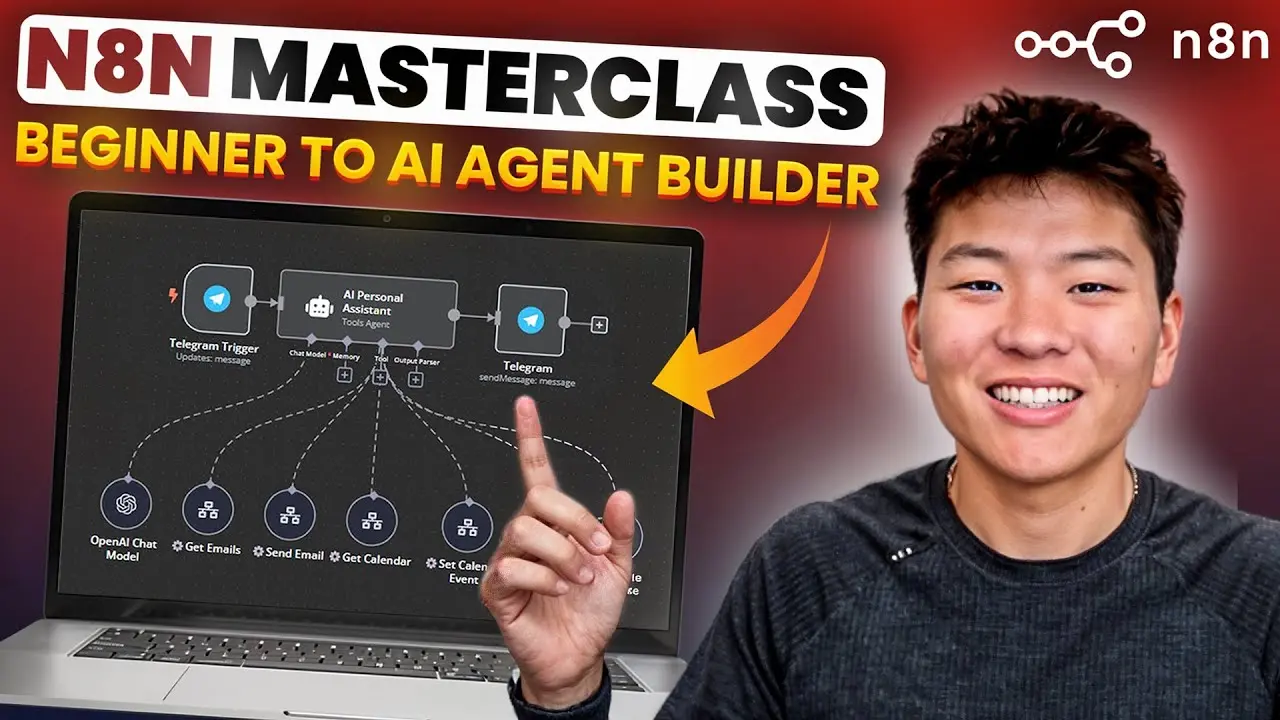
n8n is a low-code automation tool that allows users to create workflows and build AI agents with minimal coding. It supports over 300 integrations, making it versatile for various applications. Users can automate tasks, manage data, and enhance productivity by leveraging APIs, RAG, vector databases, and webhooks.
Transcript
all right today we've got a very exciting one this is the nadn master class where ideally I'm taking you from a beginner in nadn all the way to an AI agent Builder by the end of this or even just someone who wants to implement AI automations into their daily life or into their work so I was about to say grab a pen and a piece of paper but more real... Read More
Key Insights
- n8n is a low-code/no-code automation tool that simplifies workflow creation.
- Users can automate processes using over 300 built-in integrations.
- RAG (Retrieval-Augmented Generation) combines retrieval and generation for AI accuracy.
- Vector databases store data as vectors, enabling efficient semantic searches.
- Custom tools in n8n can be reused and scaled for complex workflows.
- APIs and HTTP requests facilitate data exchange between applications.
- Error workflows in n8n help manage and resolve automation issues efficiently.
- Best practices include optimizing workflows for scalability and resilience.
Install to Summarize YouTube Videos and Get Transcripts
Explore YouTube Video Summarizer or Get YouTube Transcript Extractor
Questions & Answers
Q: What is n8n and who can use it?
n8n is a low-code/no-code automation tool that enables users to create workflows and build AI agents with minimal coding knowledge. It is suitable for individuals and businesses looking to automate tasks and processes without extensive programming skills. The platform supports over 300 integrations, making it versatile for various applications.
Q: How does RAG enhance AI automation in n8n?
RAG, or Retrieval-Augmented Generation, enhances AI automation by combining retrieval of relevant information from external sources with the generation of responses. This approach ensures that AI models provide accurate and up-to-date answers, especially for specialized or rapidly changing information, improving the reliability of AI-powered workflows in n8n.
Q: What are vector databases and how do they work in n8n?
Vector databases store data as vectors, which are numerical representations of text or other data types. In n8n, vector databases enable efficient semantic searches by allowing the system to find similar or related information based on meaning rather than exact matches. This capability is crucial for tasks like AI-powered semantic searches and retrieval-augmented generation.
Q: How can custom tools be used in n8n workflows?
Custom tools in n8n can be created as reusable workflows that perform specific tasks. These tools can be integrated into larger workflows or used by AI agents to perform complex operations. By building custom tools, users can extend n8n's functionality, making it possible to automate a wide range of tasks and processes across different applications.
Q: What are APIs and HTTP requests in the context of n8n?
APIs, or Application Programming Interfaces, are bridges that allow different software applications to communicate. In n8n, HTTP requests are used to make API calls, enabling data exchange between applications. Users can configure HTTP requests to get or send data, allowing n8n to interact with services that are not directly integrated into the platform.
Q: Why are error workflows important in n8n?
Error workflows in n8n are crucial for managing and resolving issues that occur during automation processes. By setting up error workflows, users can receive notifications and automatically handle errors, ensuring that their workflows continue to run smoothly and any issues are addressed promptly. This feature enhances the reliability and efficiency of automated processes.
Q: What are best practices for building workflows in n8n?
Best practices for building workflows in n8n include optimizing workflows for scalability and resilience, using error handling to manage issues, and leveraging custom tools for complex tasks. Users should also ensure that their workflows are well-documented and maintainable, allowing for easy updates and modifications as their automation needs evolve.
Q: How can n8n be used to automate complex tasks?
n8n can automate complex tasks by integrating multiple nodes, APIs, and custom tools into workflows. Users can leverage features like RAG, vector databases, and webhooks to create advanced AI-powered automations. By building scalable and resilient workflows, n8n allows users to automate intricate processes across various applications, enhancing productivity and efficiency.
Summary & Key Takeaways
-
n8n is designed for users with minimal coding experience to build workflows and AI agents. It offers a user-friendly interface with drag-and-drop capabilities, allowing easy integration of various nodes and APIs. The tool supports over 300 integrations, making it adaptable for diverse automation needs.
-
Key concepts include understanding workflows, nodes, and executions within n8n. Users can leverage RAG and vector databases for advanced AI-powered automation, enhancing the accuracy and relevance of generated responses. Custom tools and webhooks further expand n8n's capabilities.
-
For effective automation, n8n provides features like error handling and API requests. Users can build scalable workflows by following best practices, ensuring their automations are optimized and resilient. The platform's flexibility allows users to automate complex tasks across different applications.
Read in Other Languages (beta)
Share This Summary 📚
Summarize YouTube Videos and Get Video Transcripts with 1-Click
Try YouTube Summary with ChatGPT & Claude or YouTube Transcript Generator
Explore More Summaries from Nate Herk | AI Automation 📚



Summarize YouTube Videos and Get Video Transcripts with 1-Click
Try YouTube Summary with ChatGPT & Claude or YouTube Transcript Generator