How to Use Virtual Switches with SmartThings and IFTTT
TL;DR
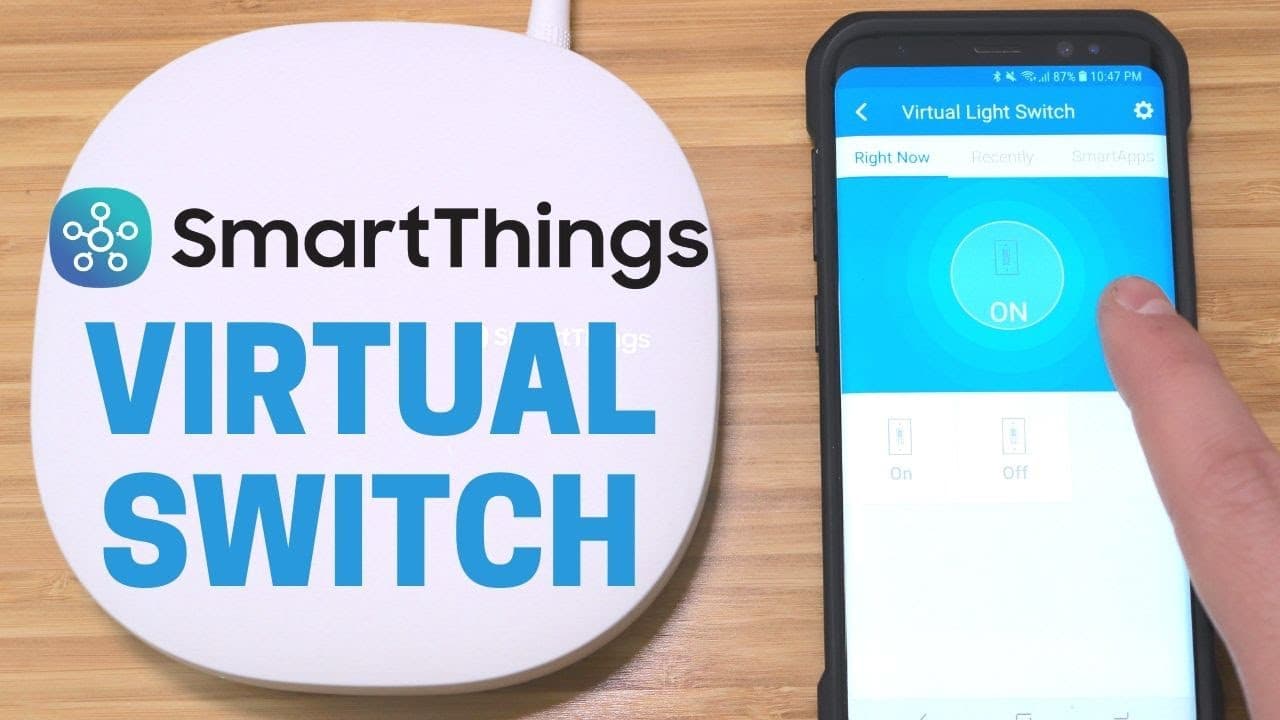
To control non-SmartThings devices using SmartThings, create virtual switches that act as placeholders. After creating these switches, link them to IFTTT applets to automate device actions like turning them on or off. This setup allows for extensive automation possibilities even with devices not directly compatible with SmartThings.
Transcript
hey what's up this is Reid and I have something really cool to show you today how to get devices that are not compatible with smart things to be automated and controlled in smart things yeah you heard me right and I'm sure some of the longtime smart things users have heard of this before but for those of you who have it like me this is pretty good ... Read More
Key Insights
- 🧑🏭 Virtual switches act as a versatile tool to integrate non-compatible devices into the Smart Things ecosystem for automation.
- 👤 By using virtual switches with IFTTT, users can create custom applets to automate specific tasks based on trigger events.
- 🎮 Syncing virtual switches with device status is crucial to ensure accurate control and automation within Smart Things.
- 😀 The Smart Things app and web interface both support the creation and management of virtual switches for user convenience.
- 🤗 Virtual switches open up possibilities for creative automation scenarios beyond standard device compatibility.
- 🥳 Users can enhance their Smart Things setup by incorporating virtual switches to control a wide range of third-party devices.
- 👻 Integration with IFTTT allows for seamless automation between virtual switches and non-Smart Things compatible devices.
Install to Summarize YouTube Videos and Get Transcripts
Explore YouTube Video Summarizer or Get YouTube Transcript Extractor
Questions & Answers
Q: What is the purpose of using virtual switches in Smart Things?
Virtual switches in Smart Things act as a bridge to control devices that are not natively compatible with Smart Things, expanding its automation capabilities.
Q: How can users integrate virtual switches with IFTTT for automation?
By creating applets in IFTTT that link virtual switch actions to device control, users can automate various tasks within their Smart Things ecosystem.
Q: Are there any limitations or issues to consider when using virtual switches?
Users need to make sure that virtual switches are in sync with the actual device status to prevent any discrepancies in control, easily manageable by using Smart Things or specific device controls.
Q: What are some examples of non-Smart Things devices that can be controlled with virtual switches?
Devices like bond fans, smart outlets, smart lights, and security cameras can all be integrated into Smart Things through virtual switches for seamless automation.
Summary & Key Takeaways
-
Reid demonstrates how to use virtual switches to control non-Smart Things devices through Smart Things and IFTTT.
-
Virtual switches act as placeholders, allowing the automation of various devices not directly compatible with Smart Things.
-
By creating virtual devices and applets in IFTTT, users can expand the functionality of their Smart Things setup.
Read in Other Languages (beta)
Share This Summary 📚
Summarize YouTube Videos and Get Video Transcripts with 1-Click
Try YouTube Summary with ChatGPT & Claude or YouTube Transcript Generator
Explore More Summaries from Smart Home Solver 📚

Summarize YouTube Videos and Get Video Transcripts with 1-Click
Try YouTube Summary with ChatGPT & Claude or YouTube Transcript Generator