How to Build Your First Crash-Resilient AI Agent in Python Step by Step
TL;DR
Build a crash-resilient Python AI agent by creating decorated tool functions, configuring an Agentspan agent, and running it through the server. The setup requires Python 3.10 or newer and a JDK, while server-owned execution state lets a restarted client reconnect using the execution ID. Read on for the exact setup, tool-design, debugging, test-generation, and recovery steps.
Transcript
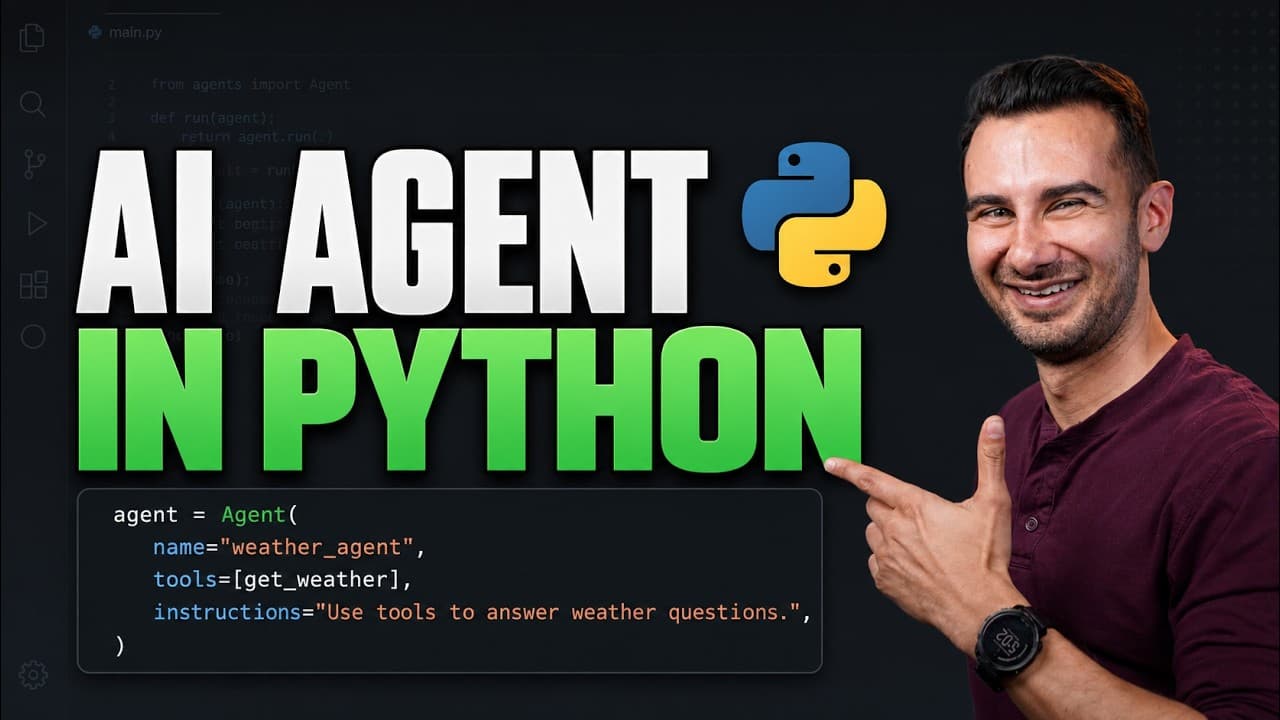
Today, let's build your first AI agent in Python step by step. We'll start with the basics like how to define an agent, define a system prompt, and how to write tools for your agent to use. Then we'll move on to make sure your agent survives crashes halfway through its work. I'm David, and today we'll use a free open-source framework called Agentsp... Read More
Key Insights
- An Agentspan project requires Python 3.10 or newer, a Java Development Kit, and the framework package. The tutorial uses uv to initialize the project, add Agentspan with its dependencies, run diagnostic checks, start the server, and execute Python files.
- An agent tool is a Python function exposed through the @tool decorator. Its function name, parameter type hints, return information, and docstring give the AI model practical clues about the tool's purpose and the correct way to call it.
- An Agentspan agent has three required fields: a name, an AI model identifier, and a list of available tools. The model identifier follows a provider/model-name format, while the tool list determines which decorated Python functions the agent can invoke.
- The agent runs on the Agentspan server, while the Python process acts as a client. This separation places execution state outside the local script, which is the design feature that allows work to continue or be recovered when the client process crashes.
- The Agentspan dashboard records every agent execution and displays its workflow visually. Developers can open model and tool-call nodes to inspect details, including the exact parameters supplied to a tool and the result returned from that call.
- The test-writing agent reads an entire Python source file and asks the model to create tests for every function. Its prompt explicitly requires one tool call per function and requests raw Python rather than Markdown before the tool saves generated tests to a file.
- Independent tool calls can execute in parallel, as demonstrated when the test-writing agent generates tests for four calculator functions. The dashboard shows all four calls and lets developers inspect the generated code associated with each individual function.
- Crash recovery works by starting an execution with runtime.start, retaining the returned handle's execution ID, and later reconnecting to that server-side execution. When an ID already exists, the client uses the handle to resume the existing agent stream instead of creating a separate run.
Install to Summarize YouTube Videos and Get Transcripts
Explore YouTube Video Summarizer or Get YouTube Transcript Extractor
Questions & Answers
Q: How do you build your first crash-resilient AI agent in Python?
Create Python functions for the agent’s tools, expose them with the @tool decorator, and configure an agent with a name, provider/model identifier, and tool list. Run the agent through an Agentspan runtime connected to the server; for crash recovery, start the execution with runtime.start and retain its execution ID so the client can reconnect.
Q: How do you set up a Python project for Agentspan?
Install Python 3.10 or newer, a supported JDK, and the uv package manager used in the tutorial. In an empty folder, run uv init, add Agentspan with uv add agentspan, and check the installation with uv run agentspan doctor.
Q: What are the three steps for building a basic Python AI agent?
First, write the tools that the agent can call. Second, define the agent itself; third, write the code that runs it. The agent configuration requires a name, an AI model name, and a tool list.
Q: How does an AI agent know when and how to call a Python tool?
The function name, parameter type hints, return information, and docstring give the model clues about the tool’s purpose and usage. A vague function name or missing docstring can prevent the agent from recognizing that it should invoke the tool.
Q: How do you run an Agentspan agent from Python?
Start the server with uv run agentspan server start, then run the Python client that creates an agent runtime and submits a prompt. The agent executes on the Agentspan server, while the local Python process acts as its client.
Q: How can you inspect an agent’s tool calls and outputs?
Open the Agentspan dashboard and select a recorded execution to view its workflow as connected nodes. A tool-call node shows the exact parameters supplied to the function and the result returned by that call.
Q: How can an AI agent generate pytest tests for a Python module?
Read the module’s source code and include it in a prompt that asks the agent to create tests for every function. The demonstrated agent calls a file-writing tool once for each of the module’s four functions, supplies raw Python instead of Markdown, and performs the independent calls in parallel.
Q: How do you resume an Agentspan execution after the Python process crashes?
Use runtime.start to receive a handle containing the execution ID, and retain that ID before the client is interrupted. After restarting the client, reference the same server-side execution through its handle and resume the existing agent stream instead of creating a separate run.
Summary & Key Takeaways
-
The project begins with Python 3.10 or newer, a supported JDK, and the uv package manager. After initializing the project and adding Agentspan, the agentspan doctor command checks the installation. Developers can connect a local Ollama instance or configure OpenAI or Anthropic by setting the provider's corresponding API key environment variable.
-
The first agent consists of three parts: a decorated Python function exposed as a tool, an agent configured with a name, model, and tool list, and runtime code that submits a prompt. Clear function names, parameter type hints, return information, and docstrings help the model understand when and how to invoke tools.
-
A second agent reads a price calculator module and generates pytest cases for its four functions. It calls a file-writing tool once per function, with the calls performed in parallel. For crash recovery, runtime.start returns a handle and execution ID that can reconnect to the server-owned execution and resume its stream.
Read in Other Languages (beta)
Share This Summary 📚
Summarize YouTube Videos and Get Video Transcripts with 1-Click
Try YouTube Summary with ChatGPT & Claude or YouTube Transcript Generator
Explore More Summaries from Kevin Stratvert 📚





Summarize YouTube Videos and Get Video Transcripts with 1-Click
Try YouTube Summary with ChatGPT & Claude or YouTube Transcript Generator