How to Add Sound Effects to Music Videos
TL;DR
Start by laying ambience under each location, then layer synchronized movement, Foley, voice, and breathing sounds on organized audio tracks. Route related tracks into indoor, outdoor, or effect-based submixes so reverb and volume changes can control several sounds together, while stereo panning, pitch changes, equalization, and carefully placed cuts help each scene feel convincing.
Transcript
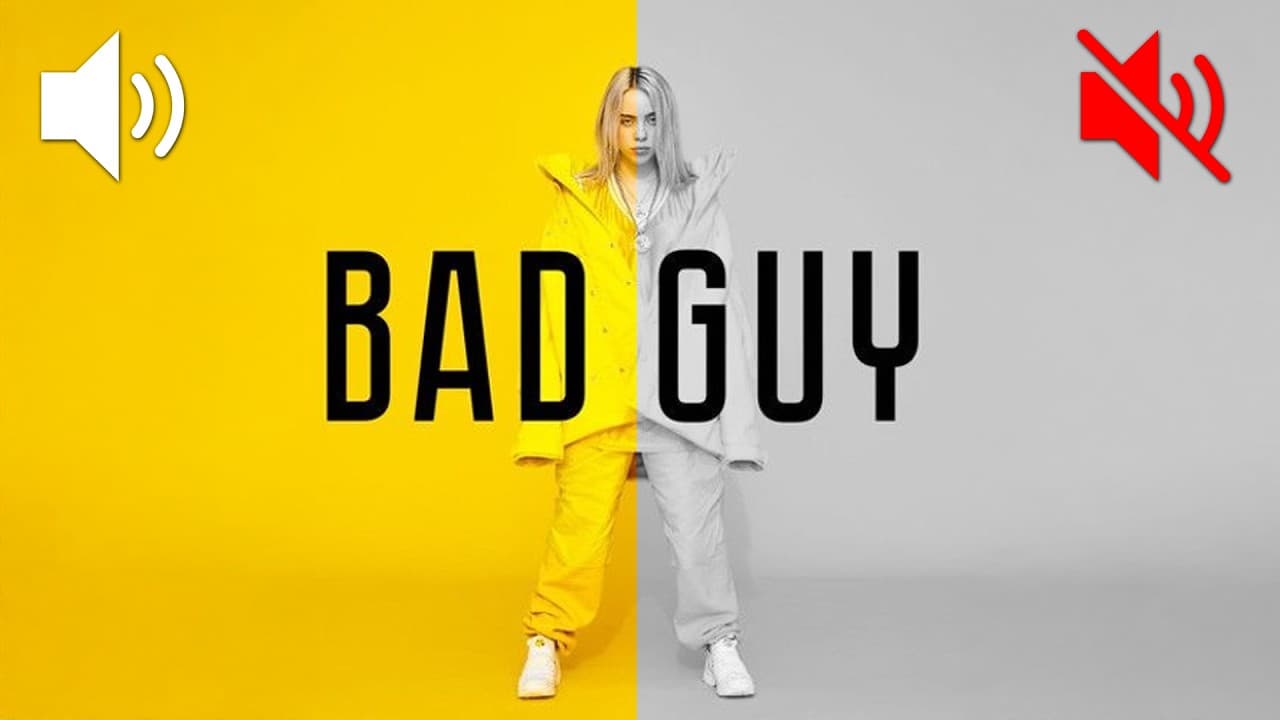
Have you ever watched a music video and thought, "Hm, what would it sound like without the music?" That's right. Today, we're going to have some fun by adding sound effects back into these music videos. Let's jump on in. Let's start off with Bad Guy by Billy Isish. So, in Premiere Pro here, I cut out a short part from the hook of the song cuz I tho... Read More
Key Insights
- Ambience is the foundation of the sound-design workflow because it establishes the environment before individual actions are layered. The demonstrated projects begin with outdoor road noise, indoor room tone, storm wind, or city ambience selected to match the location and mood.
- Sound cuts are more convincing when ambience changes slightly at each visual edit. Cutting the ambience with the picture, shifting its starting point, and lowering the speed of selected clips creates audible variation that helps sell transitions between already edited shots.
- Track organization is essential for managing layered audio. The workflow keeps matching sound types on the same tracks, renames tracks in Premiere Pro's Audio Track Mixer, separates indoor material from outdoor material, and changes clip label colors for faster visual identification.
- Stereo panning creates spatial separation between simultaneous sound sources. Two bicycle effects are panned toward opposite sides to suggest several riders, while dog panting is panned right because the visible dog producing the imagined sound appears on that side of the frame.
- Premiere Pro can record voice directly into an empty audio track. The microphone is selected under Edit, Preferences, and Audio Hardware, after which the track's microphone icon starts recording dialogue or vocal sounds that can be synchronized with the image.
- Submix tracks apply shared processing to several related audio tracks. Outdoor sounds are routed to one submix and indoor sounds to another, allowing reverb or volume automation to affect each complete group without adding the same processing separately to every source track.
- Reverb should reflect the depicted environment and the desired dramatic style. The outdoor group uses a Great Outdoors preset with an adjusted mix, the indoor group receives a different preset, and Lady Gaga's breathing receives strong reverb to heighten its dramatic effect.
- Sound design can reinterpret a music video instead of merely reproducing realistic production audio. The examples combine practical Foley, recorded voice lines, breathing, whooshes, water magic, slowed footsteps, animal noises, and ambience to create comedy, drama, or a short-film atmosphere.
Install to Summarize YouTube Videos and Get Transcripts
Explore YouTube Video Summarizer or Get YouTube Transcript Extractor
Questions & Answers
Q: How do you start adding sound effects to a music video?
Start by identifying the main locations and adding ambience that fits each space. The Billie Eilish example uses quiet outdoor ambience for empty roads and room tone for indoor scenes. Place ambience before detailed effects so the environment can be evaluated first, then layer footsteps, movement, voices, breathing, and other synchronized sounds on top of that foundation.
Q: How should ambience be edited around cuts in Premiere Pro?
Cut the ambience whenever the video cuts, then roll or shift the sound's starting point before snapping the pieces together. Because the footage is already edited, a slight audible jump can help sell each transition. Selected ambience clips can also be slowed with Control or Command plus R, lowering their pitch and increasing the difference between adjoining sections.
Q: How should audio tracks be organized for sound design?
Place the same type of sound on the same audio track and separate broader categories into dedicated track ranges. The demonstrated timeline keeps ambience on the first track, outdoor effects on tracks two through five, and indoor effects on track six and below. Rename tracks in the Audio Track Mixer and assign label colors so each category remains easy to identify.
Q: How do submix tracks work in Premiere Pro?
A submix receives audio from several tracks and lets them share processing or volume control. In the Billie Eilish example, tracks two through five feed an outdoor submix, while tracks six through eight feed an indoor submix. Adding reverb to either submix processes every linked sound, and submix volume keyframes can adjust the entire group together when needed.
Q: How can stereo panning make sound effects more realistic?
Stereo panning places different effects toward the left or right side of the listening field, helping the soundtrack match the apparent position of visible sources. Two bicycle effects are panned in opposite directions to suggest several bikes across the scene. Dog panting is panned right because the dog associated with that sound appears on the right.
Q: How can you record dialogue directly in Premiere Pro?
Open Edit, Preferences, and Audio Hardware, then set the default input to the microphone you want to use. Return to the timeline and press the microphone icon on an empty audio track to begin recording. The workflow uses this feature to record a replacement vocal sound, allowing the new performance to be placed directly against the relevant picture moment.
Q: How can sound effects create a more dramatic music-video scene?
Choose effects that support the scene's style rather than limiting the soundtrack to literal realism. For the Lady Gaga sequence, strong wind, thunder, liquid whooshes, water-magic sounds, slowed wet footsteps, splashes, dog noises, and breathing build a heightened atmosphere. Strong reverb on the breathing and shared outdoor reverb make the result feel intentionally dramatic.
Q: How can Foley and voice dubbing turn a clip into a short scene?
Record custom Foley for visible actions, add voice lines that establish a situation, and support both with environmental and transitional effects. In the PinkPantheress example, city ambience establishes the setting, epic whooshes emphasize the spinning camera, and original Foley and dubbed dialogue create a small narrative. Replacing or changing the music can then shift the scene's overall mood.
Summary & Key Takeaways
-
The workflow begins by identifying each location and placing suitable ambience on the first audio track. Ambience clips are cut at visual edits, repositioned, and sometimes slowed to lower their pitch. These small changes distinguish adjoining shots and help the soundtrack support cuts in footage that was edited before sound was added.
-
Additional effects are layered according to visible actions and the intended tone. Bicycle sounds, footsteps, squeaks, fabric-like pillow sounds, breathing, water, thunder, dogs, and recorded dialogue create either realistic or deliberately dramatic results. Panning places sounds across the stereo field, while slower playback can complement slow-motion visuals.
-
Organization makes complex sound design easier to manage. Similar sounds share named tracks, indoor and outdoor material occupy separate track ranges, and label colors clarify the timeline. Related tracks feed submixes, allowing one reverb or volume adjustment to affect an entire group while preserving different acoustic treatments for different spaces.
Read in Other Languages (beta)
Share This Summary 📚
Summarize YouTube Videos and Get Video Transcripts with 1-Click
Try YouTube Summary with ChatGPT & Claude or YouTube Transcript Generator
Explore More Summaries from Premiere Gal 📚

Summarize YouTube Videos and Get Video Transcripts with 1-Click
Try YouTube Summary with ChatGPT & Claude or YouTube Transcript Generator