Easy Studio, Animate with Shapes! - iPad App Review
TL;DR
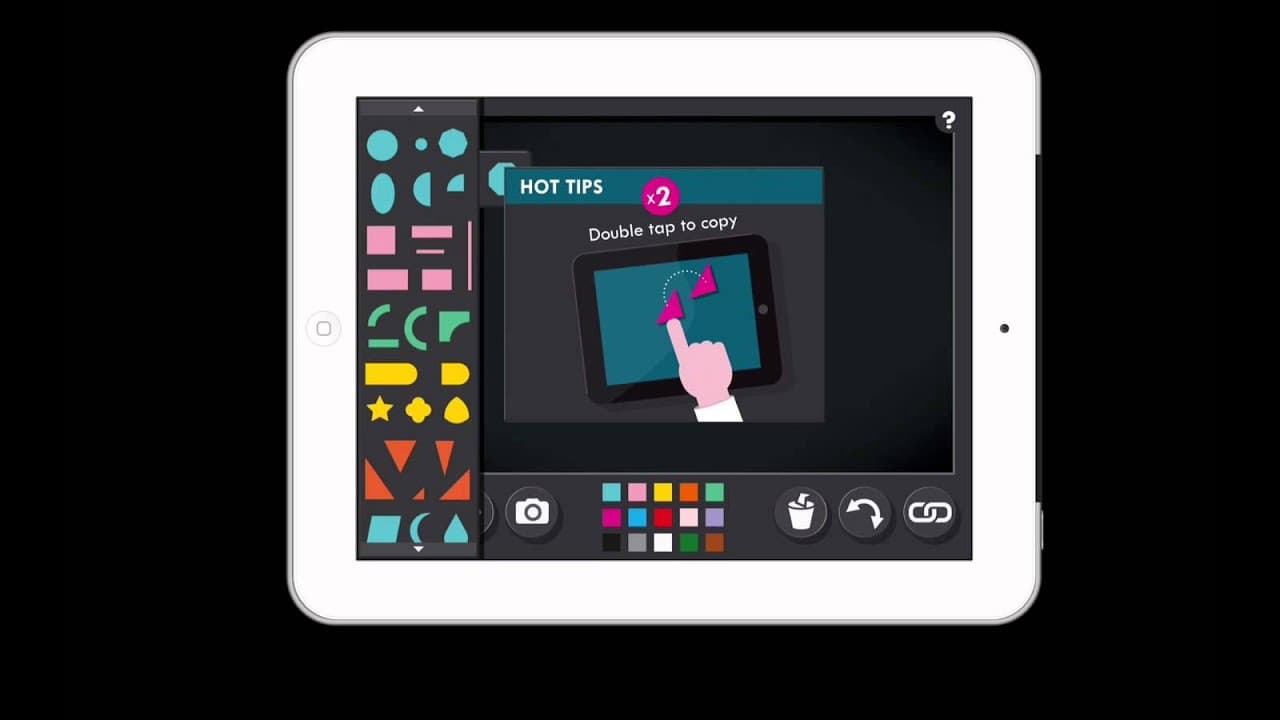
Easy Studio is an app that simplifies the process of creating stop motion animation movies, providing users with easy-to-use features and the ability to incorporate shapes.
Transcript
everyone loves creating stop motion animation movies well this is an app it's called easy studio and it allows you to create those movies very easily and it allows you to use shape so i think it makes it the perfect app if you want to try anything of having students create their own content within a math class so this is how the the opening screen ... Read More
Key Insights
- ✋ Easy Studio simplifies the process of creating stop motion animation movies, making it accessible for beginners.
- 😀 The app offers tutorials and predefined templates for beginners to learn and practice creating their movies.
- 👻 Expert mode allows users to customize their animations by using shapes, changing colors, and resizing objects.
- 🧘 The created movies can be saved in the photo library and further edited or shared on various platforms.
- 🏛️ Easy Studio can be an engaging and creative educational tool for elementary math classes.
- 😀 The app encourages students to be imaginative and express their understanding of math concepts through animated movies.
- ✋ Easy Studio's easy mode is designed to help users gradually learn and improve their skills in creating stop motion animation movies.
Install to Summarize YouTube Videos and Get Transcripts
Explore YouTube Video Summarizer or Get YouTube Transcript Extractor
Questions & Answers
Q: How does Easy Studio help beginners create stop motion animation movies?
In the easy mode, Easy Studio provides tutorials and predefined templates, guiding users on where to place each block and how to create their movies easily.
Q: Can users customize their animations in Easy Studio?
Yes, in expert mode, users can create their own designs using shapes, change colors, resize objects, and take pictures to create frames for their animations.
Q: Can the created movies be saved and used in other editing programs?
Yes, Easy Studio allows users to save their movies in the photo library, which can then be accessed and edited in other programs like iMovie and shared on different websites.
Q: Is Easy Studio recommended for educational purposes?
Yes, Easy Studio can be a great tool for content creation in elementary math classes. It provides a user-friendly platform for students to express their knowledge creatively.
Summary & Key Takeaways
-
Easy Studio is an app that allows users to create stop motion animation movies easily, with options for both beginners and experts.
-
The app provides tutorials and predefined templates in the easy mode, making it suitable for educational purposes, such as math classes.
-
Expert mode allows users to freely create their own designs using various shapes and customize their animations.
Read in Other Languages (beta)
Share This Summary 📚
Summarize YouTube Videos and Get Video Transcripts with 1-Click
Try YouTube Summary with ChatGPT & Claude or YouTube Transcript Generator
Explore More Summaries from EdTech Hustle 📚


![Keynote: Remove The Background of Any Photo [Using Instant Alpha] thumbnail](/_next/image?url=https%3A%2F%2Fi.ytimg.com%2Fvi%2F0Ji-uTffzJE%2Fhqdefault.jpg&w=750&q=75)



Summarize YouTube Videos and Get Video Transcripts with 1-Click
Try YouTube Summary with ChatGPT & Claude or YouTube Transcript Generator