How Does OpenAI Codex Compare With Cursor?
TL;DR
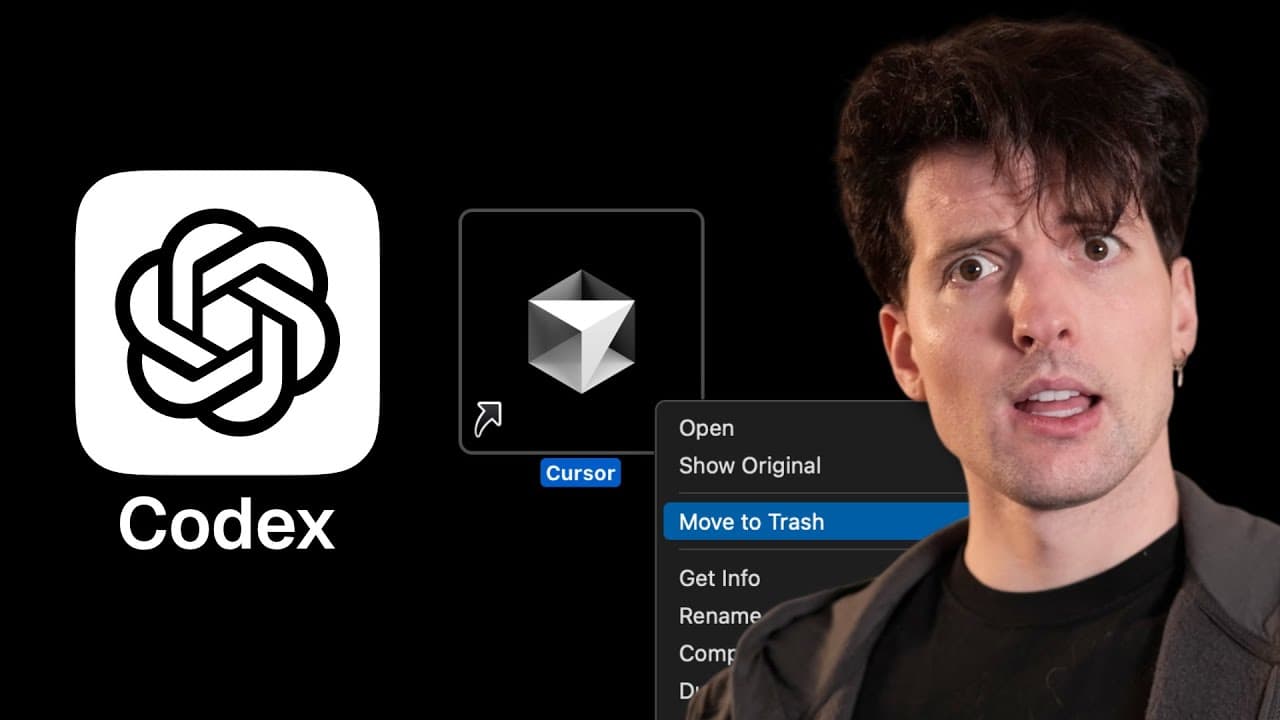
OpenAI Codex now combines an editor extension, a terminal interface, cloud agents, and GitHub code review under a ChatGPT subscription. Early testing found an appealing task-based interface and capable initial web design, but also exposed slow execution, extension layout defects, confusing project context, and a CSS mistake that required manual repair.
Transcript
OpenAI just put out their cursor competitor, a subscription that lets you do AI coding in whatever editor you choose. You'll never guess what they called it. Yeah, they named it Codeex again. I They're so bad at naming, but this does actually seem really promising. They put an IDE extension, the ability to hop between local environment and cloud fo... Read More
Key Insights
- Codex is now a subscription-based coding system that combines an IDE extension, terminal tooling, cloud agents, and GitHub code review. The same ChatGPT account can power tasks across these surfaces, expanding Codex beyond its earlier identities as a model, CLI, and web-based background agent.
- The editor extension works across multiple development environments, including VS Code, Cursor, and Windsurf. It offers agent permissions, local or cloud execution, and minimal, low, medium, or high reasoning settings, although changing these options currently requires several button interactions.
- The local-to-cloud handoff is one of Codex's most promising features because it can connect local development with background agents. The reviewer particularly values the possibility of using local environment information to simplify cloud setup after previously struggling to copy environment variables into the web interface.
- The extension interface presents ongoing work as compact bullet points that can be expanded for details. This approach made agent activity easier to follow, but the tested version also contained clipped text, a narrow sidebar, poor resizing behavior, and a custom changes view that ignored the editor's syntax highlighting.
- Codex produced a strong visual starting point for a new Next.js application with no prior project context. The generated page used space effectively, included coherent cards, displayed subtle red and blue gradients against a dark background, and remained reasonably responsive across different viewport sizes.
- The generated implementation contained technical mistakes despite looking polished. Codex misunderstood how a Tailwind apply operation worked with a glass style, which broke the CSS and required manually applying the relevant class wherever the card selector was used.
- The rebuilt Codex CLI worked acceptably inside Tmux, which the reviewer considered notable because several other development tools behave poorly there. Its interface was still less polished than Claude Code's, and the first comparable task remained slow after two minutes of execution.
- The tested ChatGPT subscription cost $200 per month, while the reviewer stated that Codex was also supposed to work on the $20 tier. The transcript did not establish the tiers' precise rate limits, so practical differences between those subscriptions remained an open question during testing.
Install to Summarize YouTube Videos and Get Transcripts
Explore YouTube Video Summarizer or Get YouTube Transcript Extractor
Questions & Answers
Q: What features are included in the updated OpenAI Codex?
The updated Codex combines an IDE extension, a terminal CLI rebuilt in Rust, cloud-based agents, task handoff between local and cloud environments, and built-in code review on GitHub. It is powered through a ChatGPT account and can expose previous Codex tasks. The extension also provides agent permission choices, local or cloud execution, and four reasoning settings: minimal, low, medium, and high.
Q: Can OpenAI Codex work inside Cursor, Windsurf, and VS Code?
Codex is presented as usable in multiple editors rather than being restricted to a standalone OpenAI environment. The reviewer installed it in Cursor and observed options associated with Windsurf, the VS Code Marketplace, and Codex on the web. This editor-independent approach is why the update is treated as a possible Cursor competitor, although the extension still showed several interface defects during the test.
Q: How does Codex transfer coding tasks from a local environment to the cloud?
Codex includes a handoff-to-cloud option that lets a developer move agent work from an editor into cloud execution. The reviewer considered this especially valuable because earlier cloud setup required manually copying environment variables and even resulted in a page crash before submission. The new direction suggests that local environment information could make cloud configuration easier, although the transcript does not confirm a complete automated setup process.
Q: How good is the Codex editor extension interface?
The extension's strongest interface choice is its compact list of task steps, with individual items available for expanded detail. The reviewer preferred this to large blocks of agent text. However, the tested version had clipped labels, a sidebar too narrow to display permission descriptions, cumbersome setting controls, poor reflow after zooming, and a custom changes view that did not follow the editor's syntax highlighting.
Q: How well did Codex build a Next.js interface from a prompt?
Codex created a visually impressive starting point from a newly generated Next.js application and a prompt supplied with zero additional context. The layout used space well, the cards were coherent, the page was responsive, and subtle red and blue gradients worked effectively against the dark background. However, Codex also configured Tailwind more than once and later introduced a CSS problem that needed manual correction.
Q: What coding error did Codex make during the test?
Codex incorrectly assumed that a glass style could be used through a Tailwind apply operation in the way it attempted. That decision broke the CSS, and the reviewer had to change every location using the card selector so the intended style would apply directly. The incident showed that a generated interface could look strong initially while still containing an implementation error that required developer diagnosis and repair.
Q: How does the Codex CLI compare with Claude Code?
The reviewer found the Codex CLI usable and appreciated that it behaved reasonably well inside Tmux, where some development tools have problems. However, Codex was slow during the comparable task, with execution still underway after two minutes, and its interface felt less polished than Claude Code's. Claude also encountered basic file-editing errors and added an unwanted CSS reset, so neither tool produced a flawless result.
Q: How much does access to the updated Codex cost?
The reviewer used Codex through a ChatGPT subscription costing $200 per month and said the functionality was supposedly available on the $20 tier as well. The transcript does not provide confirmed rate limits or a detailed comparison of what each subscription includes. As a result, it supports the two stated prices but does not establish whether the lower tier offers equivalent practical capacity for sustained coding-agent use.
Summary & Key Takeaways
-
Codex is presented as a broader AI coding system that works through editor extensions, a rebuilt Rust CLI, cloud tasks, and GitHub code review. It can run inside VS Code, Cursor, and Windsurf, while letting developers choose local or cloud execution and adjust reasoning from minimal through high.
-
The editor extension produced a visually strong, responsive Next.js starting point from a prompt with no prior context. Its compact bullet-based progress display was easier to scan than large text dumps, but clipped labels, awkward controls, an unattractive custom change viewer, poor reflow, and questionable lock-file detection made it feel unfinished.
-
The CLI worked reasonably well inside Tmux and attempted the same implementation given to Claude Code, although Codex was slow and introduced a faulty Tailwind CSS assumption involving apply and a glass style. The resulting interface needed manual correction, showing that attractive output did not guarantee technically correct implementation.
Read in Other Languages (beta)
Share This Summary 📚
Summarize YouTube Videos and Get Video Transcripts with 1-Click
Try YouTube Summary with ChatGPT & Claude or YouTube Transcript Generator
Explore More Summaries from Theo - t3․gg 📚






Summarize YouTube Videos and Get Video Transcripts with 1-Click
Try YouTube Summary with ChatGPT & Claude or YouTube Transcript Generator