How to Use thinkorswim for Trading Effectively
TL;DR
To effectively use the thinkorswim platform, start by downloading it from Schwab and logging in with a thinkorswim-enabled account. Familiarize yourself with its layout, including customizing the sidebar and charts, and learn how to execute trades for stocks and options while monitoring your positions. The platform also includes educational resources and live chat support for assistance.
Transcript
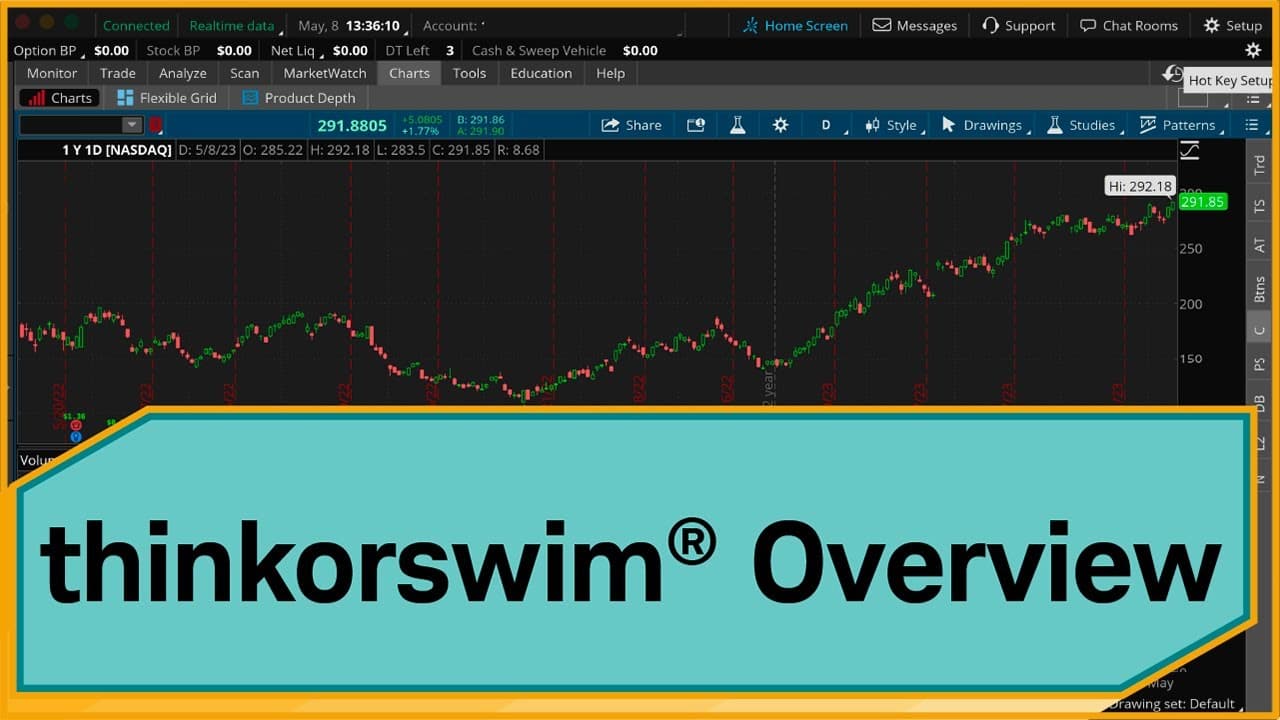
Hey traders. I'm Cameron May, and in this video, I'm going to give you a high-level walk-through of the thinkorswim® trading platform. I'll be showing you the desktop version of the platform. You can check out our other videos to learn about the web-based and mobile versions of thinkorswim. Let's jump in. To download thinkorswim if you're a Schwab ... Read More
Key Insights
- 💻 The thinkorswim trading platform offers a desktop version that can be downloaded from the Schwab website and is available to Schwab clients.
- ↔️ The platform has a user-friendly layout, with a left sidebar for gadgets and nine tabs on the right, each housing different features.
- 👻 Customization options are available for both the left sidebar gadgets and the charts, allowing users to personalize their trading experience.
- 🤙 The platform supports trading stocks, options, and provides access to a trading simulation platform called paperMoney for practice trading.
- 🤗 Monitoring open positions and trade activity is crucial, and the platform provides a dedicated tab for this purpose.
- 👤 Educational resources are integrated into the platform, providing users with access to articles, videos, courses, and webcasts to enhance their trading knowledge.
- 👻 The platform offers live chat support, allowing users to communicate with the trade desk for assistance or issue resolution.
Install to Summarize YouTube Videos and Get Transcripts
Explore YouTube Video Summarizer or Get YouTube Transcript Extractor
Questions & Answers
Q: How do I download and install the thinkorswim trading platform?
If you are a Schwab client, you can download the platform by logging into schwab.com, navigating to the Trading Platforms section under the Trade tab, and following the instructions provided.
Q: Can I practice trading without using real money on thinkorswim?
Yes, the platform offers a trading simulation platform called paperMoney, which allows you to practice trading without using real money. It functions similarly to the live trading side of thinkorswim.
Q: How can I customize the charts on thinkorswim?
You can customize the chart type and time frame by right-clicking on the chart and selecting the desired options. Additionally, you can further customize the appearance of the chart by accessing the Chart Settings and Appearance sections.
Q: How can I place an order on thinkorswim?
To buy or sell a stock, you can hover your mouse over the ask or bid price, respectively, and click on the buy or sell button that appears. The platform also allows for customization of order types, such as limit or market orders.
Q: How can I access educational resources on thinkorswim?
The platform integrates Schwab Insights & Education, where you can access articles, videos, courses, webcasts, and other events to learn about various strategies and products, including thinkorswim tutorial videos.
Summary & Key Takeaways
-
The video walks through the process of downloading and logging into the thinkorswim trading platform, emphasizing the need to have a thinkorswim-enabled account for access.
-
The platform is laid out with a left sidebar containing various gadgets and nine tabs on the right, each housing different features of the platform.
-
The video demonstrates how to customize the left-hand sidebar by adding or removing gadgets, and how to set up a watchlist with desired stocks.
-
It also covers key features of the Charts tab, including chart type and time frame customization.
-
The video explains the process of buying or selling stocks using the platform and highlights the importance of monitoring open positions and trade activity on the Monitor tab.
-
Lastly, it explores trading options on the platform and demonstrates how to place an option trade and close out positions.
Read in Other Languages (beta)
Share This Summary 📚
Summarize YouTube Videos and Get Video Transcripts with 1-Click
Try YouTube Summary with ChatGPT & Claude or YouTube Transcript Generator
Explore More Summaries from Charles Schwab 📚





Summarize YouTube Videos and Get Video Transcripts with 1-Click
Try YouTube Summary with ChatGPT & Claude or YouTube Transcript Generator