Why Is Server-Side Rendering Better for User Experience?
TL;DR
Server-side rendering (SSR) enhances user experience by pre-fetching data and rendering HTML on the server before it reaches the client. This eliminates loading indicators and flickering UI, providing users with immediate access to a fully rendered application. SSR reduces delays associated with front-end code execution and improves overall responsiveness, making applications feel more reliable.
Transcript
so I think I mentioned this in a previous video but I wanted to kind of make a dedicated video to explain why I kind of like server sign rendering and why I think it's a better user experience so we have an application here and this is using a Firebase auth for this header here so if you click here you see that we're logged in we have my email but ... Read More
Key Insights
- 😆 Server-side rendering reduces initial loading times by fetching data before rendering, providing a complete UI to the user right away.
- 🥺 Flickering UI caused by delays in fetching user authentication states can be minimized using SSR, leading to a smoother experience.
- 👤 The use of React's 'useEffect' for client-side state updates can introduce delays that server-side rendering avoids by determining the user state on the server.
- 👻 Leveraging tools like Superbase along with server-side rendering allows for efficient session management and seamless integration of user data into applications.
- 🥺 Faster rendering leads to improved user satisfaction as users perceive applications as more responsive and reliable when not faced with loading indicators or empty states.
- 🥺 Adopting server-side rendering as a default strategy can lead to broader accessibility across devices, particularly for users with slower internet or processing speeds.
- 🛟 Overall, server-side rendering promotes better SEO outcomes due to pre-rendered content being available at page load, enhancing discoverability by search engines.
Install to Summarize YouTube Videos and Get Transcripts
Explore YouTube Video Summarizer or Get YouTube Transcript Extractor
Questions & Answers
Q: What problem does server-side rendering solve in user interfaces?
Server-side rendering addresses the delay issues typical in client-side rendering where the user may see an initial loading state before the UI is fully updated. By fetching session data on the server, SSR eliminates the “flash” of uninitialized state by presenting users with the fully rendered UI upon initial page load.
Q: How does the code example use Firebase Auth in conjunction with server-side rendering?
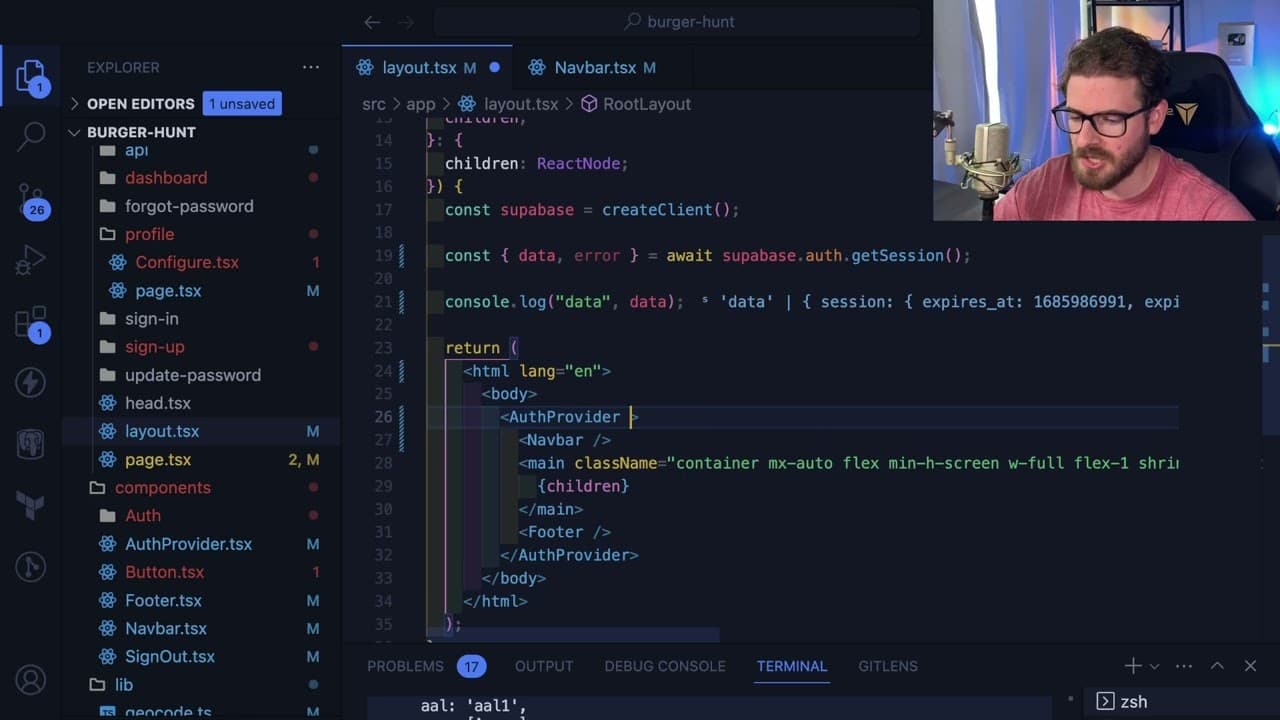
The example illustrates utilizing Firebase Auth to authenticate users through the server. When a page is rendered on the server, it checks the session state using Superbase.auth.getSession, which provides user data immediately, thus preventing client-side re-fetching and ensuring a seamless experience.
Q: What are the trade-offs between server-side rendering and client-side rendering?
The main trade-off lies in loading times; SSR may take longer to initially load all data since it fetches everything before rendering, whereas client-side rendering can appear faster initially but may require additional data fetching after the page loads, causing observed delays and loading indicators.
Q: How does server-side rendering improve performance on slower devices?
Server-side rendering can significantly enhance performance on slower devices by handling data fetching on the server before delivering a fully rendered page to the client. This ensures that users on less powerful hardware are not left experiencing loading states, which often increases frustration and reduces usability.
Summary & Key Takeaways
-
The video discusses why server-side rendering (SSR) improves user experience compared to client-side rendering, particularly when using React. It highlights issues caused by delays in frontend code execution.
-
It demonstrates how using Firebase Auth and Superbase with server-side rendering can prevent flickering and loading states by providing user session data beforehand, leading to smoother interface transitions.
-
The content emphasizes that SSR retrieves all necessary information on the server-side before sending the HTML to the client, reducing loading time and presenting users with complete data immediately.
Read in Other Languages (beta)
Share This Summary 📚
Summarize YouTube Videos and Get Video Transcripts with 1-Click
Try YouTube Summary with ChatGPT & Claude or YouTube Transcript Generator
Explore More Summaries from Web Dev Cody 📚





Summarize YouTube Videos and Get Video Transcripts with 1-Click
Try YouTube Summary with ChatGPT & Claude or YouTube Transcript Generator