How to Create AI Logos Using MidJourney and Canva
TL;DR
To create AI-generated logos, use MidJourney to generate designs based on your prompts, such as 'logo design for a coffee company.' Then, refine the designs in Canva to adjust text, backgrounds, and styles. Iteration is key, as you'll often need to tweak prompts and utilize Canva's features for the best results.
Transcript
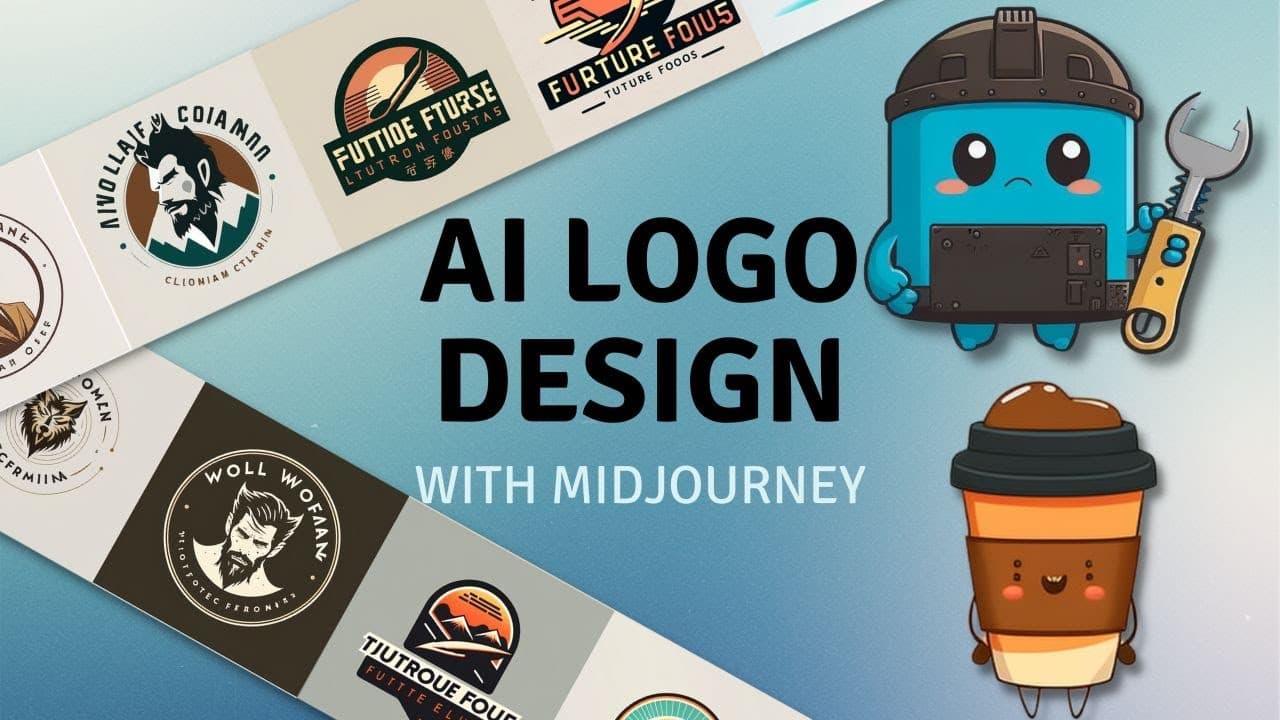
you want to know how to create AI generated logos like this one for Wolfman coffee or this one for Future tools here's a few other Concepts we generated these ones these ones here's some more here's some other ones we made here's some concepts for Future tools some more Concepts these are all interesting these are cool too some more Concepts and he... Read More
Key Insights
- 🧑🤝🧑 Mid-Journey is a powerful tool for generating logo designs, especially when coupled with additional prompts to refine the results.
- 👻 Integrating the Mid-Journey bot into a Discord server allows for easy organization and testing of multiple AI generations.
- 🎮 The video highlights the importance of iterating and experimenting with different prompts to achieve desired logo designs.
- 👻 Canva serves as a helpful tool for customizing and fine-tuning AI-generated logos, allowing users to adjust text, backgrounds, and other elements.
- 🆘 Using prompts inspired by iconic logo designers can help create unique and visually appealing logo concepts.
- 😌 Mid-Journey may struggle with generating accurate text, but its strength lies in producing high-quality logo images that can be customized further.
- ☕ AI-generated logo designs can be applied to various industries, such as coffee shops and tool brands.
Install to Summarize YouTube Videos and Get Transcripts
Explore YouTube Video Summarizer or Get YouTube Transcript Extractor
Questions & Answers
Q: How do you integrate the Mid-Journey bot into a Discord server?
To integrate the Mid-Journey bot into a Discord server, create a new server and click on the Mid-Journey bot. Then, click "Add to server," select the server you created, and authorize it.
Q: Can Mid-Journey generate logos with text accurately?
While Mid-Journey may not excel at generating text for logos, the video demonstrates how to work around this by using the generated image as a basis and customizing the text using Canva or other editing tools.
Q: What are some additional prompts that can be used to refine logo designs?
Additional prompts mentioned in the video include minimal, vector, simple, flat, Japanese style, gradients, and the styles of specific iconic designers like Paul Rand, Saul Bass, and Massimo Vignelli.
Q: How can Canva be used to customize AI-generated logos?
Canva can be used to import AI-generated logos and adjust them further. By manipulating the text and adding elements like shapes and effects, users can enhance the AI-generated design and create a polished logo.
Summary & Key Takeaways
-
The video demonstrates how to create logos using the Mid-Journey AI tool, which specializes in generating logo type designs.
-
The content shows step-by-step instructions on how to integrate the Mid-Journey bot into a Discord server for easy organization of AI generations.
-
The creator provides tips and additional prompts to refine the logo designs, showcasing examples for coffee companies and a tool brand.
Read in Other Languages (beta)
Share This Summary 📚
Summarize YouTube Videos and Get Video Transcripts with 1-Click
Try YouTube Summary with ChatGPT & Claude or YouTube Transcript Generator
Explore More Summaries from Matt Wolfe 📚

Summarize YouTube Videos and Get Video Transcripts with 1-Click
Try YouTube Summary with ChatGPT & Claude or YouTube Transcript Generator