How to Use ChatGPT Images for Content and Ads
TL;DR
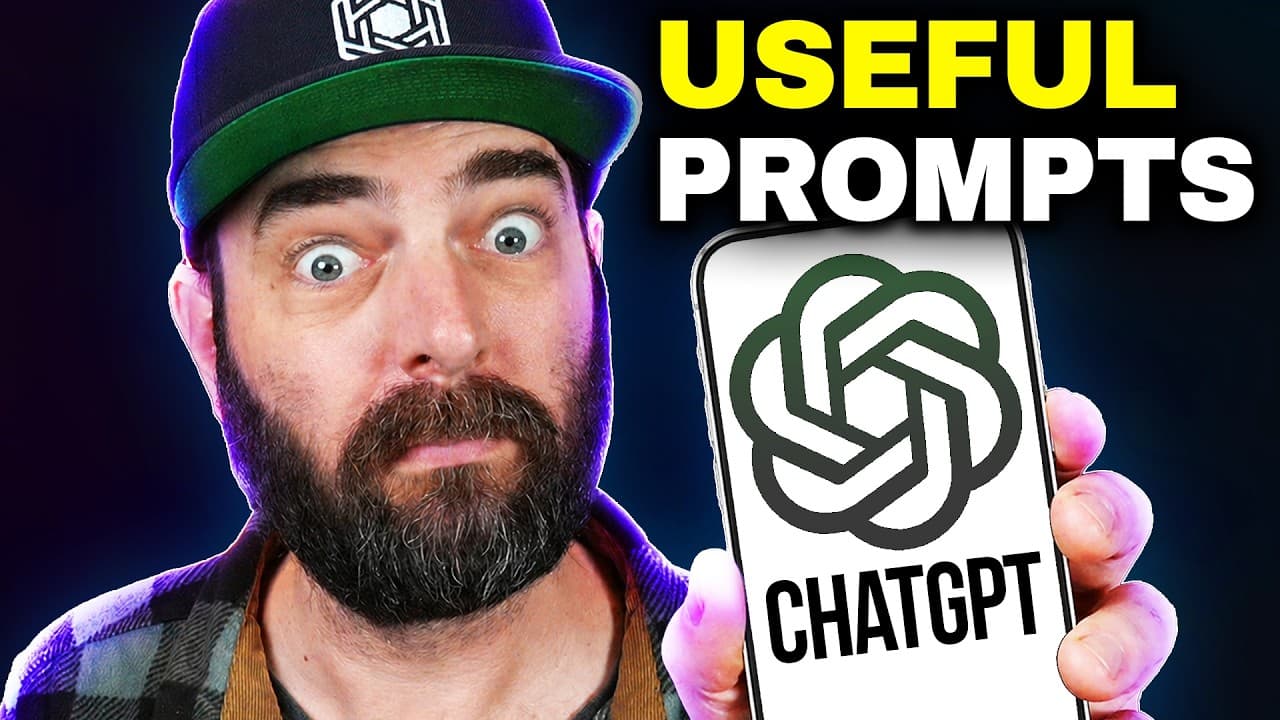
ChatGPT Images can turn a single prompt, website URL, or channel URL into practical visual assets such as ad concepts, social carousels, storyboards, quote cards, and content calendars. Its strongest role is producing accurate copy, layouts, and multiple starting concepts quickly, although outputs such as YouTube thumbnails may still need aspect-ratio corrections and manual refinement.
Transcript
So last week, OpenAI released ChatgPT images 2.0 and it is a really really good image model. Honestly, I've been spending a ton of time with this model and pretty much all I can say about this model is it is just actually way more useful. You can make slide decks. You can make full carousels for places like Instagram. You can get it to explain stuf... Read More
Key Insights
- ChatGPT Images is most useful as a rapid visual ideation tool because it can generate several concepts, layouts, hooks, and text treatments in one image. These outputs provide starting points that creators can compare before selecting and refining a final direction.
- YouTube thumbnail concept boards can combine six distinct ideas in a 2x3 grid, including different facial expressions, visual metaphors, typography, and layouts. The generated examples resembled usable templates, but they were intended for concept development rather than immediate publication.
- Aspect-ratio accuracy remains inconsistent in the demonstrated thumbnail workflow. The model initially produced square concepts and moved closer to the requested 16:9 format after a correction, but the resulting thumbnails still did not appear to match the target dimensions perfectly.
- ABC thumbnail test sheets can present three competing concepts with separate hooks and creative strategies. The demonstrated options emphasized rivalry, practical value, and improved text rendering, giving the creator several positioning angles even though the finished thumbnail designs still required further work.
- Storyboards can translate a written sequence into a multi-frame visual plan. A nine-frame example progressed from a skeptical creator and older garbled AI imagery to readable text, menus, infographics, comics, thumbnails, a surprised reaction, and a final title card.
- Website URLs can provide the source material for image advertisements. The Future Tools example incorporated the site logo, a representative interface, its AI tool discovery and news offerings, audience language, newsletter promotion, website address, and a clear call to action.
- Social media carousels can be generated as complete coordinated sets from one prompt. The Instagram example included a hook, practical creator use cases, and a final save-and-follow call to action, while a LinkedIn version shifted toward campaigns, product shots, sales decks, and customer education.
- Visual content calendars can organize a complete month of post concepts for a small business. The coffee shop example mixed promotions, behind-the-scenes material, educational posts, community questions, and customer stories in a printable schedule that another person could follow.
Install to Summarize YouTube Videos and Get Transcripts
Explore YouTube Video Summarizer or Get YouTube Transcript Extractor
Questions & Answers
Q: How can ChatGPT Images help create YouTube thumbnails?
ChatGPT Images can generate a concept board containing multiple thumbnail directions, each with its own layout, facial expression, visual metaphor, typography, and short hook. It can also produce an ABC test sheet with three contrasting approaches. The demonstrated results were more valuable as rough creative drafts than finished thumbnails because the model struggled to produce the requested 16:9 aspect ratio accurately.
Q: Why should ChatGPT image thumbnails be treated as concepts?
The demonstrated thumbnails offered useful compositions, hooks, colors, expressions, and visual ideas, but they looked closer to templates than polished final assets. The model also generated square images when YouTube thumbnails required a 16:9 format, and a follow-up correction only moved them closer to the desired ratio. Their main value was helping the creator choose an overall idea before refining it manually.
Q: How can ChatGPT Images create a video storyboard?
A prompt can specify the number of frames, the subject, the sequence of events, and the desired visual style. In the demonstration, the model created a nine-frame introduction showing a skeptical creator, an older AI image with garbled text, a newer image with readable text, a menu, an infographic, a comic, thumbnails, a surprised reaction, and a concluding title card.
Q: How can ChatGPT Images make an ad from a website URL?
A user can provide the website URL and ask for an accurate advertisement designed to attract clicks. For Future Tools, the model examined the site and produced a Facebook ad using its logo, a representative site image, descriptions of AI tools, news, videos, and the newsletter, plus audience language and a call to explore the website. No separate explanation of the business was required.
Q: Can ChatGPT Images promote a YouTube channel from its URL?
ChatGPT Images can inspect a supplied channel URL and create a promotional banner based on the channel’s subject and audience. The Matt Wolf example described practical AI news, useful tools, tutorials, weekly updates, and tool breakdowns for creators, entrepreneurs, and curious technology fans. It also added a subscribe call to action, although it invented a logo that the channel did not already use.
Q: How can ChatGPT Images create an Instagram carousel?
A single prompt can request multiple coordinated slides and define the role of each one. The demonstrated seven-slide carousel opened with a strong hook, continued with useful creator applications such as thumbnail mockups, infographics, storyboards, missing cutaways, and advertisement concepts, then closed with instructions to save the carousel, try an idea in a future post, and follow for more tips.
Q: How does prompting change content for Instagram and LinkedIn?
The intended platform and audience can guide the model’s wording, subjects, and visual presentation. The Instagram carousel focused on practical ideas for creators and ended with social engagement prompts. The professional LinkedIn carousel instead emphasized business applications, including faster campaign concepts, e-commerce product shots, social content, sales and pitch decks, customer education, and the idea of AI images as a business multiplier.
Q: How can ChatGPT Images plan a social media calendar?
A prompt can name the business type, request a 30-day visual schedule, and specify a desired mixture of content categories. For a local coffee shop, the model proposed promotions, preparation footage, milk-steaming education, community questions, customer profiles, food-and-drink specials, and other behind-the-scenes posts. The resulting calendar could be printed and handed to someone managing the account as a practical posting guide.
Summary & Key Takeaways
-
ChatGPT Images can create concept boards containing several visually distinct ideas from one detailed prompt. The demonstrated YouTube thumbnail boards included different layouts, facial expressions, text, and visual hooks. Their aspect ratios were imperfect, but the boards still helped identify promising directions before refining one thumbnail through a more deliberate creative process.
-
The model can inspect a supplied website or YouTube channel URL and design an advertisement based on the material it finds. It produced a Facebook ad for Future Tools using the site’s logo and selling points, then generated a banner describing the Matt Wolf channel, its audience, content categories, and subscription call to action.
-
ChatGPT Images can generate complete sets of coordinated social assets in a single response. Demonstrations included a seven-slide Instagram carousel, four quote cards, a business-focused LinkedIn carousel, and a visual 30-day calendar for a local coffee shop. Prompt changes helped adapt the wording, layout, topics, and tone for each audience.
Read in Other Languages (beta)
Share This Summary 📚
Summarize YouTube Videos and Get Video Transcripts with 1-Click
Try YouTube Summary with ChatGPT & Claude or YouTube Transcript Generator
Explore More Summaries from Matt Wolfe 📚
Summarize YouTube Videos and Get Video Transcripts with 1-Click
Try YouTube Summary with ChatGPT & Claude or YouTube Transcript Generator