How to Set Up Google Fonts in Next.js with Tailwind CSS
TL;DR
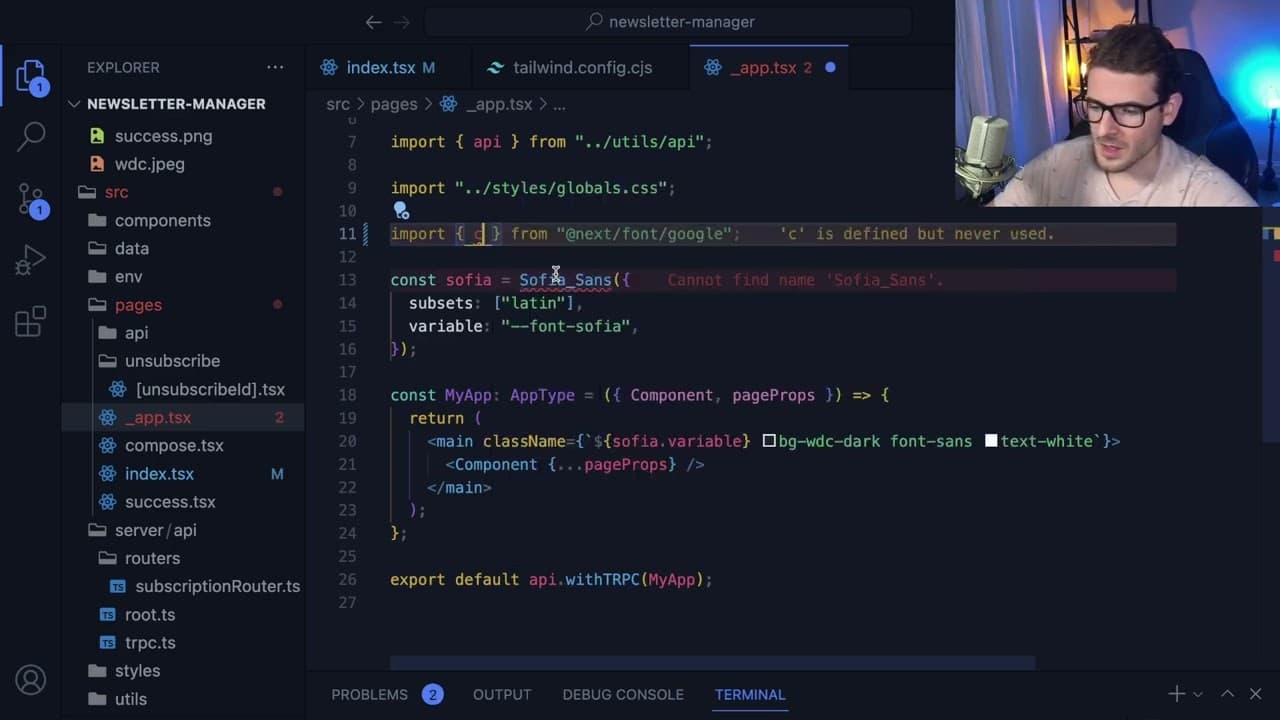
To set up Google Fonts in a Next.js application using Tailwind CSS, modify the Tailwind configuration file to extend the font families and use the Next.js @next/font/google for importing the desired font. Additionally, utilize namespaces for colors and ensure the Tailwind IntelliSense is active to assist with accurate color and font usage throughout your application.
Transcript
all right so this is going to be a really short video just an overview of how to set up custom fonts and colors and kind of get a better understanding of how like the Tailwind config works I'm using the T3 stack which comes kind of set up with Tailwind if you wanted to and this is all used to build out this little newsletter application that I'm wo... Read More
Key Insights
- 🗯️ Custom color and font setup in Tailwind is straightforward with the right configurations in the Tailwind.config.js file.
- 🌥️ Using namespaces for colors and fonts helps maintain distinct identifiers, avoiding potential conflicts in larger applications.
- 👨💻 Tailwind's IntelliSense feature assists in verifying accurate color and font syntax as you code, improving development efficiency.
- 🧑🦽 Integrating Google Fonts through Next.js simplifies font management and ensures quick accessibility without manual downloads.
- 👻 Customization in Tailwind allows for enhanced design flexibility, making it easy to apply branding elements consistently across an entire application.
- 📽️ The process described is applicable not just to the T3 stack, but to any project utilizing Next.js and Tailwind CSS, broadening its usefulness.
- 🏋️ Developers are encouraged to experiment with various font weights and styles, as not all fonts are compatible with all features provided by Tailwind CSS.
Install to Summarize YouTube Videos and Get Transcripts
Explore YouTube Video Summarizer or Get YouTube Transcript Extractor
Questions & Answers
Q: What is the T3 stack and how does it relate to Tailwind CSS?
The T3 stack typically refers to a combination of technologies like TypeScript, Tailwind CSS, and Next.js. In this context, Tailwind CSS is employed to enhance the styling of web applications, providing a utility-first CSS framework that allows developers to create custom designs rapidly and responsively.
Q: How do I add custom colors in Tailwind CSS?
To add custom colors in Tailwind CSS, you need to access the Tailwind configuration file, usually called tailwind.config.js. Inside the theme section, you can create an extend block where you define your custom colors with a specific namespace. For instance, using a namespace like 'WDC' allows you to refer to your colors as text-wdc.primary, ensuring modular and manageable color usage throughout your application.
Q: What is the process for importing Google Fonts into a Next.js application?
Importing Google Fonts into a Next.js application involves using the next/font/google module. You declare the font you wish to use and assign it to a variable. By applying this variable in your main component, you effectively integrate the font into your app’s styling. It automates font downloads, making it easier to maintain consistent typography.
Q: How can I ensure that the custom font is applied correctly in my application?
To ensure that your custom font is applied correctly, you must extend the font family in the Tailwind configuration file alongside importing the font from Google. This requires using the defined namespace in the font-family attribute in your Tailwind utilities, which allows the custom font to be recognized and rendered properly in your application.
Summary & Key Takeaways
-
This video provides a brief overview of setting up custom fonts and colors using Tailwind CSS in a project built with the T3 stack.
-
The process involves modifying the Tailwind configuration file to extend color palettes and font families, allowing for better design consistency throughout the application.
-
The speaker provides practical examples, demonstrating how to use Tailwind's IntelliSense to ensure correct color application and how to import Google Fonts into the app.
Read in Other Languages (beta)
Share This Summary 📚
Summarize YouTube Videos and Get Video Transcripts with 1-Click
Try YouTube Summary with ChatGPT & Claude or YouTube Transcript Generator
Explore More Summaries from Web Dev Cody 📚





Summarize YouTube Videos and Get Video Transcripts with 1-Click
Try YouTube Summary with ChatGPT & Claude or YouTube Transcript Generator