How to switch to Ghosty terminal on Mac
TL;DR
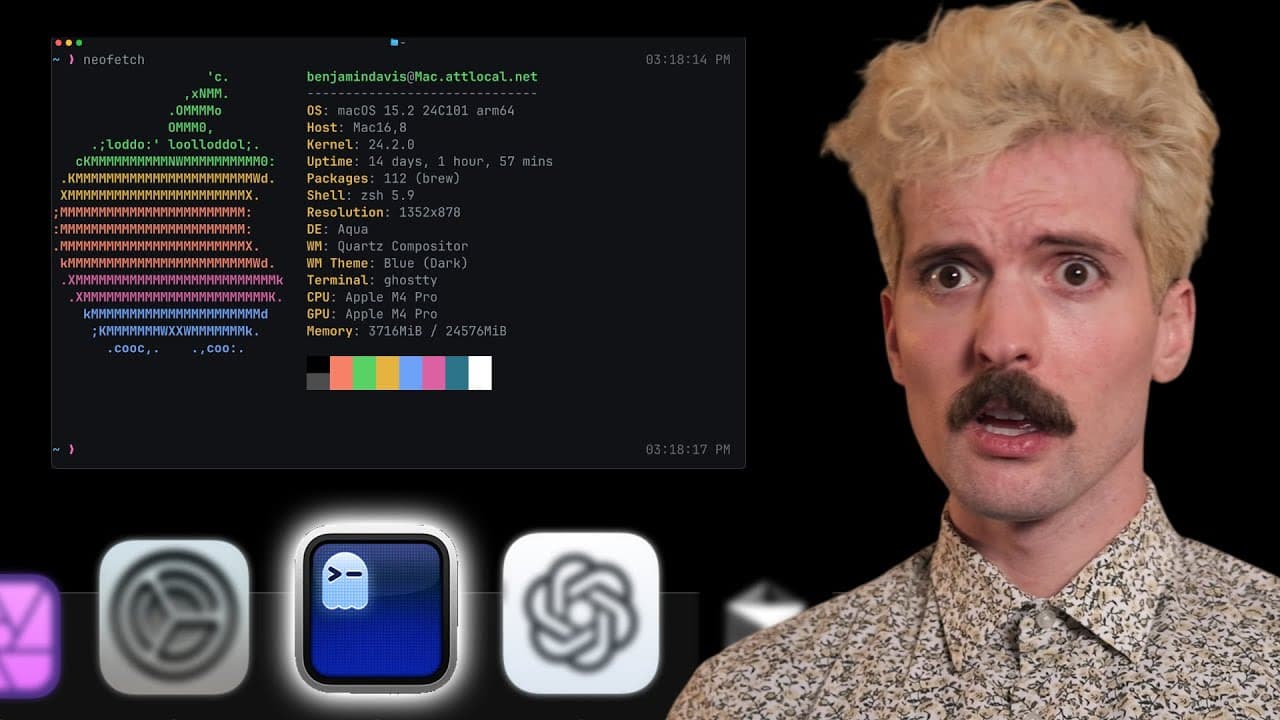
Ghosty is now publicly available and aims to be faster and more standards compliant than the stock Mac terminal. It emphasizes a minimal feature set with strong native integration, plus a cross platform library, while still offering preview tooling like a terminal inspector. You can switch now and expect fewer config requirements for most users.
Transcript
I have a confession to make up until very recently I've been using the stock Mac terminal yes like the one that comes with your Mac I've tried others a long time back but never cared to switch that somewhat recently changed I went viral at the end of last year for talking about how I still use the stock terminal I did not realize how much harder I ... Read More
Key Insights
- Ghosty is now publicly available for everyone to use.
- Ghosty is positioned as the fastest terminal with strong standards support.
- The project emphasizes native integration across platforms.
- Ghosty includes a terminal inspector for deep runtime insight.
- There is a goal of zero configuration for 99% of users.
- Ghosty is built with a Zig core and bindings for other languages.
- The library Ghosty aims to enable a wider ecosystem of terminal apps.
- The creator emphasizes performance as a key differentiator versus stock terminals.
Install to Summarize YouTube Videos and Get Transcripts
Explore YouTube Video Summarizer or Get YouTube Transcript Extractor
Questions & Answers
Q: How does Ghosty compare to the stock Mac terminal in performance and features?
Ghosty is described as the fastest terminal and aims to follow standards while providing a tasteful minimal set of flashy features. It emphasizes native platform integration and a deep feature set such as a terminal inspector, secure keyboard entry, and window restoration. The comparison notes that Ghosty can be significantly faster than the stock Mac terminal and offers a broader capability set without sacrificing performance.
Q: What makes Ghosty different from other terminals like Warp or Kitty?
Ghosty is presented as prioritizing standards compliance and native feel alongside performance. It combines a fast core with native platform features and a design goal of minimal necessary features rather than a feature heavy, hacks based approach. The video stresses its dual nature as a native tool and a library called lib ghosty that powers multiple terminal applications.
Q: What is the role of the Ghosty library in the project?
Lib Ghosty is described as the core cross platform library that powers Ghosty, available as Zig and C API bindings. It enables a broad ecosystem of terminal applications, including editors and web based terminals, and supports running on Mac and Linux. The library embodies the project’s goal to separate the terminal app from the underlying core for flexibility and future growth.
Q: What does the term native mean in the Ghosty context?
Native in Ghosty refers to aligning with platform primitives and performance characteristics rather than a single sense of native code. On Mac OS it means Swift and metal based integration, on Linux it may involve GTK or other toolkits, and on Windows it would map to the environment accordingly. The video emphasizes that Ghosty aims to feel native in each environment while maintaining high performance.
Q: What key features are highlighted as part of Ghosty’s user experience?
Key features include a terminal inspector that exposes rendering and resource details, secure keyboard entry for sensitive input, window restoration to return to a prior state, and native looking tabs with familiar shortcuts. The video also mentions a carrot style of native integration such as drag from the folder icon, proxy icon interactions, and other Mac specific niceties that feel native.
Q: What is the creator Mitchell’s background and motivation for Ghosty?
Mitchell is described as the founder of Hashi Corp, the company behind Terraform. He started Ghosty as a personal project to build a fast, standards compliant, native feeling terminal. His motivation includes making a terminal that sucks less and contributing to the Zig ecosystem, even pledging funds to the Zig Software Foundation to support the project and related tooling.
Q: What is the 1.0 status and future direction mentioned for Ghosty?
The video notes that Ghosty 1.0 is a public milestone, with a bright future including potential web assembly support and broader ecosystem growth. The emphasis is on stabilizing core features, expanding the cross platform library, and enabling more terminal apps and editors to leverage Ghosty technology while maintaining performance and native feel.
Q: What practical steps can a user take to start using Ghosty today?
A user can switch from the stock terminal to Ghosty now since it is publicly available. They can explore the lib ghosty library to understand how it powers different terminal apps and look at the project repository for setup instructions, and community configurations. Additionally, users can follow creator posts and resources linked in the description for deeper guidance.
Summary & Key Takeaways
-
Ghosty just opened to everyone and aims to be the fastest terminal while following standards and native features. It supports a cross platform library and a growing ecosystem of terminal apps. The creator emphasizes performance, native feel, and a minimal but capable feature set.
-
The project highlights a goal of zero or minimal configuration for 99 percent of users, making setup easier for newcomers. It includes a deep focus on native integration across Mac and Linux environments and a curious move toward web assembly in the future.
-
The video compares Ghosty with stock Mac terminal and other terminals like Kitty and Alacritty, noting performance advantages in certain benchmarks. It also explains the platform specifics, such as the ghosty library and the emphasis on native behavior, while showing practical in app features like window restoration and a terminal inspector.
Read in Other Languages (beta)
Share This Summary 📚
Summarize YouTube Videos and Get Video Transcripts with 1-Click
Try YouTube Summary with ChatGPT & Claude or YouTube Transcript Generator
Explore More Summaries from Theo - t3․gg 📚



Summarize YouTube Videos and Get Video Transcripts with 1-Click
Try YouTube Summary with ChatGPT & Claude or YouTube Transcript Generator