How to Be a Virtual Meeting Hero
TL;DR
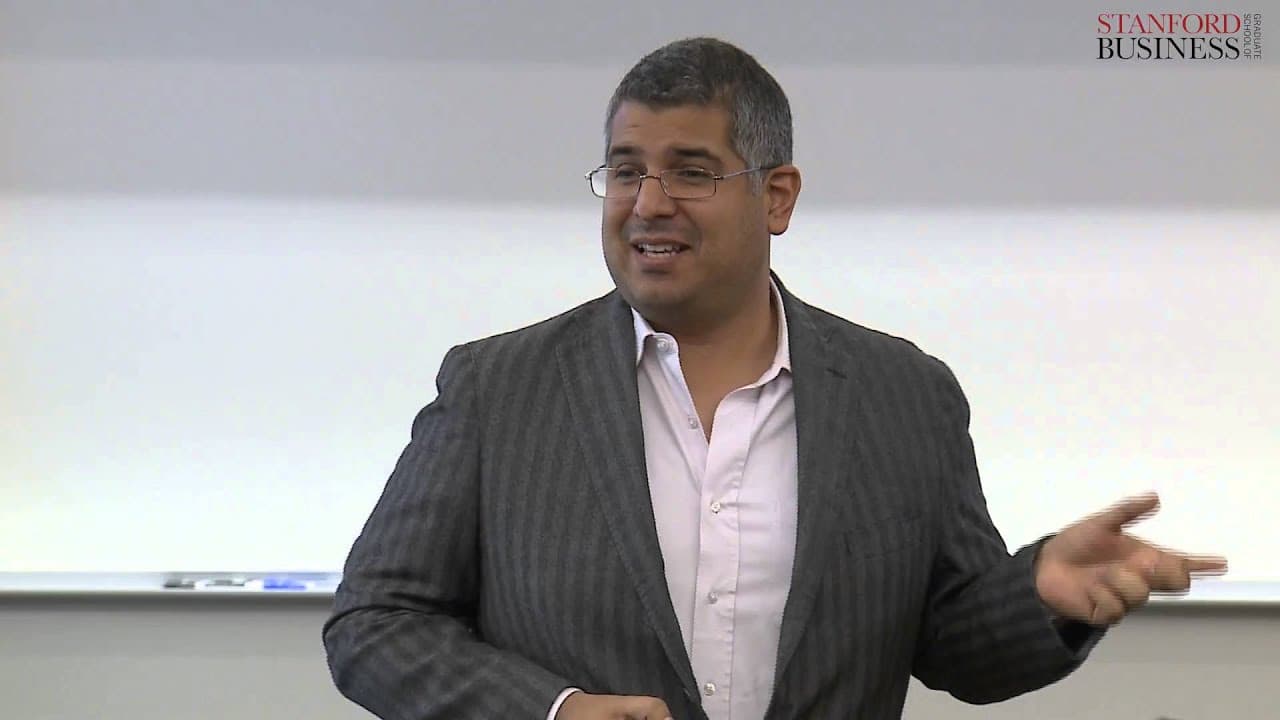
To excel in virtual meetings, focus on preparation, execution, and post-meeting follow-up. Use the A.M.T. strategy: Agenda, Materials, and Technology. As a leader, start on time, track participants, and encourage engagement. When not leading, avoid multitasking, introduce yourself before speaking, and paraphrase for clarity. Maintain team cohesion with post-meeting feedback.
Transcript
[MUSIC] [NOISE] Mauricio has joined the meeting. >> Anyone there? >> [LAUGH]
[NOISE] Joaquin has joined the meeting. >> Hi, it's me. Who's here? >> Who's there? >> [LAUGH] Before we get going, I want to make sure that everyone can see the slide. >> [LAUGH] Can you see the slide? >> I can see. There is a little box on my screen that says I ... Read More
Key Insights
- Virtual meetings save companies significant costs; for instance, Cisco saves $100 million annually on travel.
- Virtual meetings allow more inclusive participation, enabling junior staff to join conversations they might miss otherwise.
- A.M.T. strategy—Agenda, Materials, Technology—ensures effective preparation for virtual meetings.
- Start meetings on time and limit continuous talk to encourage participant engagement.
- Introduce yourself before speaking to ensure recognition and credit for contributions.
- Avoid multitasking during meetings to maintain focus and engagement.
- Paraphrasing helps clarify discussions and positions you as an attentive participant.
- Formalize post-meeting discussions to capture informal feedback and maintain team engagement.
Install to Summarize YouTube Videos and Get Transcripts
Explore YouTube Video Summarizer or Get YouTube Transcript Extractor
Questions & Answers
Q: How can I prepare effectively for a virtual meeting?
Effective preparation for a virtual meeting involves following the A.M.T. strategy: set a clear agenda, distribute necessary materials and roles in advance, and ensure all participants have access to the required technology and platforms. Arrive early to check technical settings and encourage punctuality among participants.
Q: What is the A.M.T. strategy in virtual meetings?
The A.M.T. strategy stands for Agenda, Materials, and Technology. It involves defining meeting success, sharing the agenda and rules beforehand, preparing necessary materials and assigning roles, and ensuring all participants have compatible technology. This strategy helps streamline virtual meetings and enhances participant engagement.
Q: Why is it important to start virtual meetings on time?
Starting virtual meetings on time is crucial because it sets a professional tone, respects participants' schedules, and minimizes disruptions. Virtual environments often lead to delays due to technical issues or distractions, so punctuality helps maintain focus and ensures that the meeting agenda is covered efficiently.
Q: How can I ensure my contributions are recognized in a virtual meeting?
To ensure your contributions are recognized in a virtual meeting, introduce yourself before speaking. This clarifies who is speaking and helps prevent others from taking credit for your ideas. Additionally, paraphrasing key points during discussions can highlight your attentiveness and reinforce your contributions.
Q: What are the benefits of virtual meetings?
Virtual meetings offer several benefits, including significant cost savings on travel, increased accessibility for remote participants, and the ability for junior staff to join important discussions. They also provide flexibility and convenience, allowing participants to join from various locations without the need for physical commuting.
Q: How can I maintain engagement during a virtual meeting?
To maintain engagement during a virtual meeting, avoid multitasking, limit continuous talk time to encourage participation, and implement structured check-in points. These practices ensure that participants remain focused, have opportunities to contribute, and feel involved in the meeting process.
Q: Why should I avoid multitasking during virtual meetings?
Avoiding multitasking during virtual meetings is important because it helps maintain focus and ensures you are fully engaged with the discussion. Multitasking can lead to missed information and reduced comprehension, ultimately affecting your ability to contribute effectively and stay informed about meeting outcomes.
Q: How can I gather feedback after a virtual meeting?
Gather feedback after a virtual meeting by formalizing post-meeting discussions. Encourage participants to share their thoughts, concerns, and suggestions for improvement. Follow up individually if necessary to ensure all voices are heard. This process helps improve future meetings and strengthens team dynamics by addressing any issues.
Summary
In this video, the speaker discusses the increasing prevalence of virtual meetings and the challenges they present. Virtual meetings are popular due to their cost-effectiveness and convenience, but many people admit to multitasking and not fully engaging in these meetings. The speaker offers strategies to prepare for and lead virtual meetings effectively, including setting clear agendas, sharing materials in advance, and using appropriate technology. They also provide tips for participants, such as avoiding multitasking, stating their name before speaking, and paraphrasing to gain influence. Finally, the speaker emphasizes the importance of formalizing post-meeting conversations to maintain team cohesion. A tip sheet with these strategies is provided for further reference.
Questions & Answers
Q: Why are virtual meetings becoming more prevalent?
Virtual meetings have seen a significant increase in usage due to their cost-effectiveness and convenience. They save companies money on travel expenses, allow for remote participation, and offer opportunities for junior employees to join calls they may not have otherwise been a part of. Additionally, many individuals prefer telecommuting to physically commuting to meetings.
Q: Why do people like virtual meetings?
One major reason people prefer virtual meetings is the ability to multitask. According to Forbes, 64% of respondents admitted to checking email, surfing the web, and engaging in unrelated activities during virtual meetings. Additionally, virtual meetings are seen as more convenient and flexible compared to physically attending meetings.
Q: How can one be prepared for a virtual meeting?
The speaker suggests using the A.M.T. strategy: Agenda, Materials, and Technology. Firstly, define the agenda and success criteria for the meeting, identify the necessary team members, and share the agenda and meeting rules in advance. Secondly, prepare materials, assign roles, assign pre-works, and choose the appropriate format (telephone or video conference). Ensure everyone has access to the login and password. Finally, ensure that all participants are using the same platform and that the necessary technology is functioning properly. Arrive at least 15 minutes early to set up and ensure a smooth meeting experience.
Q: What tips are offered for leading a virtual meeting?
As a meeting leader, it is important to start the meeting on time and write down the names of participants to keep track of who is present. To enable participation, limit continuous talk time to give others a chance to speak. It is also beneficial to have round-the-table check-in points to provide structure and give everyone a chance to contribute.
Q: How can participants make the most of virtual meetings?
Participants should avoid multitasking during virtual meetings as it disengages the mind from the meeting. When speaking, it is important to lead with one's name to ensure proper attribution and avoid others taking credit for their contributions. If one is unable to interject in real-time, they should write down their thoughts and bring them up later. Paraphrasing can also be a useful tactic to demonstrate active listening and gain influence in the meeting.
Q: What should be done after a virtual meeting?
After the virtual meeting concludes, it is crucial to formalize the post-meeting conversation, similar to how it would happen in-person by the water cooler or office kitchen. This informal chat is where important information is shared. The team leader should ask for feedback and concerns from participants, and ensure that any issues are addressed promptly. By following up and making remote participants feel included, team cohesion can be maintained.
Takeaways
Virtual meetings are increasingly common, offering cost-effective and convenient alternatives to in-person meetings. However, many people admit to multitasking during virtual meetings, leading to reduced engagement and effectiveness. To overcome these challenges, it is essential to properly prepare for virtual meetings by setting clear agendas, sharing materials in advance, and ensuring technology is compatible. Leaders should start on time, keep track of participants, limit talk time, and provide structure for participation. Participants should remain focused, attribute their contributions, take notes for future discussions, and use paraphrasing to shine a spotlight on their insights. Formalizing the post-meeting conversation is crucial to maintain team cohesion. By following these strategies, virtual meeting participants can stand out and be recognized for their contributions.
Summary & Key Takeaways
-
Virtual meetings offer cost savings and inclusivity but require careful planning and execution to be effective. The A.M.T. strategy—Agenda, Materials, Technology—ensures thorough preparation. Leaders should start on time, track participation, and foster engagement, while participants should focus, introduce themselves, and paraphrase for clarity.
-
To succeed in virtual meetings, avoid multitasking and ensure everyone has a chance to contribute. After the meeting, formalize water cooler conversations to gather feedback and maintain team cohesion. These practices help you stand out and potentially lead to career advancement.
-
Being a virtual meeting hero involves preparation, active participation, and effective follow-up. Use structured strategies to manage the meeting environment, and ensure all voices are heard. Post-meeting feedback helps improve future meetings and strengthens team dynamics.
Read in Other Languages (beta)
Share This Summary 📚
Summarize YouTube Videos and Get Video Transcripts with 1-Click
Try YouTube Summary with ChatGPT & Claude or YouTube Transcript Generator
Explore More Summaries from Stanford Graduate School of Business 📚


Summarize YouTube Videos and Get Video Transcripts with 1-Click
Try YouTube Summary with ChatGPT & Claude or YouTube Transcript Generator