How to Share Chats and Configure MeclabsAI Apps
TL;DR
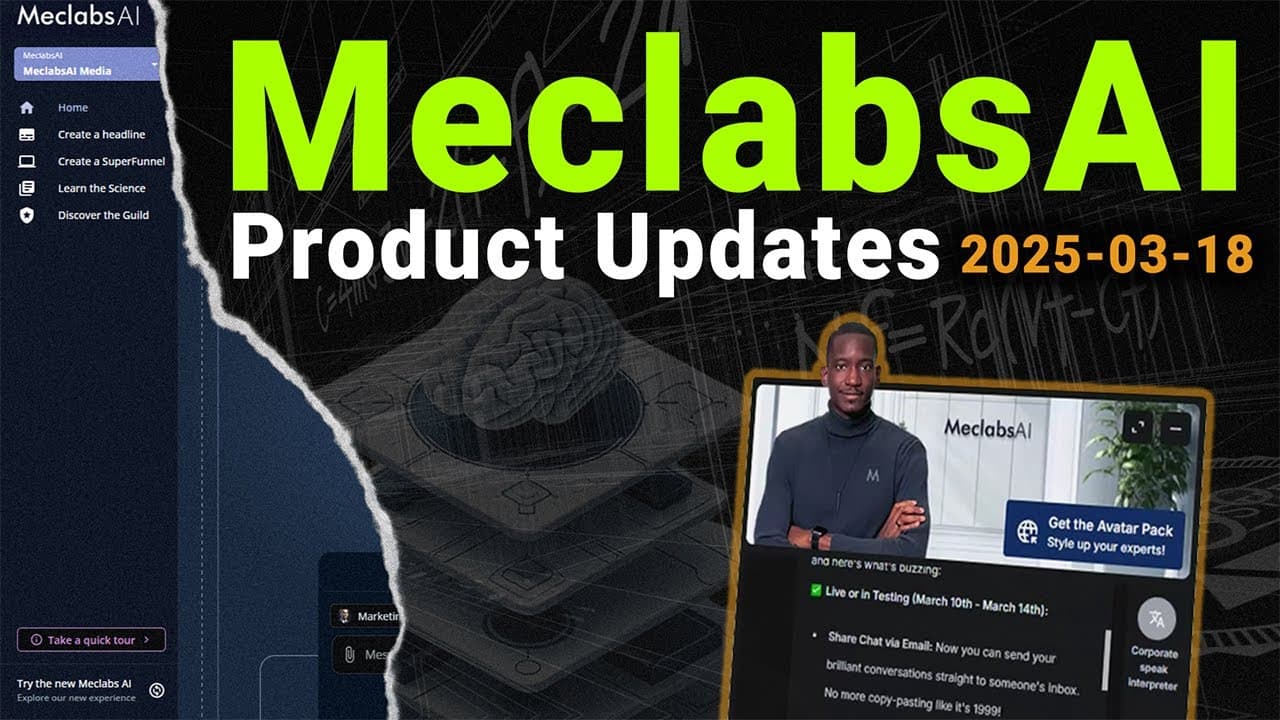
MeclabsAI now lets users email a chat with the conversation embedded directly in the message, assign a primary expert, and add visible usage instructions to apps. Apps can support focused tasks such as finding locations or comparing services, while a planned handoff feature will let users return to an expert with app results, return without them, or continue using the app.
Transcript
we're about to begin a product update with aad who is a lead designer helping shape the product and you'll see as we share with some of our Enterprise leaders who are doing major installations with Enterprises some of the new capabilities aad over to you all right thank you uh so this week we've worked on quite a number of the topics that we spoke ... Read More
Key Insights
- Email chat sharing is designed to place the actual conversation in the email body, with the saved chat name used as the subject. This differs from sending only a link and gives recipients immediate access to the expert response within their email client.
- A primary expert is the expert selected to load automatically when a CFT launches. Administrators can choose that expert from the resource management area, so the initial experience is controlled explicitly rather than inferred from the order in which experts appear.
- App usage instructions are configurable messages that appear before a user provides input. They can tell someone to enter corporate language, a URL, a city, or another required value, removing the need for an initial exchange merely to discover how the app works.
- Apps can function like flexible, conversational forms by collecting one or more pieces of information. A simple app may accept a city and return nearby locations, while a more involved expert-led flow can ask several questions before generating a tailored result.
- Auto AI mode supports multiple apps but retains a primarily single-expert experience. The demonstrated app flow is not limited to Auto AI mode, because users can also select and operate apps from regular mode with the same instruction-led interaction pattern.
- Experts, apps, and libraries are planned to receive separate interface buttons. This change reflects the growing independence of apps as a product feature and is intended to make navigation clearer than presenting apps only as another option inside a switcher.
- A location finder app can return three relevant options after a user supplies a location. In the demonstration, entering Tucson produced Phoenix, Las Vegas, and San Diego, followed by language encouraging the user to continue to the linked eligibility quiz.
- A planned app handoff feature will offer three paths after a response: return to the expert with results, return without results, or continue using the app. Carrying results automatically would remove the need to copy and paste them into the expert conversation.
Install to Summarize YouTube Videos and Get Transcripts
Explore YouTube Video Summarizer or Get YouTube Transcript Extractor
Questions & Answers
Q: How can users share a MeclabsAI chat by email?
Users can save or name the chat, open its sharing options, and select email. The email opens with the chat name placed in the subject line and the conversation content included directly in the message body. This method allows the recipient to read the expert response inside the email instead of receiving only a link to the original conversation.
Q: How do administrators set the default expert in a CFT?
Administrators can open the CFT resource management area and use the option labeled "assign as primary expert" for the desired expert. That selection determines which expert loads when the CFT launches. The feature makes the initial expert explicit, even when the visual order of available experts might otherwise suggest that a different expert should load first.
Q: What are app usage instructions in MeclabsAI?
App usage instructions are configurable front-end messages that tell users what they should provide to an app. For a corporate-speak interpreter, the message can ask the user to type the corporate language they want translated. Similar instructions could request a URL, ZIP code, city, or other input, making the expected interaction clear before a response is submitted.
Q: How can MeclabsAI apps work like forms?
Apps can combine a visible instruction message with an input field, creating a form-like experience inside the conversational interface. The instruction can request a specific value, such as a city or ZIP code, and the app can return a focused result. For tasks requiring several factors, an expert can ask multiple questions, collect the answers, and then produce the requested output.
Q: Can apps be used in both Auto AI and regular modes?
Yes. The demonstrated app flow is available in Auto AI mode and is not restricted to that mode. Users can also select an app in regular mode and use the same updated interaction flow. Auto AI can offer multiple apps, but its expert experience remains primarily centered on one expert rather than allowing users to configure multiple experts in the same way.
Q: How can a location finder app support a sales funnel?
A location finder can ask a visitor to share a location and then return three relevant options. In the demonstration, Tucson produced Phoenix, Las Vegas, and San Diego. The response also directed the visitor toward a short eligibility quiz, linking the useful location result to the funnel's main conversion action without requiring the visitor to search through the website manually.
Q: How can a comparison app communicate a value proposition?
A comparison app can extract compelling evidence from a website and organize it into a chart comparing the business with other providers. The demonstration contrasted permanent-teeth delivery in 24 hours with a period of up to 10 months, and immediate soft-food eating with a possible liquid diet lasting up to six weeks. The result then guided users toward the eligibility quiz.
Q: How will users move from an app back to an expert?
The planned handoff design presents three choices after an app response. A user can return to the expert with the app results inserted into the chat, return without adding those results, or continue working inside the app. The first option removes manual copying and pasting, while the other options support cases where the result is unnecessary or another app query is useful.
Summary & Key Takeaways
-
Chat sharing now includes an email option alongside the existing social platforms. Selecting it opens an email with the saved chat name as the subject and the conversation content in the message body. This gives users a direct way to distribute expert responses without requiring recipients to open a separate conversation link.
-
Resource management now allows administrators to assign a primary expert that loads when the CFT launches. App configuration has also regained image settings for Auto AI and regular modes. A new instruction message appears on the front end, telling users what information to enter before they begin interacting with an app.
-
Apps are becoming distinct task-oriented experiences that can guide users toward actions such as finding nearby locations, comparing services, or starting an eligibility quiz. A planned transition control will help users move from an app back to the expert, optionally carrying the app results into the expert conversation or leaving them behind.
Read in Other Languages (beta)
Share This Summary 📚
Summarize YouTube Videos and Get Video Transcripts with 1-Click
Try YouTube Summary with ChatGPT & Claude or YouTube Transcript Generator
Explore More Summaries from Flint McGlaughlin 📚
Summarize YouTube Videos and Get Video Transcripts with 1-Click
Try YouTube Summary with ChatGPT & Claude or YouTube Transcript Generator