How to Create a Reusable Countdown Timer Hook in React
TL;DR
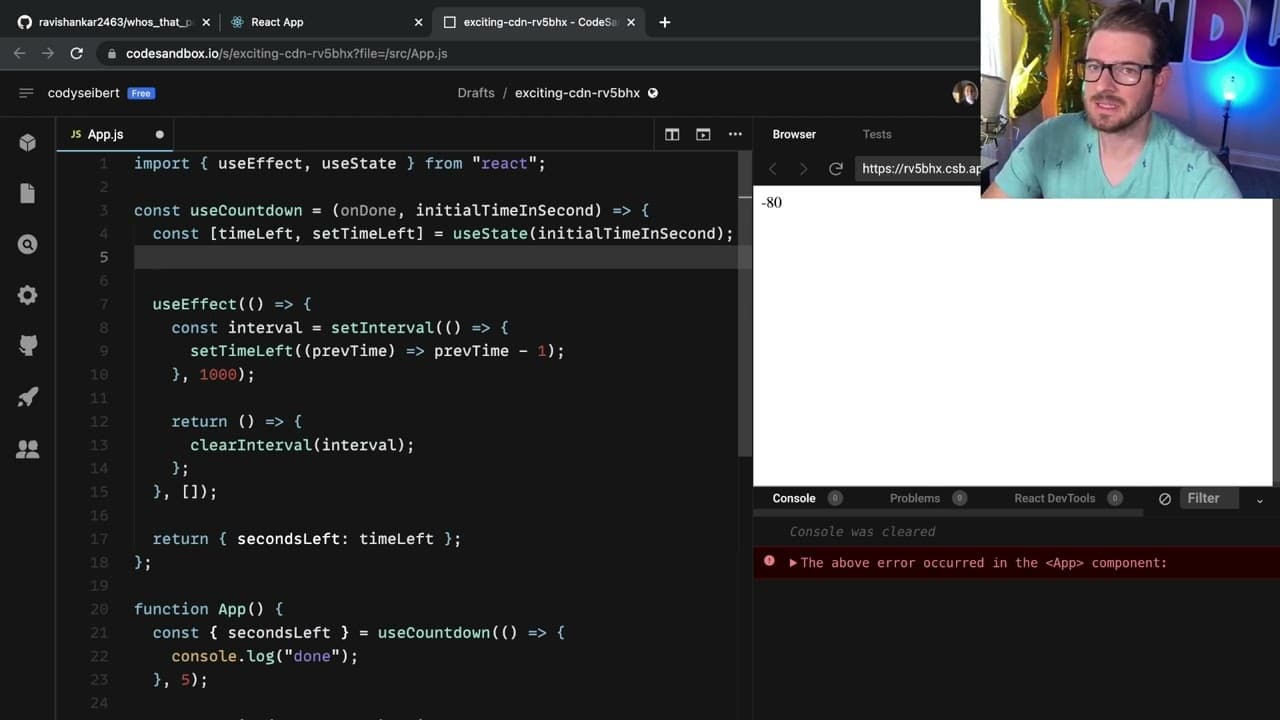
To create a reusable countdown timer hook in React, define a custom hook that accepts an initial time and a callback function. Use useEffect to manage the countdown logic, utilize refs to maintain state without re-renders, and invoke the callback when the timer reaches zero. This practice helps strengthen your understanding of React hooks and state management.
Transcript
all right how's it going I wanted to make a little custom hook a countdown timer Hook and the reason I'm doing this is I think this is a good challenge for you if you're learning how to use react because it really stresses your understanding of how to create effects how do references work how do you make a custom hook and have a return some type of... Read More
Key Insights
- 👻 Custom hooks in React allow for reusable functionality that can be shared across components, promoting more efficient code management.
- ⏲️ Managing side effects and state effectively is crucial in React, especially when implementing recurring functionalities like timers.
- ❣️ Utilizing
refscan help maintain values that shouldn't cause the component to re-render, affording better performance in state-heavy applications. - 🏃 The countdown timer showcases practical applications of React's hooks, making it an excellent learning exercise for intermediate developers.
- 👨💻 Engaging with the developer community via platforms such as Discord can provide valuable feedback and alternative strategies for common coding challenges.
- 🫵 The implementation can be improved with optimizations, and viewer participation in providing better methods is encouraged.
- 👨💻 Feedback and community contributions are essential in evolving coding techniques and improving shared knowledge.
Install to Summarize YouTube Videos and Get Transcripts
Explore YouTube Video Summarizer or Get YouTube Transcript Extractor
Questions & Answers
Q: What are the main components required to build a countdown timer hook in React?
To build a countdown timer hook, you need a useEffect for managing side effects, useState for keeping track of time left, and a callback function that gets triggered when the countdown reaches zero. Additionally, useRef can be used to hold persistent values across renders without causing re-renders.
Q: Why is using useRef preferred over useState for tracking time left in this implementation?
In this implementation, useRef is preferred because it allows ongoing updates to the countdown without causing the component to re-render on each decrement. This avoids issues where the timer clears and resets if useState were used instead, leading to a smoother countdown experience.
Q: What challenges does the author face when trying to implement the countdown timer?
The author struggles with managing the countdown logic within the confines of React’s effect lifecycle. Specifically, they encounter issues with clearing intervals and re-triggering effects when relying on state changes, leading to attempts to stabilize the implementation using refs instead.
Q: How can the countdown timer be reset according to the video?
The countdown timer can be reset by creating a reset function that sets the countdown time back to its initial value. This involves clearing the existing interval and restarting the countdown timer logic, ensuring the hook can revert to its starting point when called.
Summary & Key Takeaways
-
This content demonstrates how to create a reusable countdown timer hook in React, emphasizing the use of effects and state management.
-
The hook accepts an initial time in seconds and a callback function to be invoked when the countdown reaches zero, enhancing the custom hook's functionality.
-
Viewers are encouraged to attempt the implementation themselves before watching for improved understanding, and they can share any optimizations in the comments.
Read in Other Languages (beta)
Share This Summary 📚
Summarize YouTube Videos and Get Video Transcripts with 1-Click
Try YouTube Summary with ChatGPT & Claude or YouTube Transcript Generator
Explore More Summaries from Web Dev Cody 📚





Summarize YouTube Videos and Get Video Transcripts with 1-Click
Try YouTube Summary with ChatGPT & Claude or YouTube Transcript Generator