How to Build Your First No-Code Research AI Agent in n8n in 12 Minutes
TL;DR
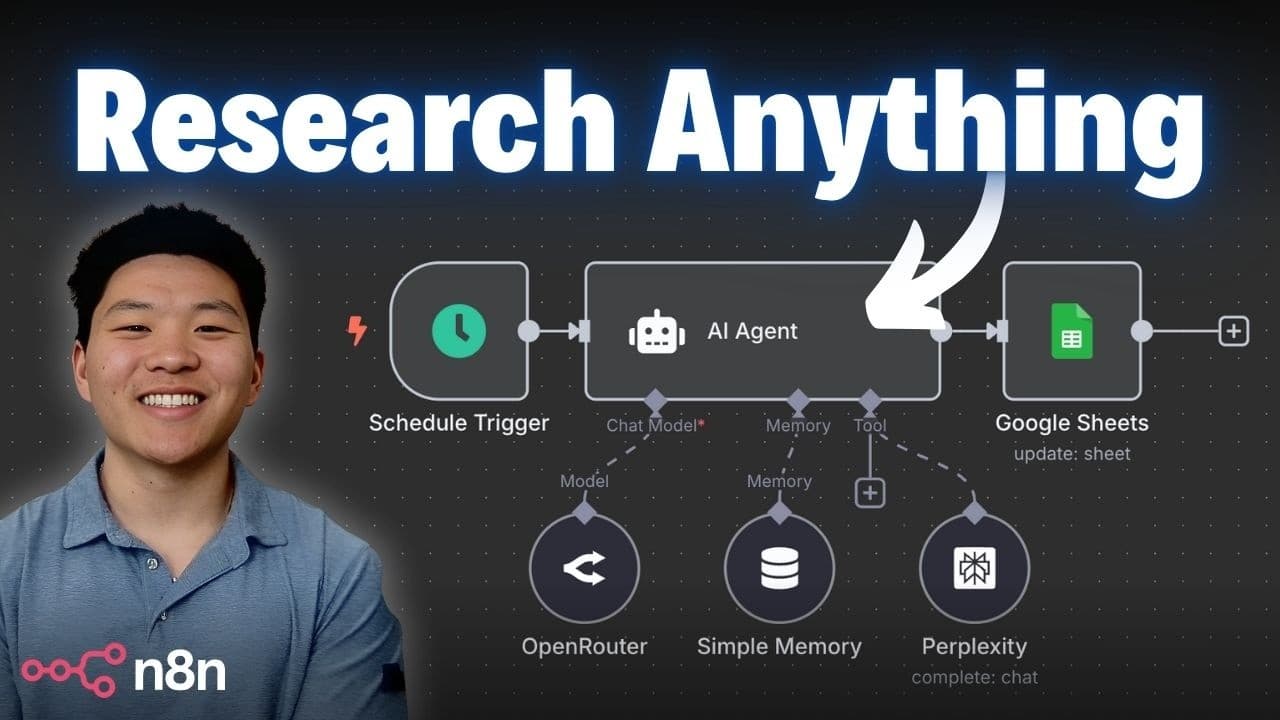
Build a no-code research AI agent in n8n by connecting a chat trigger and AI agent node to OpenRouter for the model brain and Perplexity for real-time web research. The walkthrough uses GPT-4.1 Mini and Sonar Deep Research, then tests the workflow with a sleep question that produces a report based on 20 sources. Read on for the exact setup, credential, model, and search-configuration steps.
Transcript
by the end of this video you'll have built your very own research AI agent without writing a single line of code and I think you guys will be shocked at how simple it is to set up i'm going to walk through the entire process with you guys step by step all of the connections all the credentials all the tough stuff like that i even went ahead and spu... Read More
Key Insights
- OpenRouter serves as the brain for the research agent, letting you connect to many different AI models including OpenAI, Perplexity, Qwen, Anthropic, and Google from a single credential inside n8n.
- Perplexity acts as the agent's research tool, described as a ChatGPT research tool on steroids, giving the agent the ability to search the internet in real time and pull accurate sources.
- An API key is essentially a password, so it must be kept secret because anyone who plugs in your key can consume the credits you are paying for in that account.
- Both OpenRouter and Perplexity require a credit balance in the account, because without credits the AI model brain and the web search tool will not function.
- The n8n build uses three connected pieces: a chat message trigger to communicate, an AI agent node, and the OpenRouter chat model plus Perplexity tool attached to it.
- GPT-4.1 Mini is chosen as the default chat model because it offers a good balance of being cheap but also powerful for the research agent's brain.
- Perplexity offers multiple models for different depths: Sonar and Sonar Pro for basic search, Sonar Deep Research for research, and Sonar Reasoning or Sonar Reasoning Pro for reasoning tasks.
- The 'let the model define this parameter' option lets the AI agent automatically fill in the Perplexity search query itself, so it decides what to type based on how you interact with it.
Install to Summarize YouTube Videos and Get Transcripts
Explore YouTube Video Summarizer or Get YouTube Transcript Extractor
Questions & Answers
Q: How do you build a no-code research AI agent in n8n?
Create a new n8n workflow, add a chat message trigger, and connect it to an AI agent node. Attach an OpenRouter chat model as the agent’s brain, then add Perplexity as its research tool. Once both services are authenticated, send a chat question and the agent can research it and return a report.
Q: How do you connect OpenRouter to an n8n AI agent?
Add an OpenRouter chat model beneath the AI agent node and create a new credential. In OpenRouter, open your profile, go to Keys, create an API key, and paste it into n8n. Save the credential and confirm that the connection test succeeds before selecting a chat model.
Q: Which OpenRouter model does the research agent use?
The walkthrough selects GPT-4.1 Mini as the chat model. It is described as offering a good balance of being cheap and powerful, although OpenRouter also provides models from OpenAI, Perplexity, Qwen, Anthropic, and Google.
Q: How do you add Perplexity web research to the n8n agent?
Add a Perplexity tool beneath the AI agent node and create a credential with a Perplexity API key. The key is created from the API Keys section of Perplexity settings and then pasted into n8n. After the connection succeeds, choose a Perplexity model and configure the user-message parameter.
Q: Which Perplexity model should you choose for research?
Choose Sonar Deep Research when the workflow needs in-depth analysis. Sonar and Sonar Pro are presented as basic search options, while Sonar Reasoning and Sonar Reasoning Pro are intended for reasoning. Deep research can take longer than a basic web search.
Q: How does the AI agent decide what to search for?
In the Perplexity tool’s user-message field, select “let the model define this parameter.” The AI agent will then create the search query automatically from the way the user interacts with it. Optional settings can also limit results by recency or selected domains.
Q: Why do OpenRouter and Perplexity require credits?
OpenRouter needs a credit balance for the selected AI model to operate as the agent’s brain. Perplexity also needs API billing credits to search the web. Without credits in the relevant account, that part of the workflow will not function.
Q: What result does the completed research agent produce?
When asked “How can I optimize my sleep?”, the agent uses Sonar Deep Research and returns a report covering topics such as temperature, consistent sleep schedules, relaxation routines, diet, and exercise. The demonstrated search uses 20 sources, and the agent can be prompted to provide citations for individual facts.
Summary & Key Takeaways
-
The goal is to build a research AI agent in n8n with no code. Two services are needed: OpenRouter connects to different AI models to act as the brain, and Perplexity gives the agent real-time internet search. Communication happens by sending the agent a chat message.
-
The build starts by adding a chat message trigger, then an AI agent node. OpenRouter is connected as the chat model using an API key created at openrouter.ai under profile keys. After pasting the key and saving, the connection tests successfully and models like GPT-4.1 Mini become available.
-
Perplexity is added as a tool with its own API key from settings. Sonar Deep Research is selected for in-depth analysis, and the model defines its own query. When asked how to optimize sleep, the agent runs deep research, returns a full report, and shows the 20 sources it searched.
Read in Other Languages (beta)
Share This Summary 📚
Summarize YouTube Videos and Get Video Transcripts with 1-Click
Try YouTube Summary with ChatGPT & Claude or YouTube Transcript Generator
Explore More Summaries from Nate Herk | AI Automation 📚






Summarize YouTube Videos and Get Video Transcripts with 1-Click
Try YouTube Summary with ChatGPT & Claude or YouTube Transcript Generator