Is the Rocketbook Everlast Worth It for Note-Taking?
TL;DR
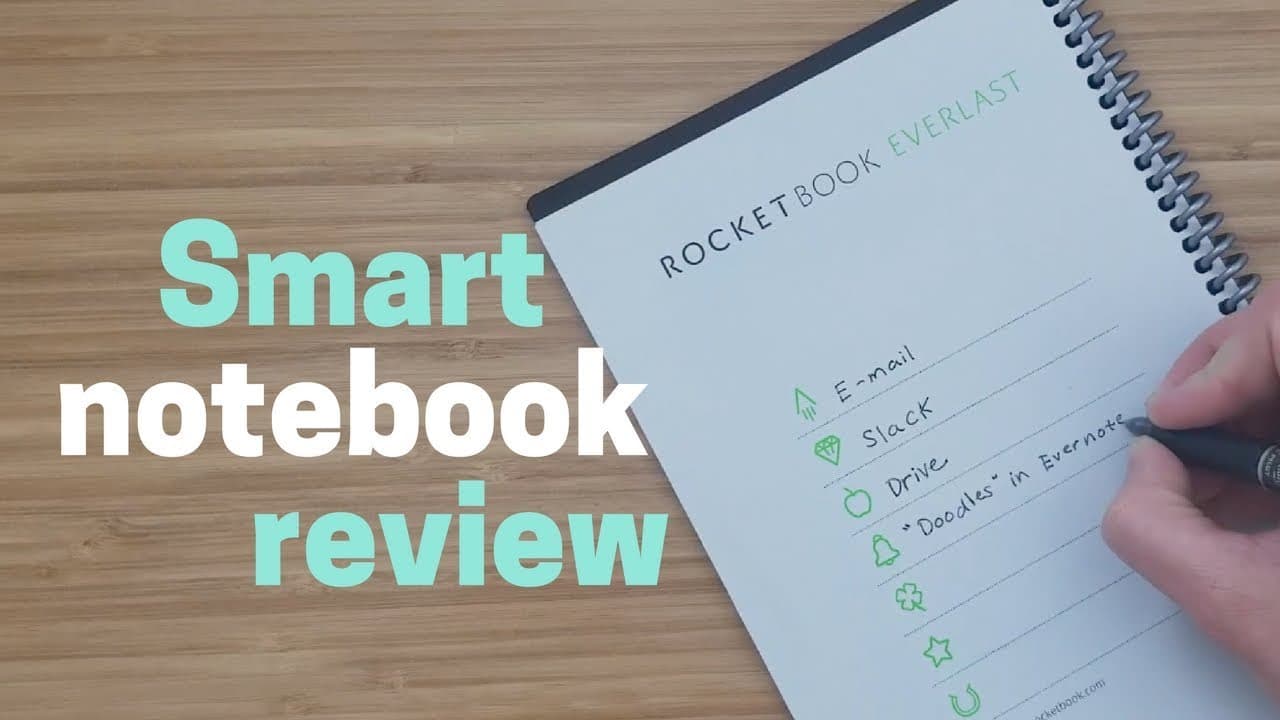
The Rocketbook Everlast is a reusable smart notebook that allows users to upload their notes to the cloud easily, making it ideal for students and professionals. With customizable symbols for specific destinations in the app and high-quality scans, it offers a practical alternative to traditional paper while also being environmentally friendly.
Transcript
hey what's up this is Reba smart-home solver and today we're gonna be taking a little dive into the smart office space and covering a smart notebook called the rocket book Everlast and this thing's pretty awesome you can reuse it as many times as you want and it is really easy to upload to the cloud we ran into these guys at CES you might have seen... Read More
Key Insights
- 📱 Rocketbook Everlast is a reusable smart notebook.
- 😀 Users can configure symbols for specific destinations in the app.
- ✋ The notebook offers high-quality scans and erasability.
- 🤗 It caters to different pen sizes and drying times for left-handed users.
- 🧑🎓 Rocketbook Everlast is suitable for students and professionals.
- 💝 The notebook is affordable and makes a great gift.
- 📔 There are other Rocketbook notebook options available.
Install to Summarize YouTube Videos and Get Transcripts
Explore YouTube Video Summarizer or Get YouTube Transcript Extractor
Questions & Answers
Q: How does the Rocketbook Everlast work?
The Rocketbook Everlast is a reusable smart notebook that works with a special pen and app to upload notes to the cloud easily. Users can configure symbols for specific destinations and erase pages with a microfiber cloth.
Q: What makes the Rocketbook Everlast different from other smart notebooks?
The Rocketbook Everlast stands out for its ease of use, high-quality scans, and erasability. It offers a convenient solution for those who prefer the pen and paper feel but also want digital storage capabilities.
Q: Is the Rocketbook Everlast suitable for left-handed users?
Yes, the Rocketbook Everlast accommodates left-handed users with quick-drying ink options and different pen sizes. Left-handed individuals can use the notebook without smudging their writing by choosing the appropriate pen.
Q: Who would benefit most from using the Rocketbook Everlast?
Students, professionals, doodlers, designers, and anyone who values the pen and paper experience while desiring digital storage capabilities would benefit from the Rocketbook Everlast.
Summary & Key Takeaways
-
Rocketbook Everlast is a reusable smart notebook that allows easy cloud upload.
-
Users can configure symbols to specify destinations in the app.
-
The notebook's high-quality scans and erasability make it convenient for students and professionals.
Read in Other Languages (beta)
Share This Summary 📚
Summarize YouTube Videos and Get Video Transcripts with 1-Click
Try YouTube Summary with ChatGPT & Claude or YouTube Transcript Generator
Explore More Summaries from Smart Home Solver 📚


Summarize YouTube Videos and Get Video Transcripts with 1-Click
Try YouTube Summary with ChatGPT & Claude or YouTube Transcript Generator