How to Build RAG with GPT-4o and ObjectBox
TL;DR
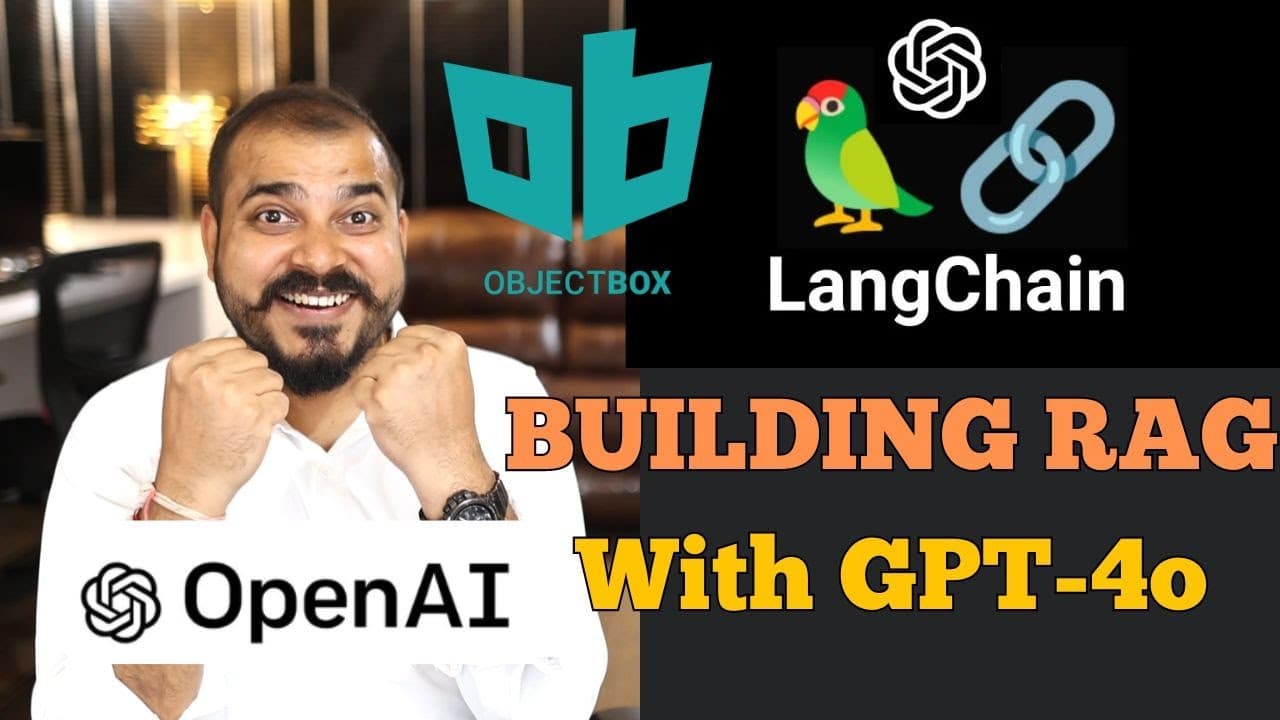
Build the RAG application by loading webpage content, splitting it into chunks, converting the chunks into vectors with OpenAI embeddings, and storing them in ObjectBox. Expose the vector database as a retriever, connect it to GPT-4o through a LangChain RetrievalQA chain, and supply a RAG prompt so answers are generated from the retrieved context.
Transcript
hello all my name is krishak and welcome to my YouTube channel so guys I hope everybody has seen the announcement from open AI regarding gp4 model and already uh in my previous video I've shown you the capabilities of this in this specific video we are going to develop an end to endend rag application using the updated gp4 o model uh from open AI a... Read More
Key Insights
- A RAG application is built by loading source content, dividing it into manageable chunks, converting those chunks into embeddings, storing them in a vector database, and retrieving relevant context for an LLM to answer a user's question.
- WebBaseLoader is the component used to load the selected webpage into LangChain documents. Supplying the page URL and calling the loader's load method provides the source documents used by the rest of the retrieval pipeline.
- RecursiveCharacterTextSplitter is used to divide the loaded documents into smaller text chunks. In the demonstrated run, the splitting process produces four documents that can be converted separately into embeddings and indexed for later similarity-based retrieval.
- OpenAI embeddings convert the document chunks into vectors before storage. The ObjectBox construction receives the chunked documents, the embedding implementation, and an embedding dimension of 768, producing the local vector database used by the application.
- ObjectBox is presented as an open-source vector database that can operate offline and store data efficiently. Its LangChain integration is installed through the project requirements and imported from the LangChain ObjectBox vector stores package.
- The ObjectBox database creates data.mdb and lock.mdb files during use. The lock file keeps the database locked while the current process is using it, and restarting the kernel releases that lock according to the demonstration.
- A retriever is the interface that supplies relevant information from the ObjectBox vector database. Converting the database into a retriever allows the RetrievalQA chain to find contextual passages before GPT-4o generates its response.
- The RetrievalQA chain combines GPT-4o, the ObjectBox retriever, and a RAG prompt pulled from the LangChain Hub. The prompt instructs the assistant to use retrieved context for question answering and to acknowledge when the answer is unavailable.
Install to Summarize YouTube Videos and Get Transcripts
Explore YouTube Video Summarizer or Get YouTube Transcript Extractor
Questions & Answers
Q: How do you build a RAG application with GPT-4o and ObjectBox?
Load the OpenAI API key from environment variables, then use WebBaseLoader to retrieve the selected webpage as LangChain documents. Split those documents with RecursiveCharacterTextSplitter, convert the resulting chunks into vectors with OpenAI embeddings, and store them in ObjectBox. Convert the database into a retriever, initialize ChatOpenAI with GPT-4o, and combine both components with a RAG prompt in a RetrievalQA chain.
Q: How is webpage content loaded for the RAG pipeline?
Import WebBaseLoader from the LangChain community document loaders package and initialize it with the URL of the selected webpage. Calling the loader's load method returns the webpage content as documents. These documents become the pipeline's source material, which is subsequently divided into chunks, converted into embeddings, stored in ObjectBox, and retrieved when a user submits a question.
Q: Why are documents split into chunks before vector storage?
The loaded webpage is split so its content becomes separate document units that can each be converted into vectors and indexed. RecursiveCharacterTextSplitter performs this step in the demonstration, producing four documents. Those chunks are then passed to OpenAI embeddings and stored in ObjectBox, allowing the retriever to provide relevant portions of the source content to the question-answering chain.
Q: How are document vectors created and stored in ObjectBox?
Import OpenAIEmbeddings from the LangChain OpenAI package and ObjectBox from the LangChain ObjectBox vector stores package. Call ObjectBox's document-based construction method with the chunked documents, the OpenAI embedding implementation, and an embedding dimension of 768. The text chunks are converted into vectors and persisted in the ObjectBox database, creating data.mdb and lock.mdb files.
Q: What files does the ObjectBox vector database create?
The demonstrated ObjectBox setup creates data.mdb and lock.mdb. The data.mdb file represents the stored vector database, while lock.mdb locks the database while it is being used. According to the walkthrough, restarting the kernel unlocks the database, after which the database file can be handled again. These files appear after the chunked documents are embedded and stored.
Q: How is ObjectBox connected to a LangChain retriever?
After ObjectBox stores the embedded document chunks, the vector database is converted into a retriever. The retriever acts as the interface that supplies relevant data from the vector store to the RAG pipeline. It is passed into RetrievalQA together with the GPT-4o chat model and the selected prompt, enabling the chain to retrieve context before producing an answer.
Q: How is the RAG prompt configured in the RetrievalQA chain?
The RAG prompt is pulled directly from the LangChain Hub rather than written from scratch. It contains context and question input variables and instructs the assistant to answer with the retrieved context, including guidance for cases where the answer is unknown. The prompt is supplied through the chain type arguments when constructing RetrievalQA with the GPT-4o model and ObjectBox retriever.
Q: How can you test whether the completed RAG chain works?
Submit a question through the RetrievalQA chain using the query input variable, then inspect the returned result. The demonstration asks for an explanation of LangSmith and later asks about monitoring and A/B testing in LangSmith. The generated responses describe development, monitoring, testing, charts, metrics, and debugging based on information retrieved from the webpage stored in ObjectBox.
Summary & Key Takeaways
-
The project begins by loading environment variables so the OpenAI API key can be accessed. A LangChain WebBaseLoader receives the selected webpage URL and loads its content as documents. This creates the source material that will later be divided, embedded, stored, retrieved, and supplied to GPT-4o for context-based question answering.
-
The loaded documents are divided into chunks with RecursiveCharacterTextSplitter. The demonstration produces four document chunks, converts their text into vectors using OpenAI embeddings, and stores those vectors in ObjectBox with an embedding dimension of 768. ObjectBox creates data.mdb and lock.mdb files for the local vector database and its active lock.
-
The completed ObjectBox database is converted into a retriever and connected to ChatOpenAI using the GPT-4o model. A RAG prompt is pulled from the LangChain Hub and passed into a RetrievalQA chain. Questions about LangSmith and its monitoring features demonstrate how the chain retrieves relevant webpage context and produces readable answers.
-
Key Insights
Read in Other Languages (beta)
Share This Summary 📚
Summarize YouTube Videos and Get Video Transcripts with 1-Click
Try YouTube Summary with ChatGPT & Claude or YouTube Transcript Generator
Explore More Summaries from Krish Naik 📚

Summarize YouTube Videos and Get Video Transcripts with 1-Click
Try YouTube Summary with ChatGPT & Claude or YouTube Transcript Generator