How to Submit Data with an HTML Form?
TL;DR
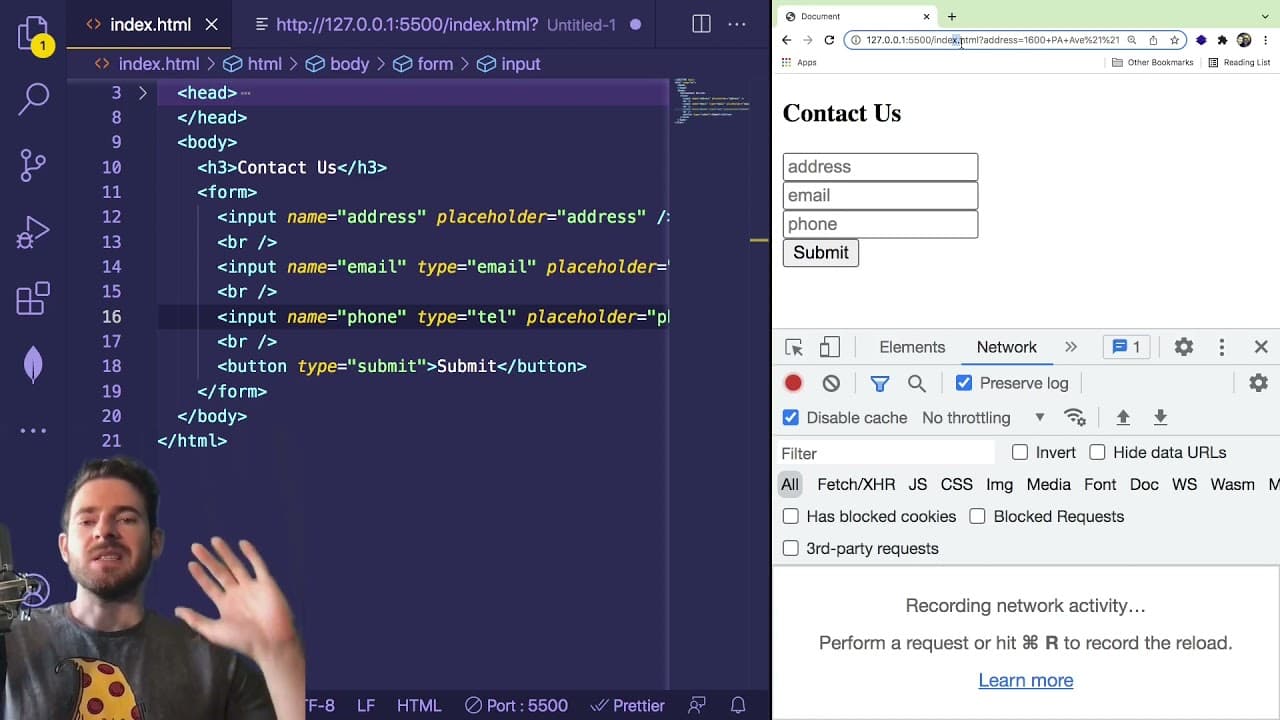
To submit data using an HTML form, create a <form> element with input fields, set an action URL, and define a method (GET or POST) for the request. When users fill out the form and click submit, data is packaged into a query string, which is then sent to the backend for processing without refreshing the page, unless specified otherwise.
Transcript
so i wanted to give you a quick overview of what an html5 form is and how you can use it to submit data to the back end um in a general sense all the form is is a way to encapsulate a bunch of input boxes that have names and take that data package it up and send it from your browser to an endpoint so i'm going to show you that how to build it out a... Read More
Key Insights
- 💁 HTML5 forms are essential for capturing user input in web applications, enabling various functionalities, from contact forms to data queries.
- 👤 Understanding the use of different input types and placeholder attributes enhances user interface design, providing intuitive guidance to users filling out forms.
- 💁 Developers can leverage browser developer tools to inspect network activities and debug form submissions, a critical skill for effective web development.
- 💁 The method of submitting forms (GET vs LAN POST) determines how the data is sent to the backend, affecting data security and visibility.
- 👤 Query strings not only carry user input but can also encode special characters, making it important for developers to understand encoding standards.
- 🥳 Utilizing third-party services for form submissions can simplify processes but requires understanding their action endpoints and response handling.
- 👻 Proficiency in JavaScript event handling allows developers to create dynamic forms that can send data asynchronously, enabling interactive user experiences.
Install to Summarize YouTube Videos and Get Transcripts
Explore YouTube Video Summarizer or Get YouTube Transcript Extractor
Questions & Answers
Q: What is an HTML5 form and what is its purpose?
An HTML5 form is a tool that aggregates user inputs, such as text fields and buttons, to facilitate data submission to the backend of a web application. This allows users to interactively enter information, which can be processed, stored, or used to filter data on the server side, enhancing user experience and interactivity.
Q: How do the attributes "action" and "method" function in an HTML5 form?
The "action" attribute specifies the URL endpoint where the form data will be submitted, while the "method" attribute defines the HTTP request type, such as GET or POST. GET appends data to the URL as query strings, making it visible in the address bar, while POST sends data in the request body, keeping it hidden from the URL, which is more secure for sensitive information.
Q: What is a query string and how is it formed in a form submission?
A query string is a part of the URL that contains encoded key-value pairs representing user input from a form submission. It starts with a question mark followed by parameters separated by ampersands (e.g., ?key1=value1&key2=value2). In the context of HTML forms, it enables data filtering and processing on the backend.
Q: How can you prevent the default form submission behavior in JavaScript?
To prevent the default refresh behavior of a form, you can attach an event listener to the form's submit event and invoke event.preventDefault(). This allows for custom handling of the submission process, such as sending the input data via AJAX requests without refreshing the page, essential in single-page applications.
Summary & Key Takeaways
-
HTML5 forms encapsulate user input elements, allowing for efficient data submission to specified endpoints through GET or POST requests.
-
Key attributes like action and method define the target URL and the type of request made upon form submission, impacting how data is processed on the backend.
-
Query strings generated during submissions contain key-value pairs formatted for backend processing, crucial for dynamic web applications like contact forms or data filtering.
Read in Other Languages (beta)
Share This Summary 📚
Summarize YouTube Videos and Get Video Transcripts with 1-Click
Try YouTube Summary with ChatGPT & Claude or YouTube Transcript Generator
Explore More Summaries from Web Dev Cody 📚





Summarize YouTube Videos and Get Video Transcripts with 1-Click
Try YouTube Summary with ChatGPT & Claude or YouTube Transcript Generator