What Are the Most Useful Everyday AI Tools?
TL;DR
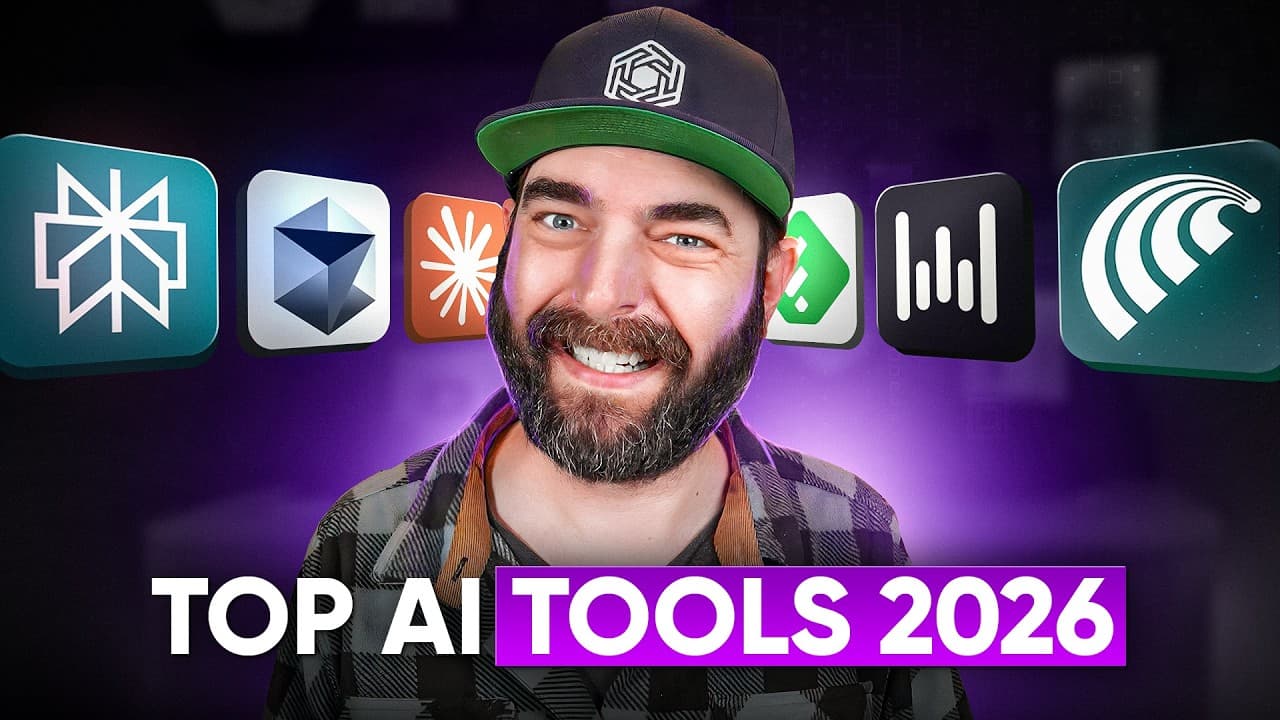
Perplexity is the creator’s most-used AI tool for quick research, while Claude is the preferred workspace for brainstorming, drafting, journaling, and YouTube planning. Comet makes repeated browser tasks faster through saved slash-command prompts, and Claude Projects becomes more useful when supplied with detailed instructions, channel analytics, reference files, and accumulated memory.
Transcript
All right, I'm just going to get straight to it. These are the AI tools that I use myself on a daily basis. It's the most common question I get asked, so I figured I'd make a video and break it all down for you. Now, these are kind of sort of in the order I use them from most to least. And I've got to start with Perplexity cuz it's the one that I d... Read More
Key Insights
- Perplexity is the creator’s primary tool for answering everyday questions and conducting quick search-based research. It has largely replaced Google in his personal workflow, and he believes users can still find it valuable without paying for the Pro plan.
- Comet is a browser that combines standard browsing with direct access to Perplexity. The creator usually asks questions from the browser’s location bar, allowing research to begin without navigating to the standalone Perplexity homepage.
- Saved slash commands are Comet’s most valuable feature for the creator. They instantly insert prewritten prompts, reducing repetitive typing and making recurring tasks such as article analysis and comment review faster and more consistent.
- The news-review command is designed to assess an article’s broader relevance. Its prompt asks whether the story is newsworthy, what the general public might care about, and what implications it may have for people without technical backgrounds.
- The comment-review command is built to identify useful audience feedback from YouTube comments. It attempts to disregard trolling and mean-spirited remarks, then surfaces constructive observations that can inform improvements to future videos.
- Browser agents are less useful when direct action is faster. Although Comet can control the browser and complete tasks, the creator rarely uses that capability because many routine actions still take less time when performed manually.
- Claude is the creator’s preferred chatbot for brainstorming, rough drafting, title development, journaling, and candid feedback. He favors its response style because he finds it less flattering and more likely to communicate what he needs to hear.
- Claude Projects become more personalized through instructions, files, memory, and repeated conversations. The creator’s YouTube Producer project uses exported channel analytics to understand which titles generated views, subscribers, and likes, along with audience locations and viewing platforms.
Install to Summarize YouTube Videos and Get Transcripts
Explore YouTube Video Summarizer or Get YouTube Transcript Extractor
Questions & Answers
Q: What AI tool can replace Google for everyday research?
Perplexity can serve as a practical replacement for Google when the goal is to ask everyday questions and receive quick, search-based research. The creator uses it more than any other AI tool, including for camera advice, information about listening to a basketball game, and comparisons between AI models. He pays for Pro but does not consider the paid plan necessary for usefulness.
Q: How does the Comet browser improve AI research?
Comet improves the creator’s research workflow by placing Perplexity directly inside the browser. Instead of visiting the Perplexity homepage, he can type a natural-language question where a URL would normally go. The browser also includes an assistant that can analyze the current page, execute saved prompts through slash commands, and offer responses from several selectable AI models.
Q: How can slash commands automate repeated AI prompts?
Slash commands automate repeated prompts by storing prepared instructions behind short, reusable command names. In Comet, the creator types a slash, selects a command, and submits it without rewriting the full prompt. This approach is especially useful for recurring workflows because it reduces typing, preserves the same evaluation criteria, and makes detailed prompts available immediately while browsing relevant content.
Q: How can AI identify useful feedback in YouTube comments?
AI can identify useful YouTube feedback through a prepared prompt that instructs it to review comments, disregard trolling and mean-spirited remarks, and highlight constructive observations. The creator runs this workflow through a saved Comet slash command called comment review. Its purpose is to surface actionable feedback that can help improve future videos without giving unproductive comments equal attention.
Q: Why does the creator prefer Claude over ChatGPT?
The creator prefers Claude because its answers better match his personal communication preferences. He finds Claude less likely to respond with excessive praise and more willing to provide feedback that he needs to hear instead of what he wants to hear. He acknowledges that this judgment is subjective, but Claude has become his main chatbot for brainstorming, drafting, titles, and reflective conversations.
Q: How can Claude Projects support YouTube planning?
Claude Projects can support YouTube planning by combining persistent instructions, uploaded reference files, accumulated memory, and ongoing conversations in one workspace. The creator’s YouTube Producer project helps generate video ideas, titles, thumbnail concepts, outlines, and positioning. Before recording, he can discuss a planned topic with the project and receive advice informed by his channel’s established goals and history.
Q: What YouTube analytics should be added to an AI project?
The creator adds CSV exports from his YouTube dashboard to his Claude project. These files show which video titles produced the most views, subscribers, and likes. They also include information about whether viewers watch on television, desktop, or mobile devices, along with the countries where viewers are located. Claude can then use those records when offering channel advice.
Q: When are browser agents less useful than manual work?
Browser agents are less useful when delegating a task takes longer than completing it directly. Comet offers agent features that can control the browser and perform actions, and the creator considers the capability interesting. However, he rarely uses it because many of his normal browser tasks are still faster to do manually. The practical value depends on whether automation actually reduces effort and time.
Summary & Key Takeaways
-
Perplexity has largely replaced Google for the creator’s everyday questions and quick research. Although he pays for Perplexity Pro, he believes the free version can still be useful. He typically accesses Perplexity through the Comet browser, where questions can be entered directly into the location bar without opening a separate page.
-
Comet’s assistant supports saved slash commands that insert reusable prompts. The creator uses one command to evaluate whether an article matters to general readers and another to extract constructive feedback from YouTube comments while disregarding trolling. He values this repeatable workflow more than browser automation, which can be slower than completing tasks manually.
-
Claude is the creator’s preferred chatbot for brainstorming, rough drafts, titles, journaling, and channel planning. His YouTube Producer project combines detailed instructions, exported YouTube analytics, reference files, conversation-derived memory, and ongoing discussions. This context helps Claude tailor recommendations to the channel’s audience, historical performance, creative preferences, and current video plans.
Read in Other Languages (beta)
Share This Summary 📚
Summarize YouTube Videos and Get Video Transcripts with 1-Click
Try YouTube Summary with ChatGPT & Claude or YouTube Transcript Generator
Explore More Summaries from Matt Wolfe 📚






Summarize YouTube Videos and Get Video Transcripts with 1-Click
Try YouTube Summary with ChatGPT & Claude or YouTube Transcript Generator