What Are the 10 Most Important Excel Formulas to Know?
TL;DR
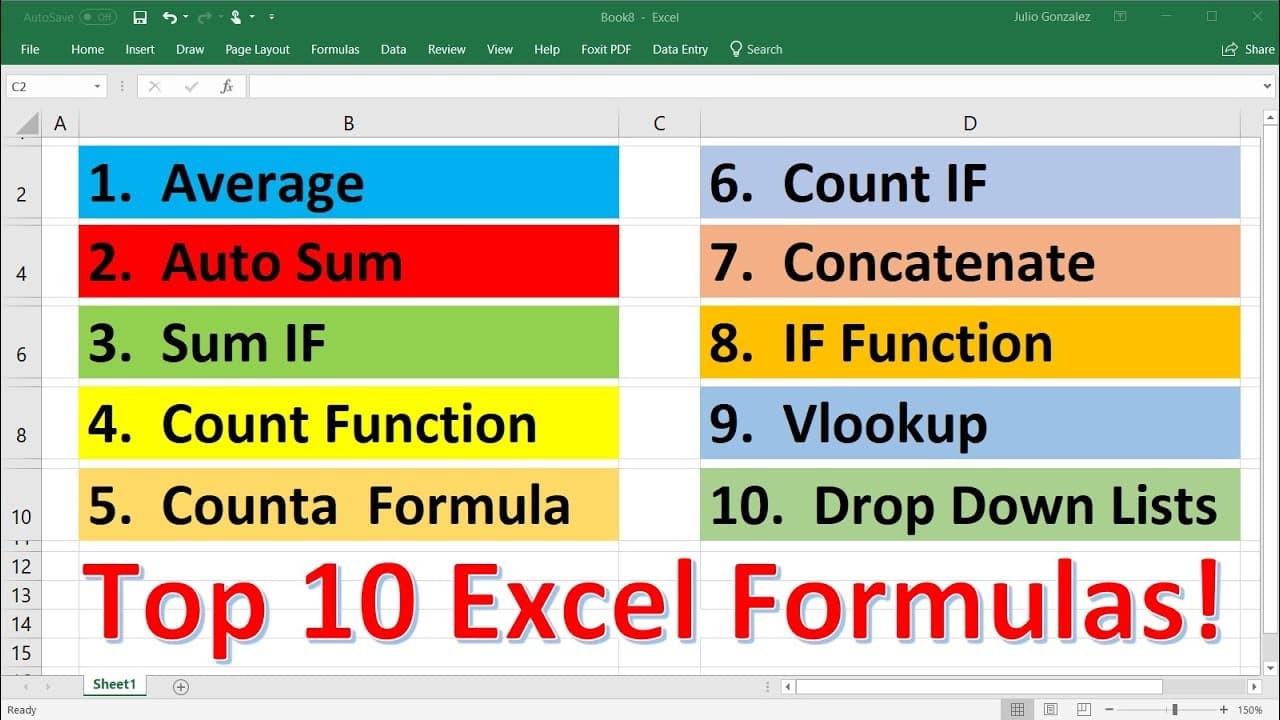
The 10 most important Excel formulas include Average, Sum, Sum If, Count, CountA, CountBlank, CountIf, Concatenate, If, and VLOOKUP. These functions help users perform essential calculations and data analysis tasks, such as finding averages, sums, conditional counts, and merging text. Mastering these formulas enhances Excel proficiency and productivity.
Transcript
in this video we're going to talk about 10 functions that are typically used in excel so the first one that we're going to go over is the average function so let's say we have a group of numbers 15 27 42 93 56 84 75 33 and 49 if you want to find the average of these numbers type in equal average parentheses and then highlight the column of data tha... Read More
Key Insights
- 👥 The average function is used to find the average of a group of numbers in Excel.
- 🍹 The sum function can be used to find the sum of individual numbers or groups of numbers.
- 🍹 The sum if function allows you to find the sum of specific elements in a list, based on criteria.
- 🔄 The count function counts the number of cells in a range that contain numbers.
- 🧡 The counta function counts the number of cells in a range that are not empty.
- 🔄 The count blank function counts the number of empty cells in a range.
- 🔄 The count if function is used to count a certain selection in a column or range, based on criteria.
- 💁 The concatenate function combines the information in two columns into one column.
- 👻 The if function allows for different calculations based on a logical test.
- 👀 The vlookup function is used to look up information in a table based on a given value.
Install to Summarize YouTube Videos and Get Transcripts
Explore YouTube Video Summarizer or Get YouTube Transcript Extractor
Questions & Answers
Q: How can I use the average function in Excel?
To use the average function, type "=average()" and highlight the column of data you want to average. This function calculates the average of the numbers in that column.
Q: Can I use the sum function to add up two numbers quickly?
Yes, to add up two numbers, type "=sum(number1,number2)" or "=number1+number2". This will give you the sum of the two numbers.
Q: What is the purpose of the count function in Excel?
The count function is used to count the number of cells in a range that contain numbers. It helps to determine the total count of cells with numbers in a column.
Q: How does the counta function differ from the count function?
The counta function counts the number of cells in a range that are not empty. It counts both cells with text and numbers, providing a count of all non-empty cells.
Q: How can I use the sum if function to find the sum of specific elements in a list?
To use the sum if function, type "=sumif(range,criteria,sum_range)". This function allows you to find the sum of a certain element in a list, based on a specific criteria.
Q: How does the count if function work in Excel?
The count if function allows you to count a certain selection in a column or range. To use it, type "=countif(range,criteria)". It counts the number of times a specific criteria is met in the range.
Q: Explain how the concatenate function is used in Excel.
The concatenate function combines the information in two columns into one column. To use it, type "=concatenate(text1," ",text2)", where text1 and text2 are the columns you want to combine.
Q: What is the purpose of the if function in Excel?
The if function allows you to perform different calculations based on a logical test. If the test is true, it performs one calculation. If false, it performs another calculation.
Summary & Key Takeaways
-
The video demonstrates how to use the average function to find the average of a group of numbers in Excel.
-
It explains how to use the sum function to find the sum of numbers, both individually and in groups.
-
The video also covers functions such as sum if, count, counta, countblank, countif, concatenate, if, vlookup, and how to create a dropdown list.
Read in Other Languages (beta)
Share This Summary 📚
Summarize YouTube Videos and Get Video Transcripts with 1-Click
Try YouTube Summary with ChatGPT & Claude or YouTube Transcript Generator
Explore More Summaries from The Organic Chemistry Tutor 📚


Summarize YouTube Videos and Get Video Transcripts with 1-Click
Try YouTube Summary with ChatGPT & Claude or YouTube Transcript Generator