How to Build a Next.js Symptom Tracker App
TL;DR
To build a symptom tracker app in Next.js, start by implementing a date display and create navigation for past and future entries. Handle null responses from the backend by returning a default entry to avoid crashes. Effective state management and clear code structure enhance the app's functionality while maintaining ease of use for users.
Transcript
okay so welcome back i think this is part four at this point of this uh application i'm kind of live coding on so i'm trying to figure out what we need to do next so again every day is going to be able to track a new symptom um so if i refresh this page it would probably be cool to have like the actual today's date um awesome so let's let's let's f... Read More
Key Insights
- 🕸️ Building a web application often involves debugging and implementing real-time solutions, like adding a default return for null responses from APIs.
- 👤 Effective state management and proper use of React components are crucial for creating interactive and user-friendly applications, particularly when dealing with dynamic data.
- 👨💻 The importance of established coding practices, such as committing only when stable code is achieved, can facilitate better version control and project tracking.
- 🥺 While developing, it's essential to balance functionality with code cleanliness, avoiding excessive abstraction that could lead to undue complexity in the application codebase.
- 🥳 Leveraging JavaScript’s built-in functionalities can often lead to simpler code compared to integrating extensive third-party libraries, particularly for straightforward tasks like date management.
- 👤 Utilizing the browser’s refresh functionality alongside API requests is a critical aspect of ensuring the user interface stays synchronized with backend data.
- 🎮 Clear and descriptive commit messages during version control can enhance collaboration and provide a clearer project history for future reference.
Install to Summarize YouTube Videos and Get Transcripts
Explore YouTube Video Summarizer or Get YouTube Transcript Extractor
Questions & Answers
Q: What problem was encountered during the coding session?
The coder faced an issue where the backend returned a null response for today’s date, leading to potential crashes in the frontend application. This was addressed by implementing a fallback mechanism to return default values for unrecorded dates.
Q: How was the functionality for date navigation implemented?
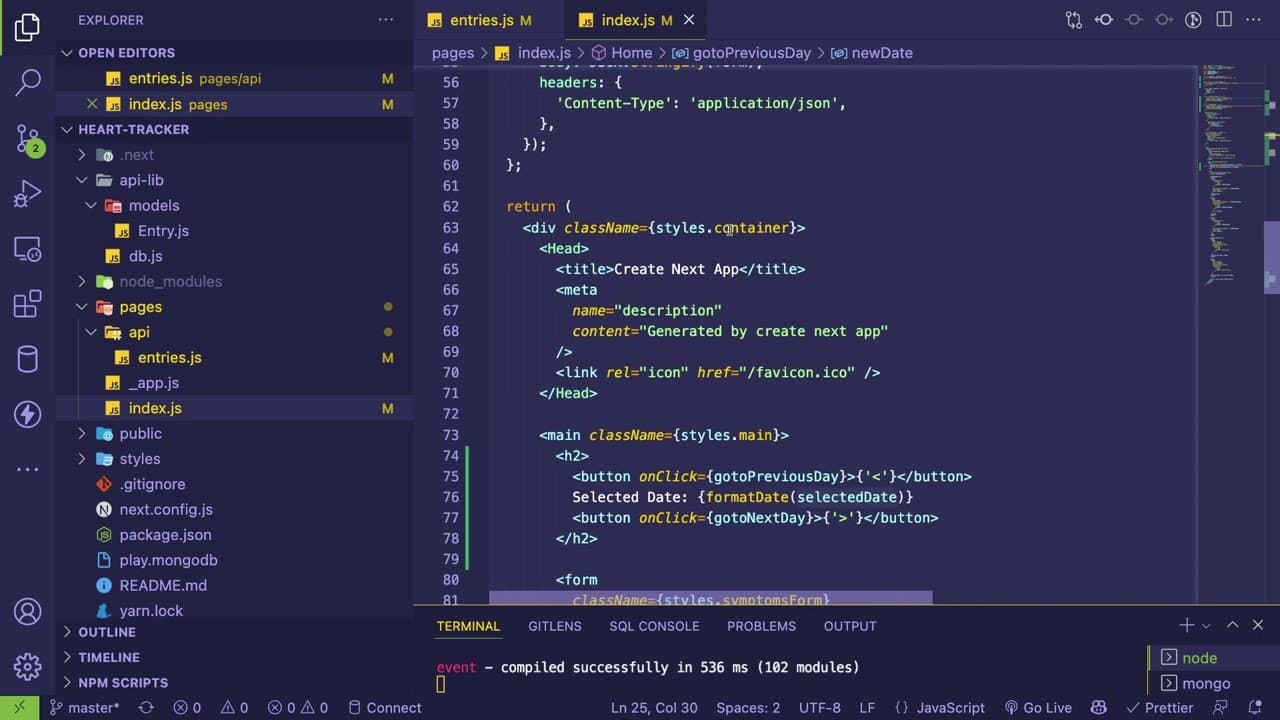
The coder created buttons that allow users to navigate backwards and forwards between dates. By utilizing React state management, the selected date updates dynamically, retrieving relevant entries for the chosen date whenever the user makes changes.
Q: Why was the decision made to avoid using third-party library for date handling?
The coder expressed a preference for using built-in JavaScript functions for date management to maintain simplicity in the code structure. While acknowledging the benefits of libraries like moment.js, the focus remained on leveraging default JavaScript capabilities for handling dates.
Q: How did the coder ensure data persistence in the app?
Data persistence was achieved by integrating MongoDB as the backend where symptom entries are stored. The system was designed to save and retrieve these entries based on the selected date, allowing users to view their historical symptom data effectively.
Summary & Key Takeaways
-
The content outlines the live coding process of a symptom tracking application, identifying bugs and implementing functionalities to ensure the app returns data even if no entries exist for the current date.
-
Key features discussed include displaying the current date, navigating between days to view past or future entries, and leveraging state management in a React application.
-
Throughout the session, the coder emphasizes a pragmatic approach to coding, opting for straightforward solutions while considering potential refactoring and code organization for future enhancements.
Read in Other Languages (beta)
Share This Summary 📚
Summarize YouTube Videos and Get Video Transcripts with 1-Click
Try YouTube Summary with ChatGPT & Claude or YouTube Transcript Generator
Explore More Summaries from Web Dev Cody 📚





Summarize YouTube Videos and Get Video Transcripts with 1-Click
Try YouTube Summary with ChatGPT & Claude or YouTube Transcript Generator