What VSCode Shortcuts Help Improve Coding Efficiency?
TL;DR
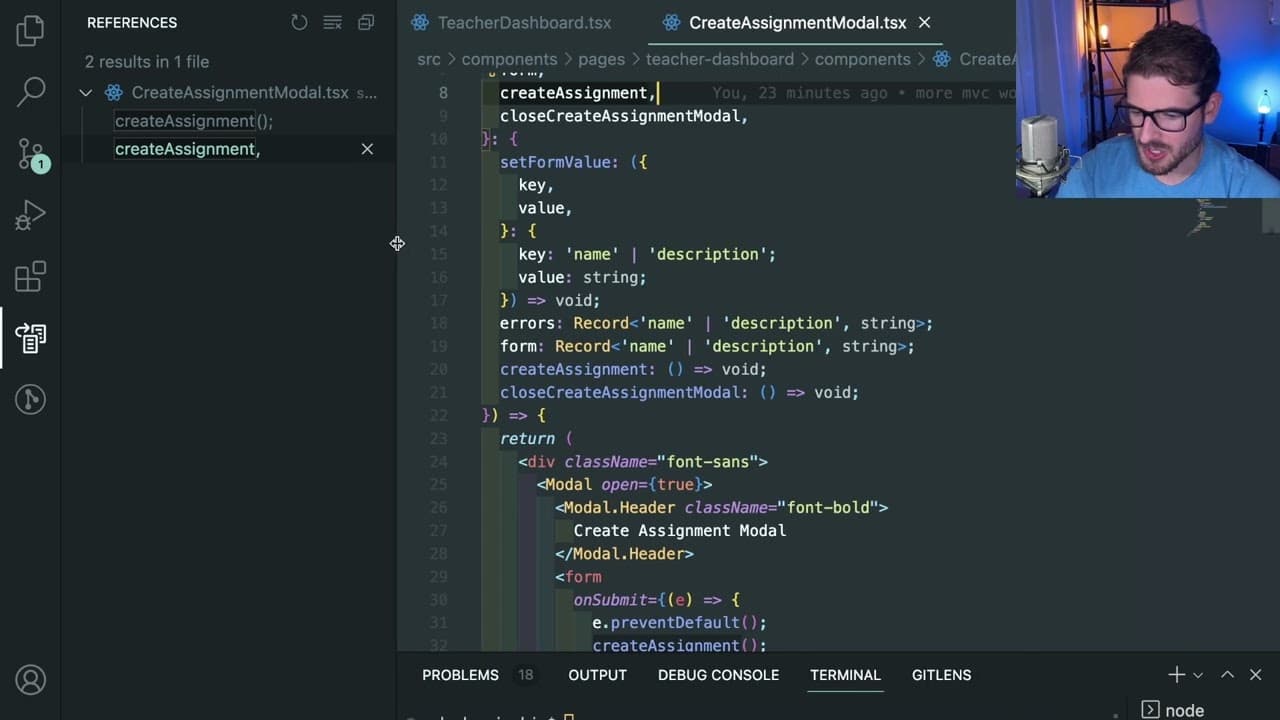
To improve coding efficiency in VSCode, utilize shortcuts like Command P for quick file navigation, Control + Command + Shift + O for locating variable declarations, and Command F for searching text. Memorizing key shortcuts, minimizing sidebar usage, and using Intellisense (Command Space) for contextual suggestions are crucial strategies for increasing productivity.
Transcript
okay so this video is going to be a good video to pay attention to i'm basically going to go through all of the tips and tricks and vs code shortcuts that i use on my project to be as efficient as i can there might be some things that i'm not doing properly i'm still trying to learn but for the most part i've managed to figure out a way to be reall... Read More
Key Insights
- 🥺 Utilizing keyboard shortcuts like command P and command F can significantly enhance navigation speeds within a codebase, leading to more efficient coding sessions.
- 🤩 Emphasizing memorization of key file names and paths reduces reliance on visual aids such as the sidebar, fostering a deeper engagement with the code structure.
- 👾 Features like Intellisense (accessed via command space) are invaluable for providing contextual suggestions, reducing coding errors, and speeding up the development process.
- 👨💻 Understanding how to manipulate blocks of code using shortcuts like option up/down arrow and command X can streamline coding and refactoring tasks.
- 👨💻 Leveraging multi-instance selection (command D) enables developers to make bulk changes quickly, ensuring consistency and accelerating the coding process.
- 👻 Effective project-wide search capabilities (command shift F) allow developers to track function usage and dependencies efficiently, contributing to better code maintenance.
- 🫥 Clearing the terminal output with command K can improve the clarity of command-line interactions, making it easier to focus on relevant output without clutter.
Install to Summarize YouTube Videos and Get Transcripts
Explore YouTube Video Summarizer or Get YouTube Transcript Extractor
Questions & Answers
Q: What is the significance of using command P in VS Code?
The command P shortcut allows users to quickly access files by typing their names, facilitating faster navigation through the codebase without relying on the sidebar. This encourages memorization of key file names and enhances productivity by reducing the time spent browsing through the file tree.
Q: How can control command shift O help in coding?
This shortcut enables coders to jump directly to the definition of a variable or function within their code. Instead of scrolling through large files, users can type the name of the variable and get redirected to its declaration, streamlining the coding process and improving efficiency.
Q: What role does command space play when writing code?
Command space activates Intellisense suggestions in Visual Studio Code, which assists users by providing context-aware code completions, method signatures, and hints as they type. This feature is particularly valuable in TypeScript, helping coders recall the correct parameters or methods needed, thus reducing errors in code.
Q: Why is minimizing the sidebar considered beneficial for productivity?
By minimizing the sidebar, developers can build familiarity with their project's key files, forcing them to memorize names and paths. This practice not only improves navigation speed but also encourages a deeper understanding of the code structure without reliance on visual aids, leading to enhanced coding proficiency.
Q: Could you explain the importance of command X and its application?
The command X shortcut allows users to quickly cut an entire line of code regardless of where the cursor is located. This feature aids in efficient code manipulation, as it saves time when needing to remove lines, facilitating quicker corrections and adjustments without the hassle of clicking or highlighting.
Q: How does command shift F assist in searching within a project?
This shortcut brings up the search function across the entire project, enabling users to find instances of functions or variables throughout their codebase. It's an efficient way to check where a particular piece of code is utilized, allowing coders to manage references easily and maintain consistency.
Q: What is the benefit of using command D for selecting multiple instances of a variable?
Command D allows users to select and highlight multiple instances of a variable or word throughout the code quickly. This is helpful for making bulk edits or renaming variables, as it streamlines the process and ensures that changes are uniformly applied across the codebase.
Q: Why is it advisable to keep a limited number of tabs open in VS Code?
Keeping a limited number of tabs open minimizes distraction and reduces cognitive overload. When too many tabs are open, it can be overwhelming and lead to confusion regarding which files are being worked on, ultimately hindering productivity. Managing tabs efficiently aids in maintaining focus on the task at hand.
Summary & Key Takeaways
-
The video focuses on various tips and shortcuts for using Visual Studio Code effectively, emphasizing the importance of memorization for faster navigation and coding efficiency.
-
The presenter shares practical shortcuts like command P for file navigation, control command shift O for variable declarations, and command F for searching text within files.
-
Additional tips include using command space for Intellisense suggestions, minimizing sidebar use, and effective line and block manipulation for better coding practices.
Read in Other Languages (beta)
Share This Summary 📚
Summarize YouTube Videos and Get Video Transcripts with 1-Click
Try YouTube Summary with ChatGPT & Claude or YouTube Transcript Generator
Explore More Summaries from Web Dev Cody 📚





Summarize YouTube Videos and Get Video Transcripts with 1-Click
Try YouTube Summary with ChatGPT & Claude or YouTube Transcript Generator